50
Multimedia
You canstoremultimedialesonamemorycardforeasyaccesstoallyour
imageandvideoles.
Gallery
OntheHomescreen,touch >Appstab>Gallery .Openalistof
albumsthatstoreallyourimageandvideoles.
Playing a video
1.Touch >Appstab>Videos .
2.Selectthevideoyouwanttoplay.
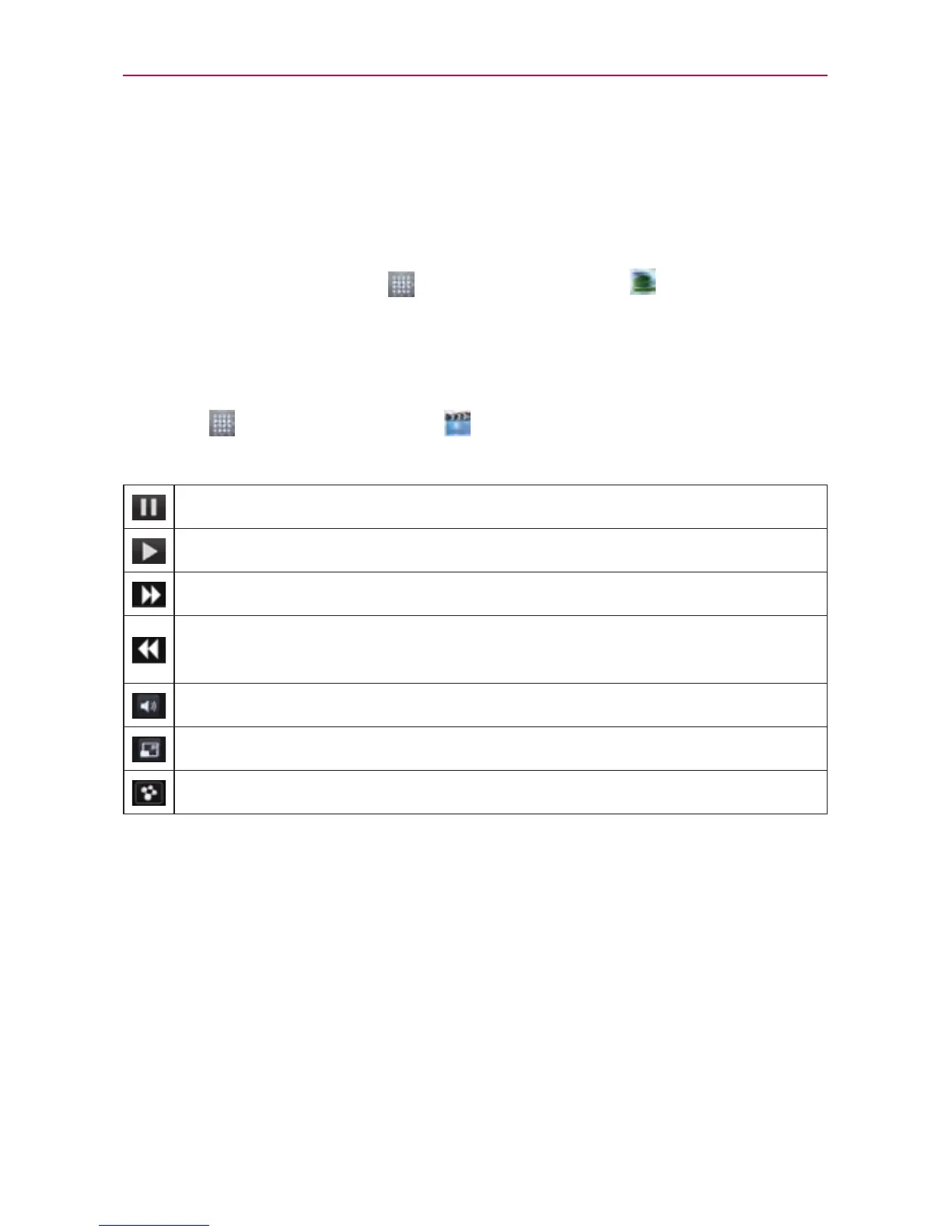
Touchtopauseplayback.
Touchtoresumeplayback.
Touchtoskiptothenexttrackinthealbum,playlistorshufe.
Touchtogobacktothebeginningofthesong.Touchtwicetoreturn
totheprevioussong.
Touchtomanagethevideovolume.
Touchtochangetheratioofthevideoscreen.
TouchtoshareyourvideoviatheSmartSharefunction.
Tochangethevolumewhilewatchingavideo,presstheupanddown
volumekeysontheleft-handsideofthephone.
Touchandholdavideointhelist.TheShare,Trim,DeleteandDetails
optionswillbedisplayed.



 To Next Page