47
Video camera
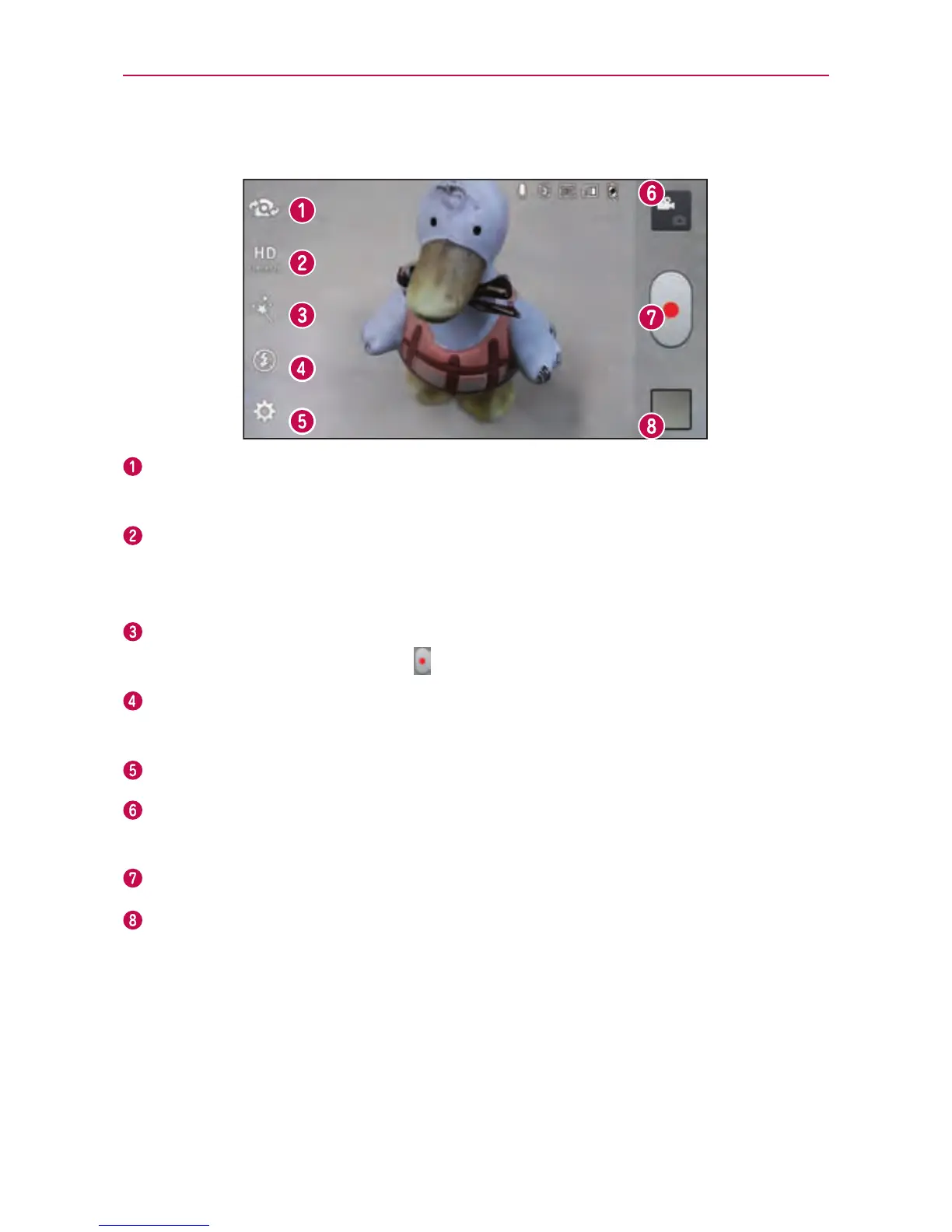
Getting to know the viewfinder
Switch lenses–Switchbetweentherear–facingcameralensandthe
front-facingcameralens.
Resolution–DenetheresolutionfromFullHD(1920x1080),HD
(1280x720),TV(720x480),VGA(640x480),MMS(320x240),MMS(QCIF-
176x144).
Live Effect–Allowsyoutoputvariouseffectswhenrecordingavideo.
Chooseaneffectandtouch
.
Flash–Allowsyoutoturnontheashwhenrecordingavideoinadark
place.
Settings–AccesstheSettingsmenu.
Mode switch–Allowsyoutoswitchbetweenvideomodeandcamera
mode.
Record–Touchtostartrecordingavideo.
Gallery–Touchtoviewthelastvideoyourecorded.Thisenablesyouto
accessyourGalleryandviewyoursavedvideosfromwithinvideomode.
Recording a quick video
1.OpentheCameraapplicationandtouchtheMode switchbutton.
2.Thevideocameraviewnderappearsonthescreen.



 To Next Page