Section 1. Overview of the 7200-101 Flow Module
Controlling Flow with the Windows
®
Software
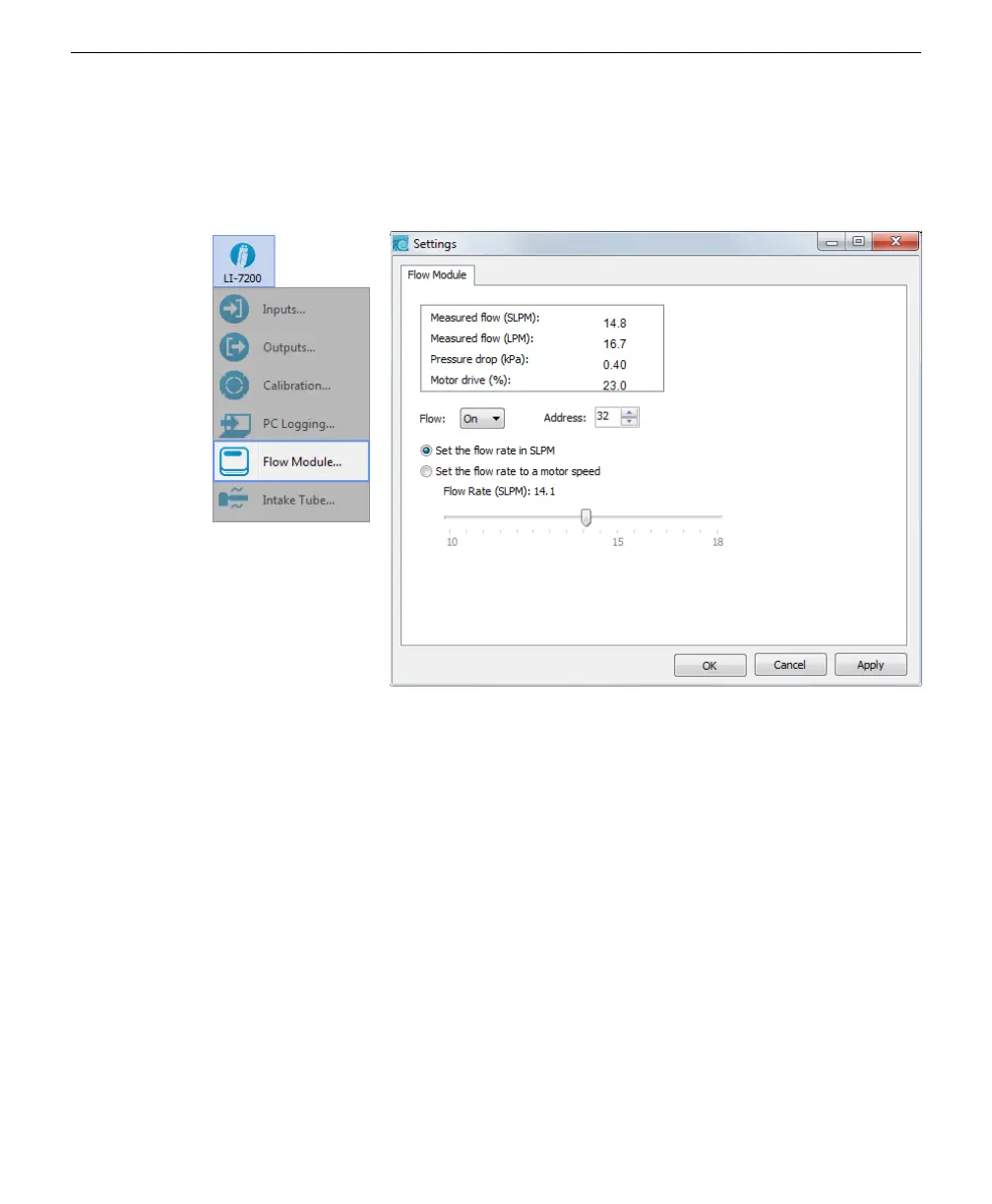
The 7200-101 Flow Module can be operated through the LI-7200/RS Windows soft-
ware via the Flow Module Settings window.
The Flow Module
Settings window
displays current
readings for meas-
ured flow, pres-
sure drop, and
motor drive. Meas-
ured flow is displayed in Standard Liters Per Minute (SLPM), or in Liters Per
Minute (LPM), which is volumetric flow corrected for temperature and pressure.
Use the Flow menu to toggle the blower motor drive On or Off. Use the Address
menu to select the accessory bus address to use, between 32-255. This is primarily
used for future expansion possibilities, where multiple instruments may be con-
nected via the Accessory port. This address must match the one set on the 7200-101
control panel (an address of 32 is typical).
The actively controlled flow rate can be set in SLPM; move the slider bar to choose
a flow rate between 10 and 18 SLPM. The blower motor drive can also be set as a
percentage. When the “Set the flow rate to a motor speed” radio button is selected,
the slider changes to show 0-100%. Move the slider bar to choose a blower motor
drive. Most applications will use the “Set the flow rate in SLPM” option, at a Flow
Rate of 15.0 SLPM.
1-10 7200-101 Flow Module



 To Next Page