Light Sensor Considerations
Specifying the Source and Sensor
Using the LI-6400 8-5
Pick Source
When you press Pick Source (F1) in the Light Source Control screen, the
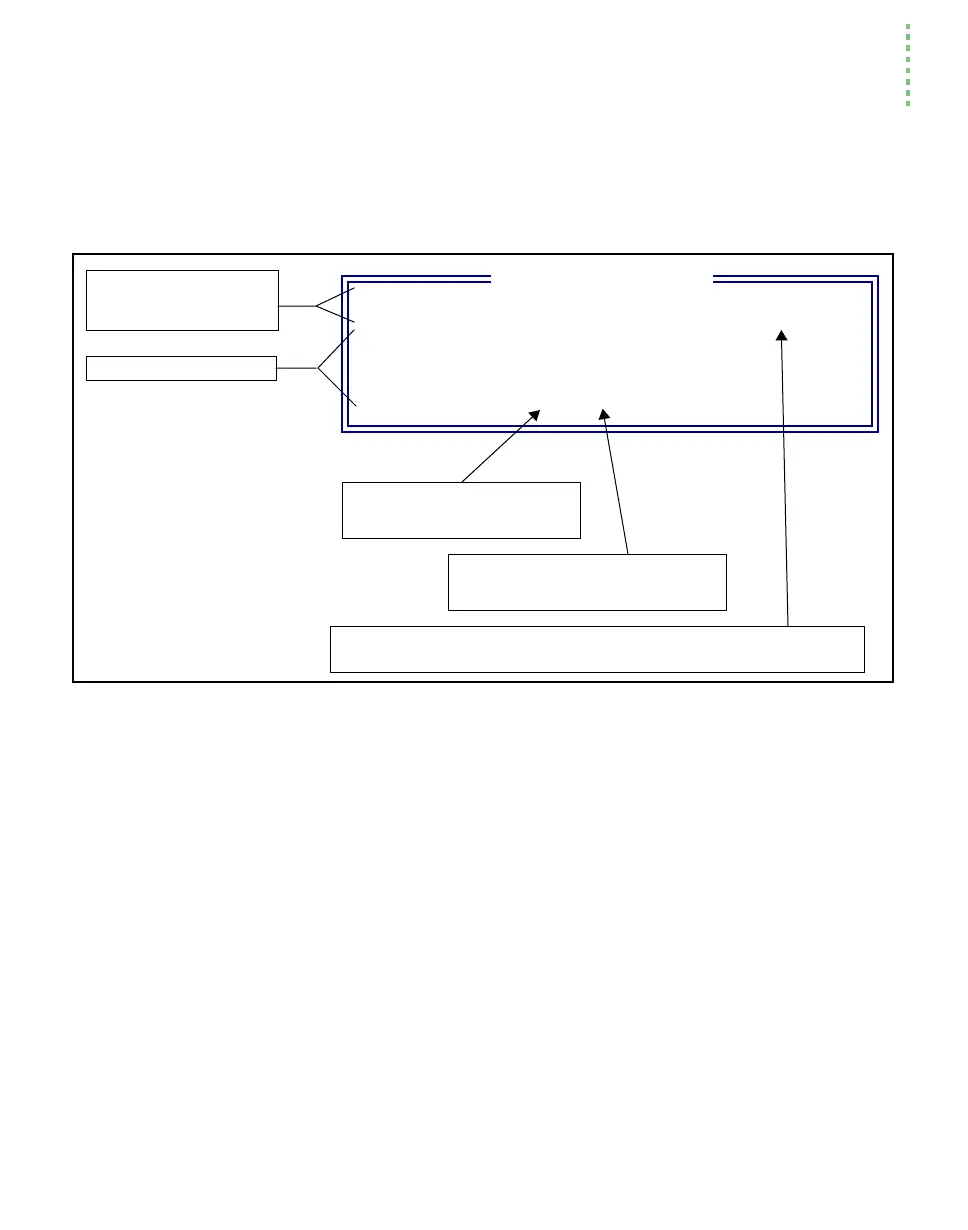
LightSource Selection Menu (Figure 8-2) will appear.
Edit StdFile.
This option in the Light Source Control screen opens the file /User/Configs/Light-
Sources
for editing. You would do this if you wished to add your own entries,
or modify existing entries. Note that this is NOT the method of modifying the
LED source entries. They are added via the Installation Menu.
Revert StdFile
The revert file option changes the file
/User/Configs/LightSources back to itÕs de-
fault state. The default version of this file is stored in /Sys/Lib/LightSources.
"6400-02 Red LED #SI-120" 1.0 0.16 0.69
"6400-02B RedBlue #SI-501" 1.0 0.16 -0.61
"Sun+Sky" 1.0 0.19
"Quartz Halogen" 1.11 0.26
"Fluorescent" 0.88 0.18
"Metal Halide" 0.87 0.17
Select Light Source
Standard Light sources
6400-02 and -02B Light
Sources that have been
installed
Figure 8-2. The menu for picking a light source consists of some standard lamps, plus whatever LED sources have
been installed.
Adjustment factor f
a
(Eqn (14-15) on page 14-8).
Conversion factor for energy balance
Equation(17-8) on page 17-3
6400-02 and -02B entries have a third value, that is calibration value a
e
(Equation (14-15) on page 14-8).


 To Next Page