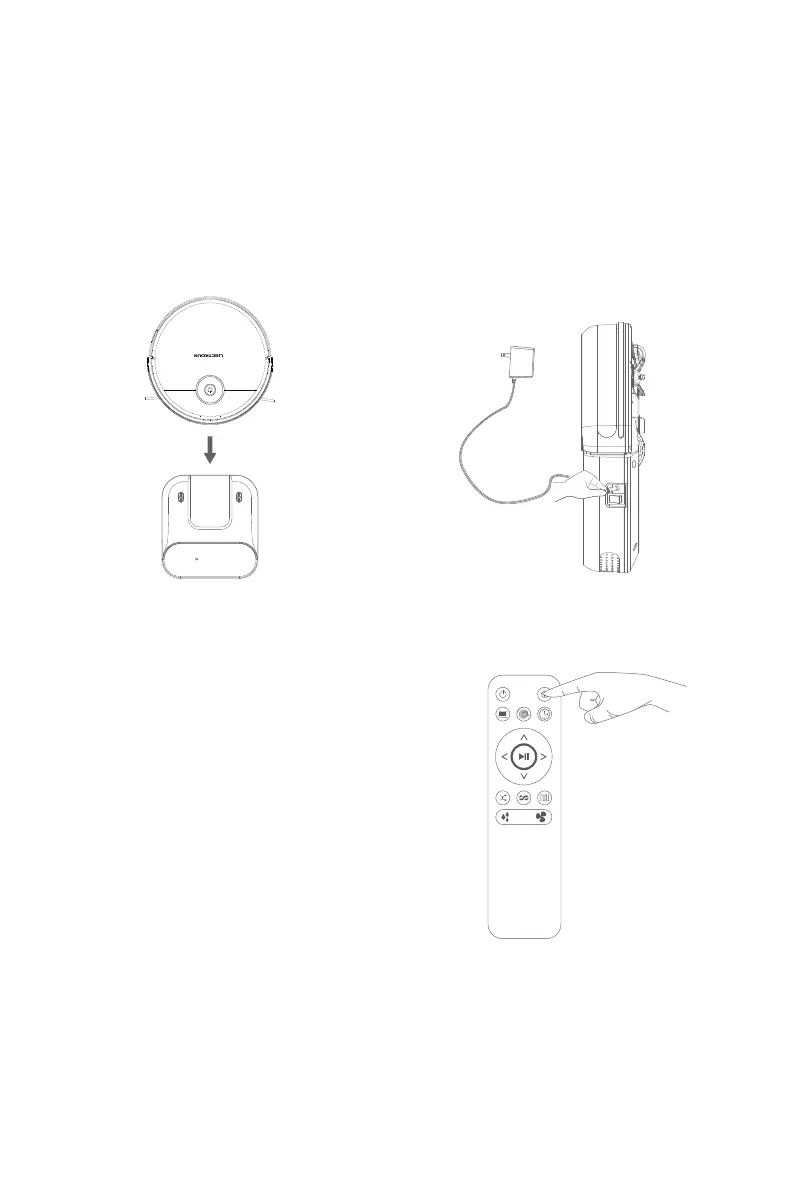
Charging Operation
Tips:
1. When the key indicator is blinking in orange color, it indicates that
power charging is ongoing; upon complete power charging, the key
indicator lights up permanently in green color.
2. During daily use, please place the robot on the charging base and
ensure that the charging base is connected to the power source.
3. If the product is not to be used for a long period, please fully
charge the product, turn off the power switch, and store the product in
a dry and well-ventilated place.
4. When setting the reservation mode, please do not activate the
manual charging mode, while the automatic charging mode is
recommended.
Automatic Charging
Under the automatic cleaning mode, when the
product is low in electric quantity, it will
automatically search the charging base for power
Press the recharge key on the remote controller in
the selection mode, and the machine will
automatically find the charging base for charging.
Power Charging of Remote Controller
Manual Charging
Turn on the power switch on one side of the robot (1
indicates power-on, and 0 indicates power-off), the
key indicator on the panel becomes blinking, then
connect the power adapter to the power source, and
plug the DC power output terminal to the product.
9



 To Next Page