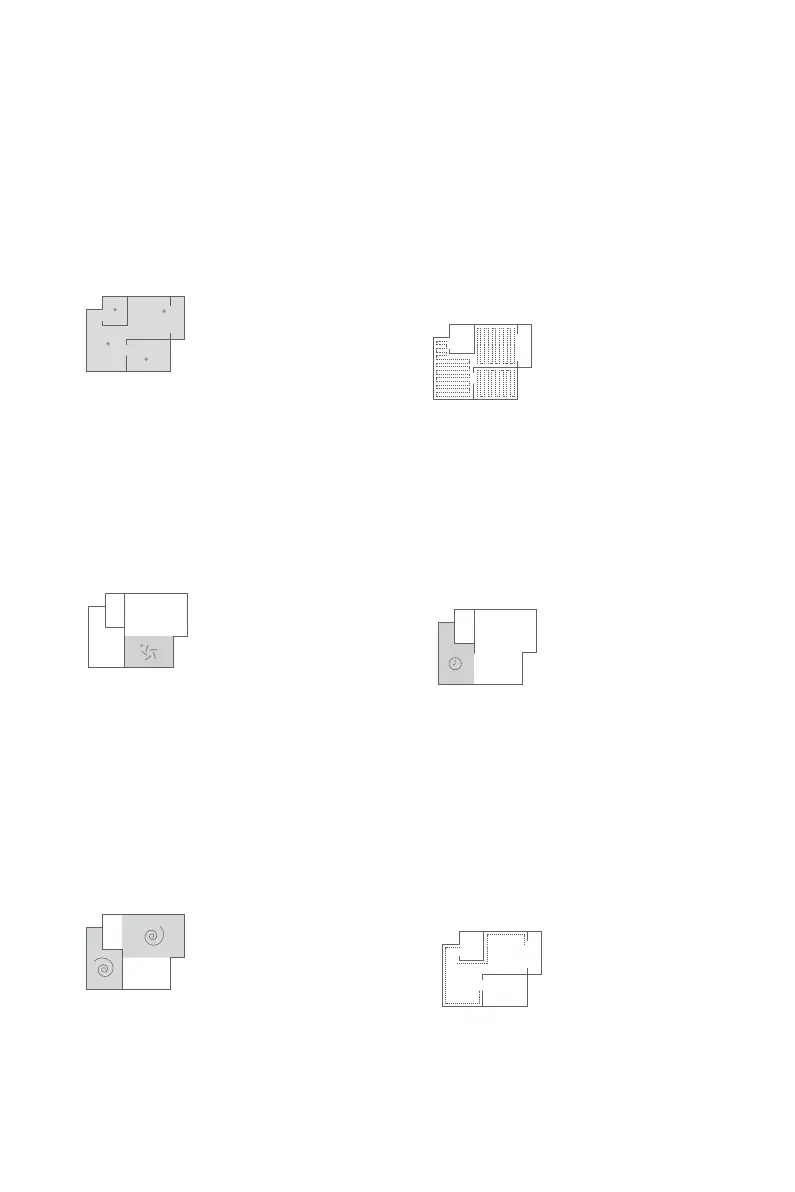
Cleaning Modes
Auto cleaning
On the remote controller, press the auto cleaning
key, and the robot will perform automatic cleaning
in the random cleaning mode by comprehensively
analyzing the environment.
Max cleaning
Planned Cleaning
If any area in the house is heavily accumulated with
dust, please press the robust cleaning key on the
remote controller, the robot will perform cleaning
with intensified suction pressure.
Press the cleaning key, and the robot will
automatically enter a cleaning mode to perform
cleaning in smart planned manner. After cleaning is
finished, the robot will search the charging
base for power charging or go back to the original
point.
Scheduled Cleaning
Set the cleaning duration via the remote controller.
With successfully set reservation, the robot can
perform automatic cleaning at the fixed time on a
daily basis.
Spot cleaning
If there is a "severe dusty area" in the house, which
is in need of repeated cleaning, please press the
spot cleaning key, and then the robot will perform
intensified cleaning in a round trajectory.
Edge cleaning
When encountering a wall, the robot will
automatically enter the edge cleaning mode. Under
the edge cleaning mode, the robot will operate
along the side of the wall and will not ignore any
corners.
11



 To Next Page