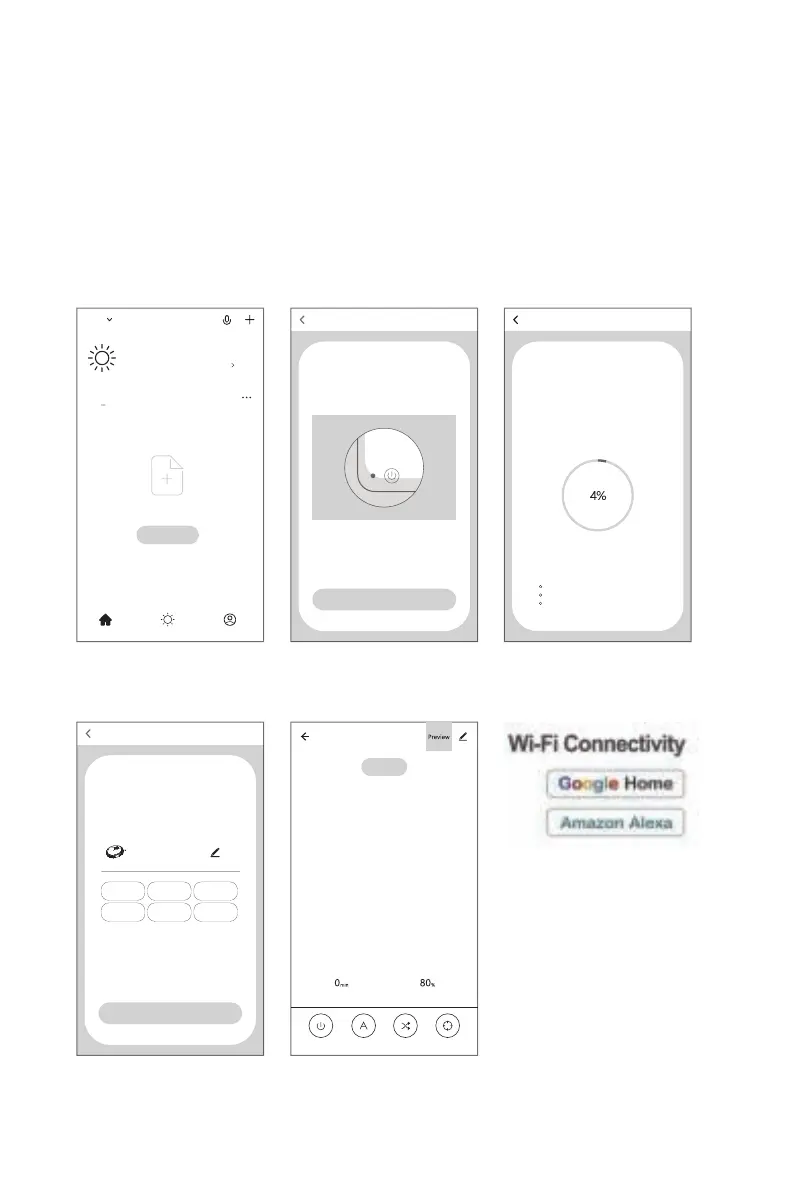
Mobile APP Network Interfacing Operation
Tips:
If network interfacing fails, please restart the product and reinitiate the network interfacing procedure.
1. Ensure that the mobile is connected to an available WIFI network in your house, and the signal of the network shall
be satisfactory.
2. Power on the product, hold the start key for 2S before a beeping sound and the voice of "Network Interfacing", and
then the network interfacing status is valid. Now please open your mobile APP for connection.
5. Please operate through the APP
3. The robot enters the network
interfacing mode, and the signal
indicator of network is blinking
4. Network interfacing success
1. Log on and register your account
of the mobile APP
2. Click "ensure the signal indicator
is blinking"
Add device
Compatible mode Add device
Power on, and make sure that the signal indicator is blinking
View help
Make sure that the signal indicator is blinking
Add device
Connecting
Keep the equipment as close to the router and your
mobile as possible
Equipment identified
Register the equipment to the smart cloud
Equipment initialization
Robot
Add device
Equipment added
successfully
Living
room
Master
bedroom
Secondary
bedroom
Dining
room
Study
room
Kitchen
Completed
Robot
View help
Cleaning time
Standby
Surplus electricity
Switch Planned mode Random mode
Fixed-point
mode
Welcome home
Set your home location for more information
All Devices
No devices ,please add
Add Device
Home MeSmart
2



 To Next Page