24
Lifeloc FC10
Plus
www.Lifeloc.com | 303-431-9500
Read the result. It should be within +/- .005 BAC of the standard used. If your solution is
greater than .100 BAC, accurate results will be within +/- 5%.
Example:
• A .100 BAC solution should read between .095 and .105 BAC.
• A .200 BAC solution should read between .190 and .210 BAC.
If no alcohol was detected, the display will read “INVALID CHECK”. Repeat wet bath
calibration check instructions.
(Calibration display fl ow chart is shown on p. 33)
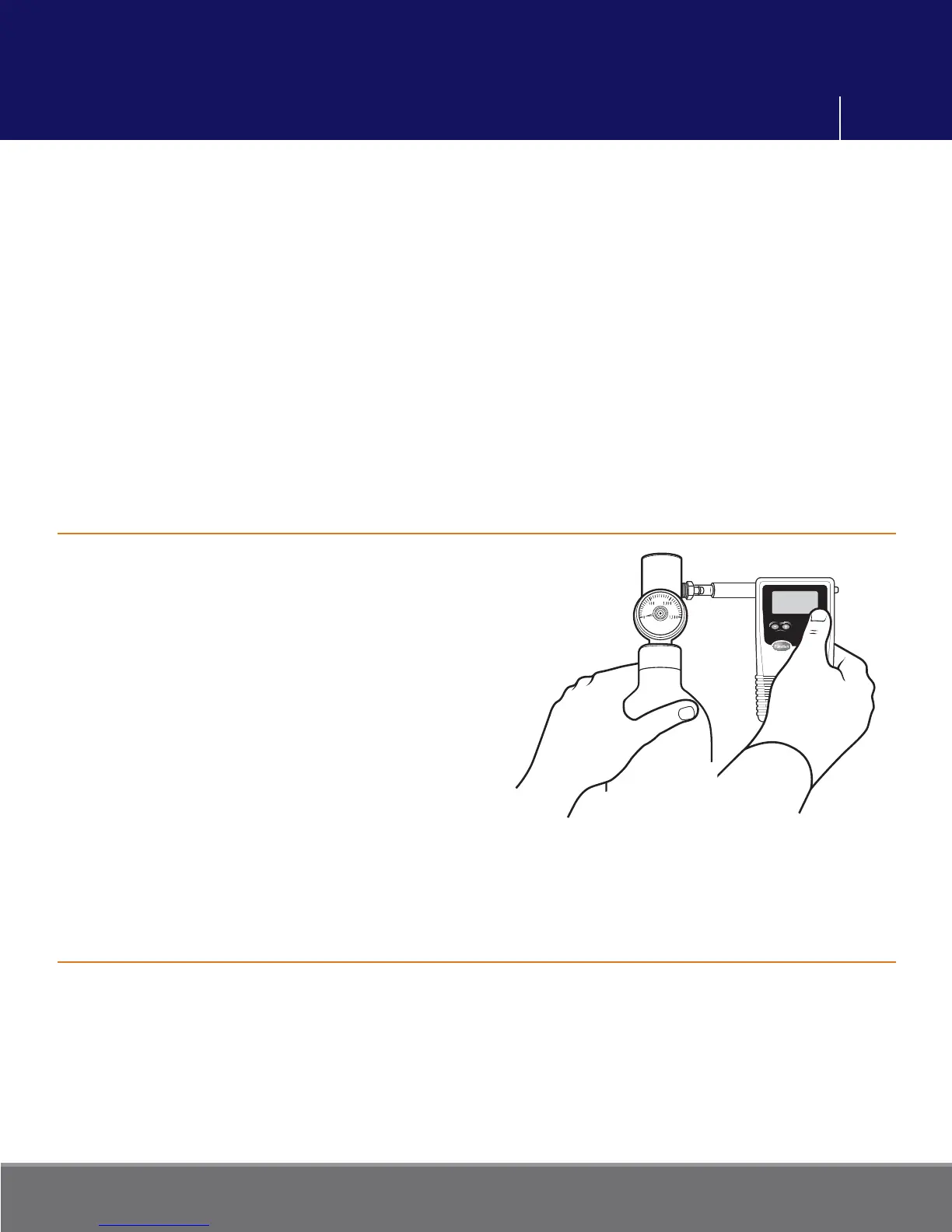
Dry Gas Tank Set-Up
Attach the regulator to the dry gas tank.
Attach the small tube to the output port
on the regulator.
Securely fi t the mouthpiece adaptor to the
small tube on the regulator.
Note: Do not store the dry gas tank with
the regulator attached. The regulator
is not designed as the primary sealing
mechanism. Leaving the regulator
attached may result in a leak.
Performing a Dry Gas Calibration
Prepare the dry gas tank according to its instructions above.
Turn FC10
Plus
on. Attach a mouthpiece to the back of the unit.
Press the Function button until the display reads “CALIBRATION”.
Press the Execute button. Display reads “DRY CHECK”.
Press the Function button until the display reads “DRY CALIBRATE”.
Dry Gas Calibration



 To Next Page