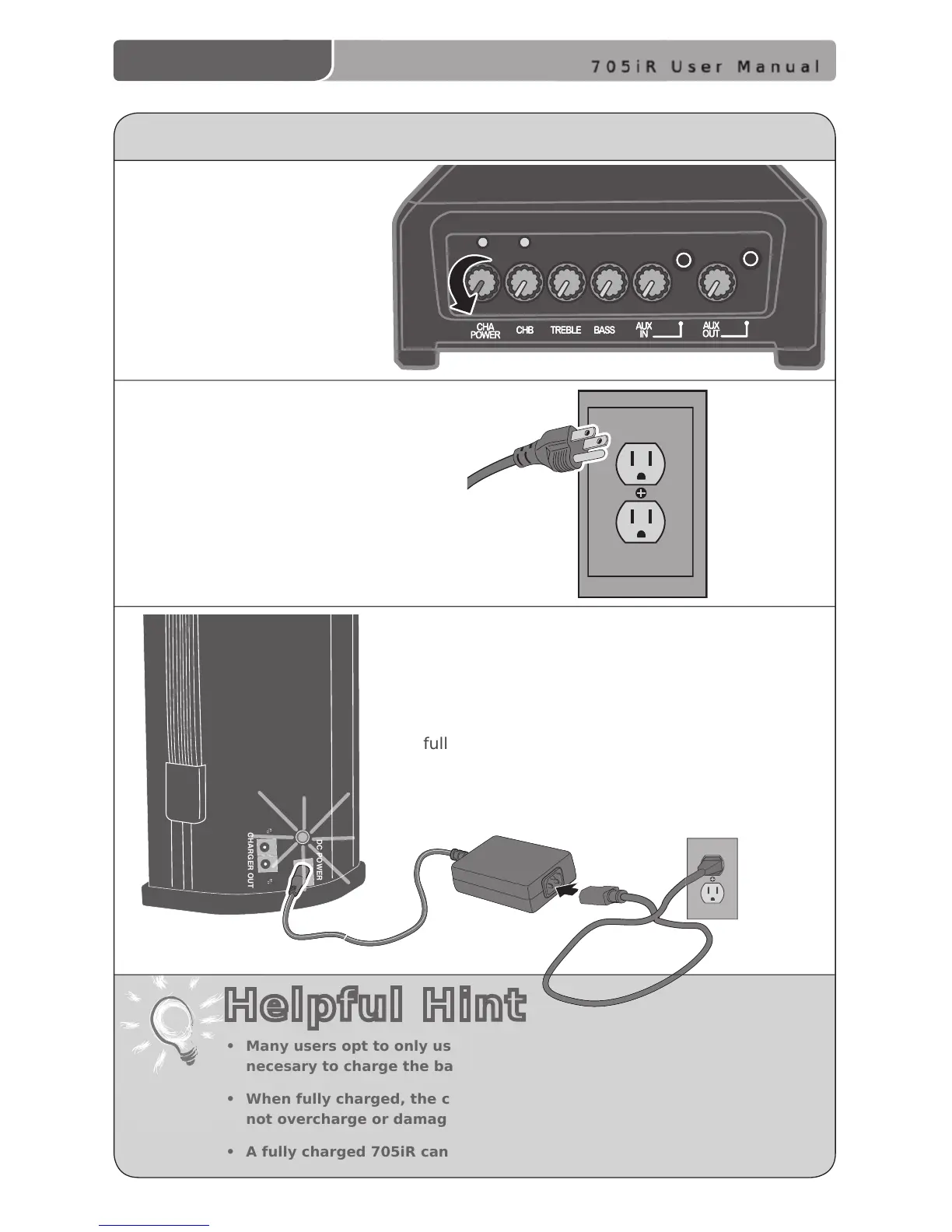
CHARGING THE 705iR
1. Ensure the power knob
(CH A POWER) on top of
the 705iR is turned off.
2. Plug the power supply/charger cable
into a standard AC outlet.
3. Plug the other end of the power supply/
charger into the DC power jack on the back of
705iR. The LED above the DC will glow RED. A
solid GREEN LED indicates the 705iR is
fully charged.
• Many users opt to only use the AC power. If this is the case it’s not
necesary to charge the battery.
• When fully charged, the circuit switches to a trickle charge, which will
not overcharge or damage the batteries.
• A fully charged 705iR can operate under battery power for up to 6 hours.
Helpful Hint



 To Next Page