705iR User Manual
705iR User Manual | 18
• Microphones can be left in the charger for up to two weeks without
degradation to battery life.
• A full charge will be attained in 8-10 hours.
• Fully charged Lightspeed microphones will last over 7 hours.
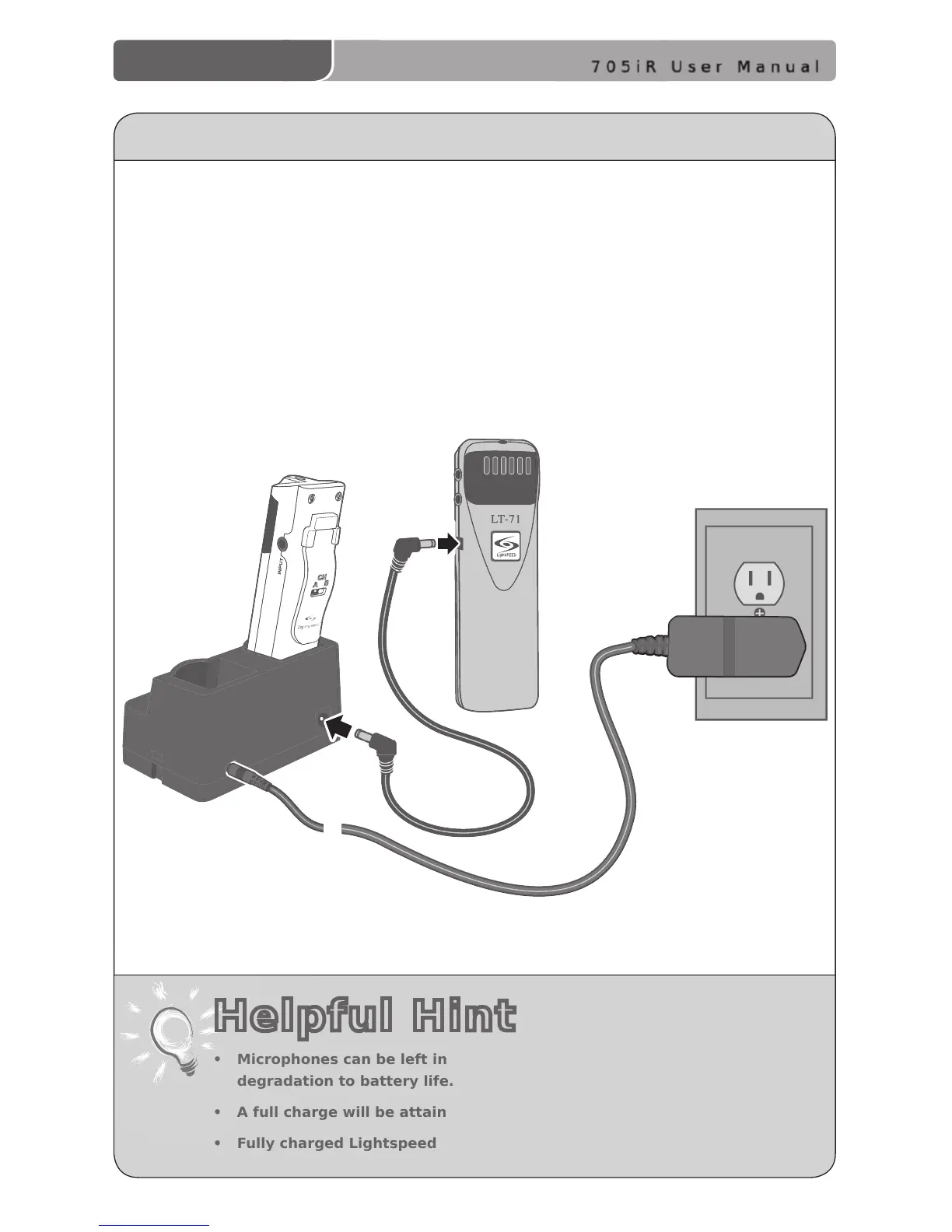
1. Ensure that the LT-71 is turned OFF.
2. Make sure the cradle charger is plugged into a wall outlet. Connect one end of
the charging cable into the jack labeled CHARGER on the side of the LT-71 and
plug the other end into the charging jack on the rear of the REDMIKE cradle
charger. The LT-71’s rechargeable batteries are factory installed. The LED on the
front of the LT-71 will glow RED when charging.
3. Leave the LT-71 plugged in overnight (8–10 hrs.) to obtain a full charge.
CHARGING THE OPTIONAL LT-71
Helpful Hint



 To Next Page