705iR User Manual
23 | 705iR User Manual
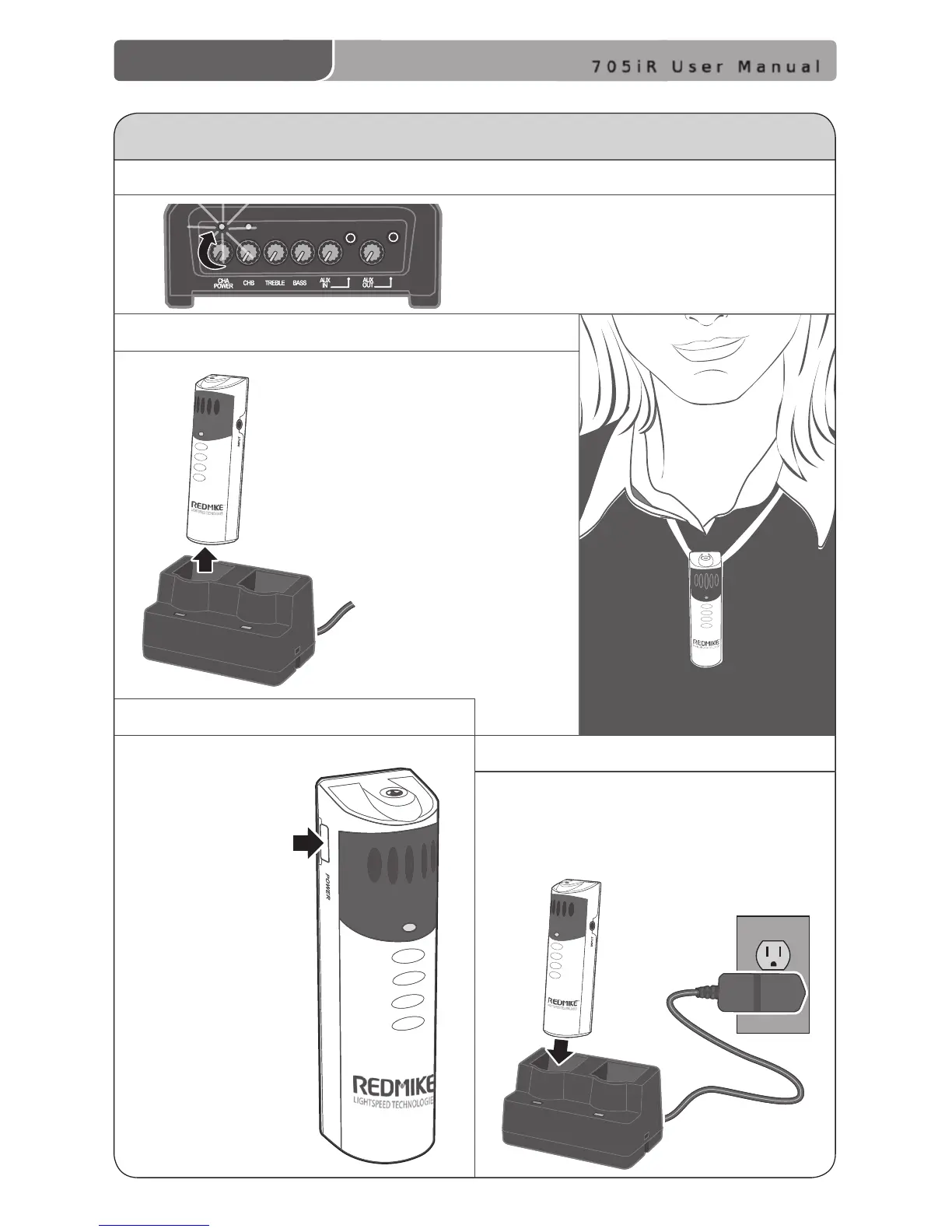
1. TURN ON THE 705iR
Ensure the power is switched on. The
RED LED will momentarily ash when
turned on.
4. CHARGE BATTERIES
Turn the
microphone ON
using the ON/
OFF switch on
the side of the
REDMIKE and
speak normally.
DAILY USE INSTRUCTIONS
2. POSITION THE REDMIKE
3. TURN ON THE REDMIKE
Remove the REDMIKE from the
charging cradle and place it
around your neck. Adjust the
neck strap so the top of the
microphone rests just below
your collarbone.
Place the REDMIKE back into the
charging cradle to recharge at the
end of the day.



 To Next Page