705iR User Manual
17 | 705iR User Manual
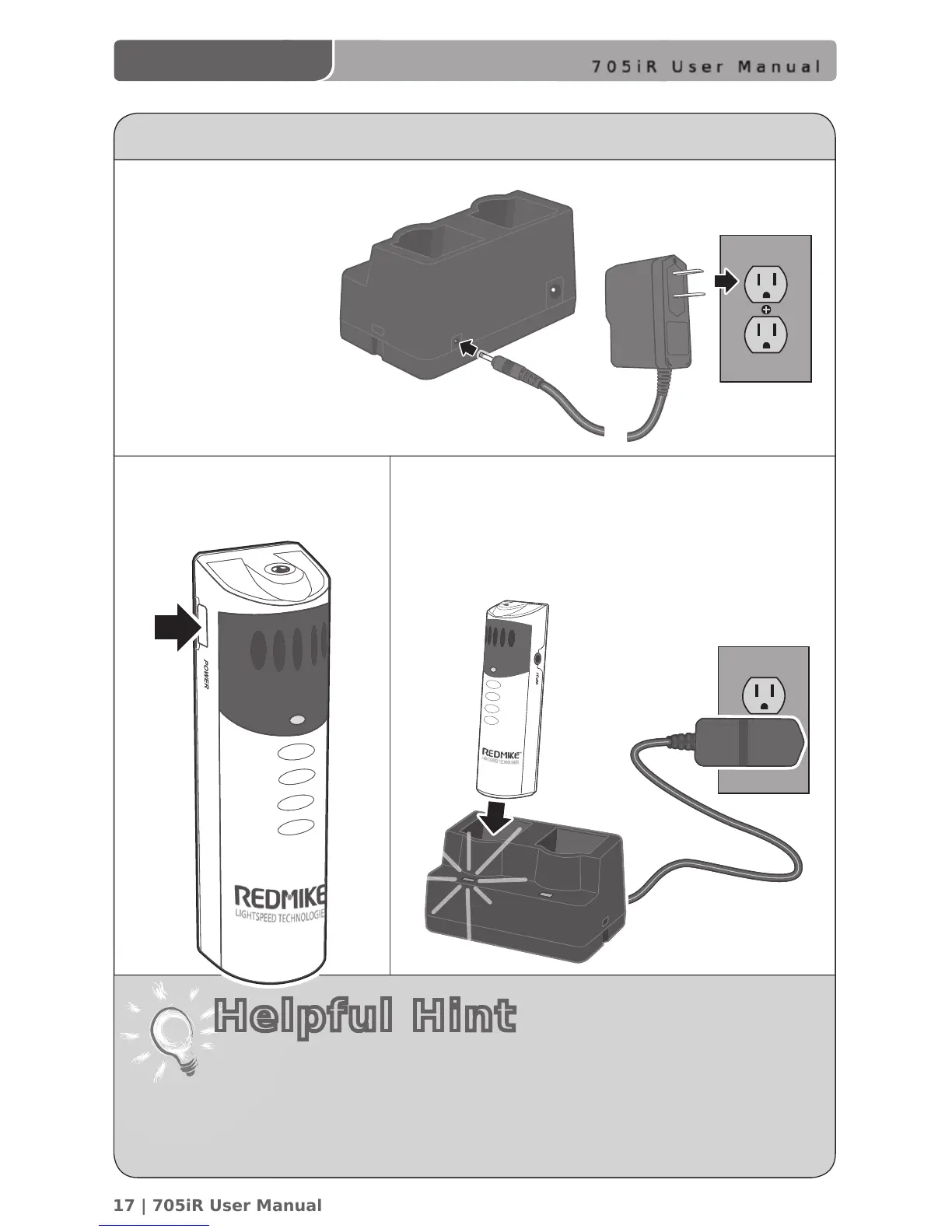
CHARGING THE REDMIKE
1. Plug power cord
into the cradle
charger and
then plug the
AC end into an
electrical outlet.
• REDMIKE incorporates alkaline protection into the microphone design.
Replacement AA NiMH batteries may only be purchased through
Lightspeed Technologies (part # BA-NH2A27).
• A blinking LED indicates a charging error. Be sure to use a Lightspeed
rechargeable sensing battery.
2. Ensure that the REDMIKE
is turned OFF.
3. Place the REDMIKE into the cradle. The LED on
the cradle will glow RED indicating charging has
started. When the REDMIKE is fully charged
the LED on the cradle charger will change
to GREEN.
Helpful Hint



 To Next Page