EasyManua.ls Logo

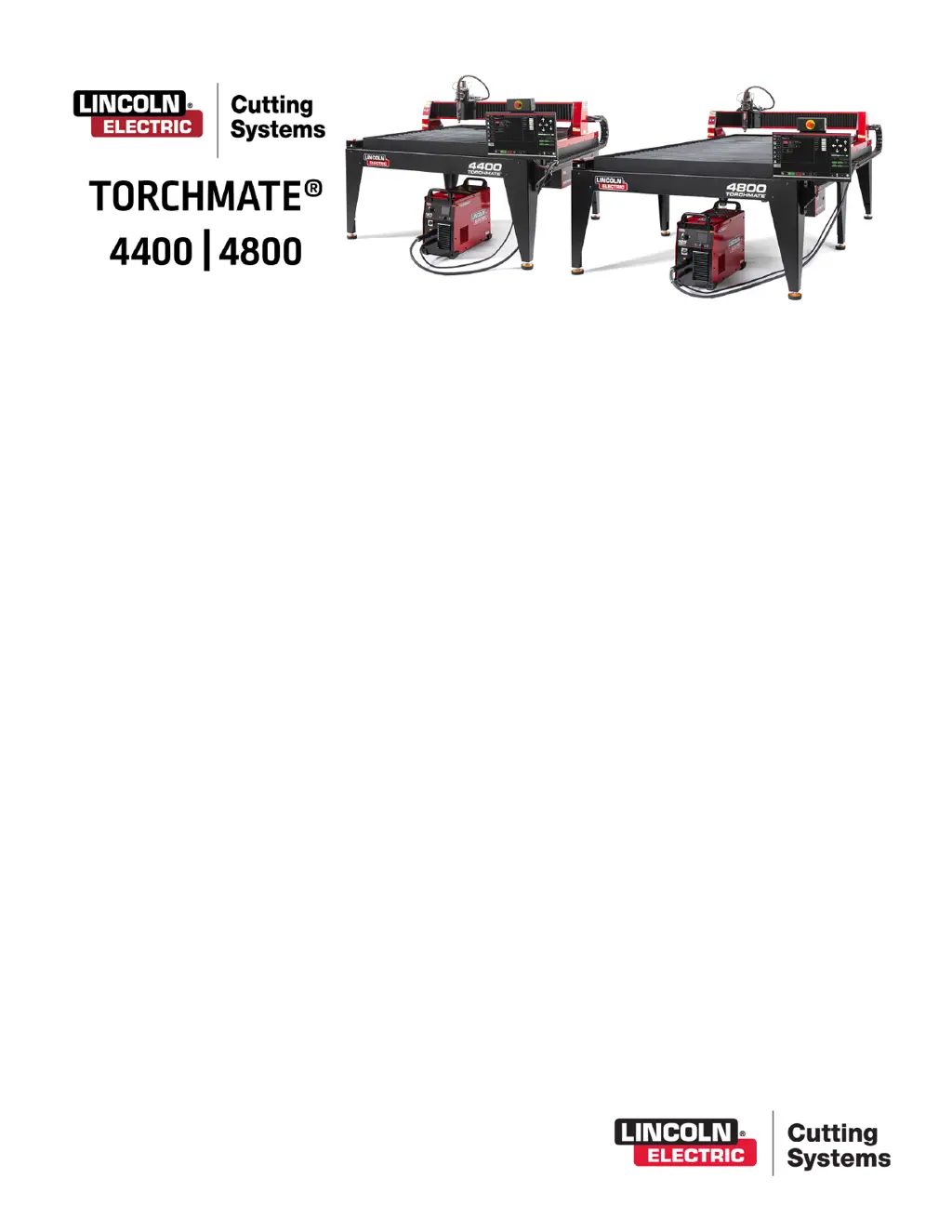
Lincoln Electric Torchmate 4800 - User Manual

Lincoln Electric Torchmate 4800
56 pages
Print Icon
To Next Page IconTo Next Page
Loading...
USER GUIDE
December 12, 2019
Copyright 2019
Lincoln Electric Cutting Systems

Other manuals for Lincoln Electric Torchmate 4800

Questions and Answers

  • S
    Shelly EatonSep 4, 2025
    Why does my Lincoln Electric Cutter torch retract fully after Ohmic Sense?
    • T
      Todd GarciaSep 4, 2025
      If the torch of your Lincoln Electric Cutter retracts fully to the top after sensing the material in an ohmic sense, and the Run Job button becomes available, clear the surface of the material of any corrosion that would hinder the ohmic sensing process. Verify the torch lead is not getting pulled tight on the way down to the surface of the material. Check for the torch pushing against the material deflecting it before stopping and retracting.
  • S
    Sharon HernandezAug 25, 2025
    What to do if Lincoln Electric Torchmate 4800 Cutter torch pierces but doesn't move?
    • A
      Allison JohnsonAug 25, 2025
      If the torch of your Lincoln Electric Cutter pierces the material but doesn't move, check the g-code programmed feed rate and feedrate override percentage value for proper settings. Ensure the torch has enough material at the pierce point for a full power cutting arc. Verify the Aux Input Cable is plugged into the back of the Accumove Controller.
  • J
    Jennifer HopkinsAug 25, 2025
    Why won't my Lincoln Electric Torchmate 4800 Accumove 2 controller turn on?
    • K
      Kevin WhiteAug 26, 2025
      If the Accumove 2 controller of your Lincoln Electric Cutter won’t turn on: * Disengage the E-STOP. * Verify the power brick is plugged in and shows a solid Blue LED light. * Ensure the power brick is fully plugged into the back of the Accumove 2 controller. * Listen for the fans spinning inside the Accumove 2 controller when the switch is turned ON.
  • P
    Phillip BellSep 12, 2025
    How to fix the Lincoln Electric Control Systems torch that does not retract off the material when moving between cuts?
    • R
      robertmcdonaldSep 12, 2025
      To fix this issue with Lincoln Electric Control Systems, jog the Z axis to the top and click Reset Z, then click Run Job. Verify that the Retract Height value is set to the desired retract distance between cuts.
  • C
    Cynthia NewtonSep 18, 2025
    Why are cuts not coming out square or have degraded cut quality with my Lincoln Electric Control Systems?
    • M
      mcguiredonaldSep 18, 2025
      To fix this issue with Lincoln Electric Control Systems, check consumables in the Plasma torch and the settings from the cut chart. Ensure the torch is square to the material on the table.
  • E
    Erica PageSep 7, 2025
    How to fix motor not engaging when DATUM on Lincoln Electric Torchmate 4800?
    • C
      christinaparkerSep 7, 2025
      LOG ON as ADMIN on your Lincoln Electric Cutter. Reload your configuration. Press OK. DATUM machine. If the issue still persists, contact Customer Support.
  • D
    Derek BentonAug 31, 2025
    Why is my Lincoln Electric Torchmate 4800 torch colliding with the material?
    • R
      Ronald TorresAug 31, 2025
      If the torch of your Lincoln Electric Cutter collides with the material after 1” of cut because it's cutting too high, verify the Pierce and Cut height are at recommended book values. Make sure the height control mode is set to Auto and not Manual and that the Sample Voltage function is turned ON. Check for part tip-ups near the piercing points that may interfere with the torch sensing the materials height.
  • S
    Sierra OrtizSep 23, 2025
    What does it mean if a Lincoln Electric Control Systems error occurs “Execution Error Overtravel Detected” when clicking the Run Job button?
    • B
      Barbara DixonSep 23, 2025
      To resolve this issue with Lincoln Electric Control Systems, verify that all home and limit switches are not depressed (TMX table Only). If operating near the extents of the machine, re-set program zero and material further away from machine extents.
  • J
    Jodi DeleonSep 14, 2025
    Why does the Breakaway Indicator show as Yellow and Not Connected on my Lincoln Electric Control Systems?
    • K
      Kyle PierceSep 15, 2025
      To address this issue with Lincoln Electric Control Systems, check that the breakaway capture leash and any debris on the magnet aren't preventing the torch from fully seating. Inspect contact points for corrosion; clean and oil them. Verify the Breakaway cable is connected at the breakaway and the back of the Accumove Controller; re-seat if needed.
  • M
    Mary ThorntonAug 28, 2025
    Why does the torch shield on my Lincoln Electric Torchmate 4800 hit the material?
    • J
      josephfrederickAug 28, 2025
      If the torch shield of your Lincoln Electric Cutter contacts the material during the initial cut movement, stopping the machine, check that the Cut height is set at the correct value. Ensure the AVHC Auto/Manual mode is set to Auto and that the Sample Voltage mode is set to ON. Also, check if the machine crossed into another previous cut or collided with another previous cut.

Summary

Machine Setup and Safety

Unpacking Your New Machine

Steps for unpacking the machine and initial inspection for damage.

Safety Information

Covers critical warnings for electrical shock, arc rays, fumes, gases, and laser safety.

Site Preparation and Requirements

Guidelines for workspace, machine placement, grounding, and power/air/water needs.

Plasma Cutter Systems

FlexCut 80 Controls and Specifications

Details controls, settings, capacity, and consumables for the FlexCut 80.

FlexCut 125 Controls and Specifications

Details controls, settings, capacity, and consumables for the FlexCut 125.

Visual Machine Designer (VMD) Software

VMD Software Overview and Navigation

Explains the VMD software's main sections, controls, and basic navigation.

Job Management and File Handling

How to select, create, and manage job files, including shape library and nesting.

VMD Machine Control Functions

Covers setting machine zero, jogging, and running jobs using VMD.

AVHC and Dashboard Functions

Understanding Automatic Voltage Height Control and monitoring machine status.

Cutting Quality and Optimization

Line Speed Testing for Optimal Quality

Method for testing feed rates to achieve optimal cut quality and minimize bevel/dross.

Nesting and Test Cut Procedures

Using nesting for efficient part layout and performing initial test cuts for verification.

Maintenance and Troubleshooting

Machine Maintenance Procedures

Routine and as-needed maintenance tasks for optimal machine performance.

Troubleshooting Common Issues

Provides solutions for common machine, laser, and software faults.

Customer Assistance and Support

Customer Assistance Policy

Information on support, warranty, and limitations of liability from Lincoln Electric.

Lincoln Electric Torchmate 4800 Specifications

General IconGeneral
Drive SystemRack and Pinion
Control SystemTorchmate CAD/CAM Software
Frame ConstructionSteel
Cutting TechnologyPlasma
Duty Cycle100%
Cutting Area48" x 96" (1219 mm x 2438 mm)
Maximum Cutting Speed600 inches per minute
Compatible Plasma CuttersLincoln Electric
Voltage Requirements50/60 Hz
Gas RequirementsCompressed air

Related product manuals