The LCD display may fail to function normally due to the vehicle’s battery condition, and could require
resetting the radio microprocessor if:
• The vehicle has been “jump started” from a dead battery condition.
• The vehicle battery becomes very low and is quick-charged.
• The vehicle battery is removed and replaced.
Should any of these conditions occur, simply press and release the RESET button on the radio front
panel using the tip of a ball point pen. This will reset the radio microprocessor to the original factory
settings. After pressing the RESET button you should recheck to see if the radio functions normally.
Reset Button
Additional Features
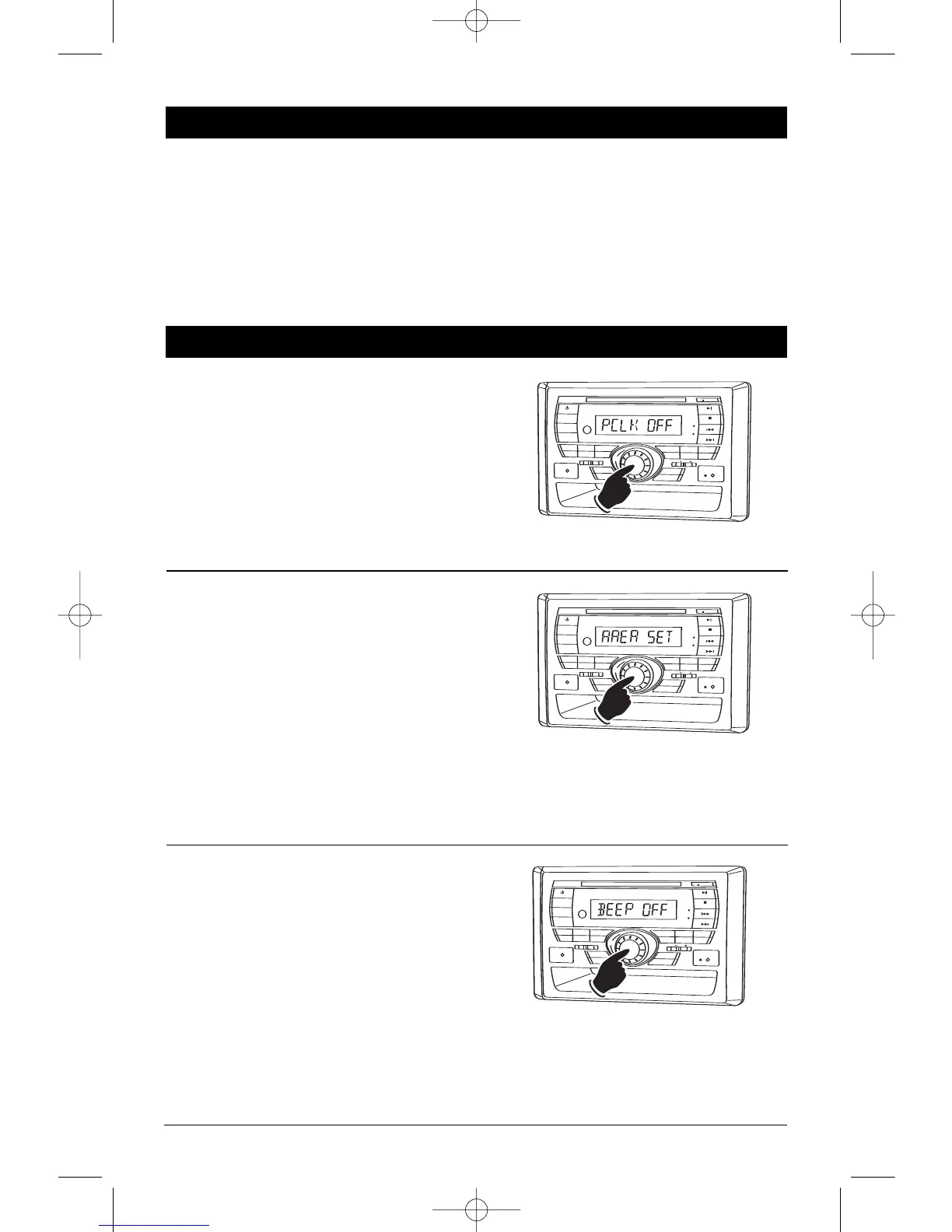
Clock Display Feature:
The default setting on this feature is the clock
will not be displayed when the unit is turned off.
If you want the clock to be displayed when the
unit is turned off, press and hold the
Volume
knob until “PCLK OFF” appears in the display.
Rotate the Volume knob until “PCLK ON”
appears in the display. Wait 6 seconds and the
unit will automatically exit programming.
Area Radio Frequency Adjustment:
Note: If operating the unit in the USA do not
change the area.
To change the area press and hold the Volume
knob until “PCLK OFF” appears in the display.
Press the Volume knob one more time and
“AREA SET” appears in the display. Rotate the
Volume knob to select the desired frequency.
“USA” = United States of America
“EUR/OCE” = Europe, Australia and New Zealand.
Wait 6 seconds and the unit will automatically
exit programming.
Button Beep On and Off Confirmation:
Follow the instruction below to turn On or Off the
button when pressed beep confirmation. The
default setting on this feature is beep confirma-
tion On. T
o change the beep confir
mation pr
ess
and hold the
Volume knob until “PCLK OFF”
appears in the display. Press the Volume knob
two more times and “BEEP ON” appears in the
display. Rotate the Volume knob until “BEEP
OFF” appears in the display to turn off beep con-
firmation. Wait 6 seconds and the unit will auto-
matically exit programming.


 To Next Page
 Loading...