19
Movie Disc Operation
(Continued)
Subtitle Language Menu:
Press the SUB.TT button during playback. Each
time the button is pressed, the subtitle language
changes in sequential order.
• Some discs may only contain one subtitle lan-
guage.
• Depending on the disc, the number of subtitle
languages may be different.
Zooming the Image:
To enlarge the onscreen image during disc play,
press the ZOOM button. Each time the button is
pressed, the magnification increment changes in
the following order:
2X, 3X, 4X, 1/2, 1/3, 1/4.
Use the navigation buttons to move the image on
the screen.
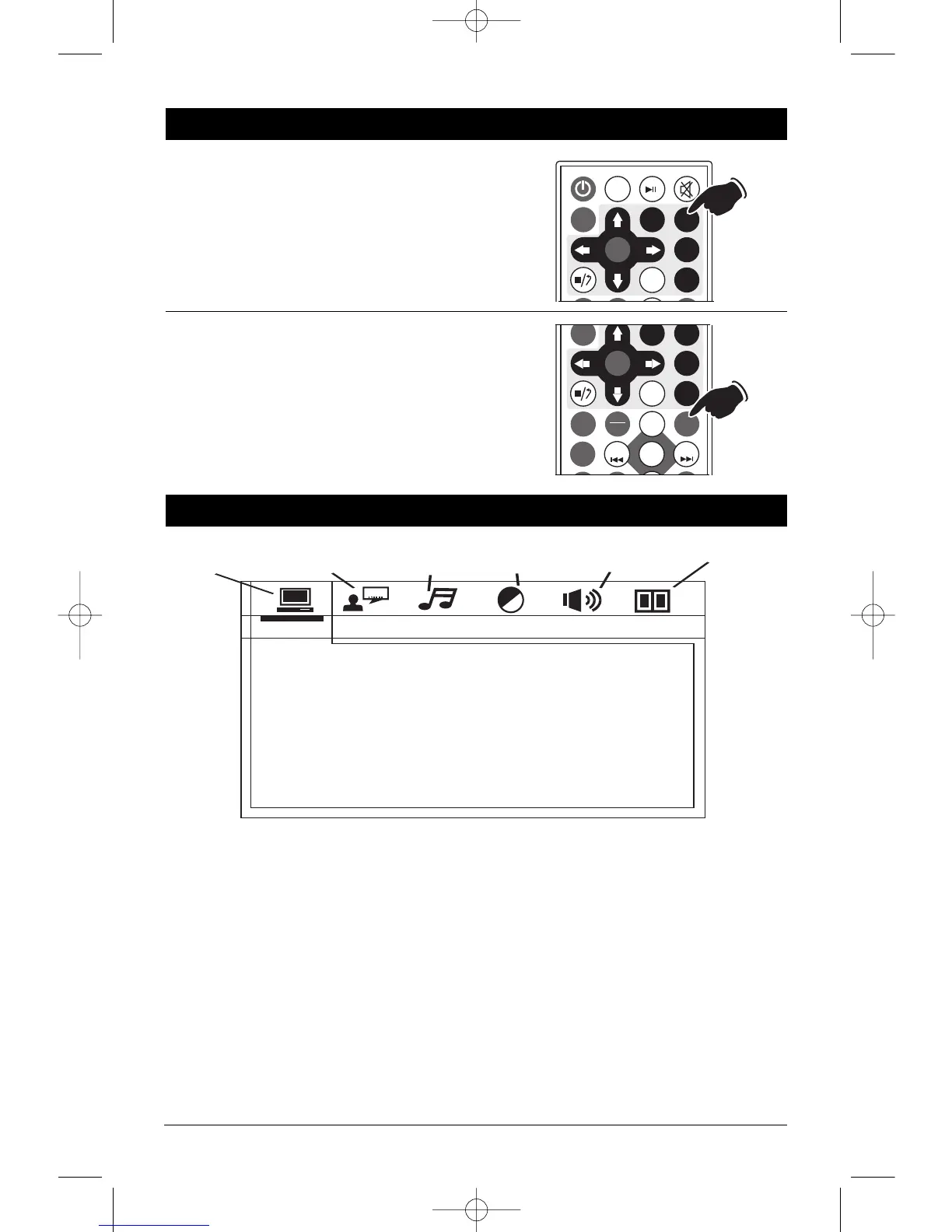
Press the SETUP button on the remote control to
display the Setup Menu:
System Setup Page:
Use the navigation buttons to scroll between the
menu items. Make a selection by pressing the
ENTER button.
• TV System: NTSC, P
AL or Auto
.
• Auto Play: On, Off
• Video: S-Video, Interlace-YUV, TV-RGB, P-
Scan YPBPR or PC-VGA.
• TV Type: 4:3PS, 4:3LB or 16:9.
• Password: _ _ _ _
• Rating: 1 Kid Safe, 2 G, 3 PG, 4 PG13, 5
PG-R, 6 R, 7 NC-17, 8 Adult.
• Default: Restore
Language Setup Page:
Use the navigation buttons to scroll between the
menu items. Make a selection by pressing the
ENTER button. Language Setup Options:
• OSD Language: English, German, Spanish,
Fr
ench or Por
tuguese.
• Audio Lang: Chinese, English, Japan, French,
Spanish, Por
tuguese, Latin or Ger
man.
• Subtitle Lang: Chinese, English, Japan,
Fr
ench, Spanish, Portuguese, German or Off.
• Menu Lang: Chinese, English, Japan, French,
Spanish, Portuguese, German or Latin.
LS5050-UM Rev. B 4/16/10 4:14 PM Page 19


 To Next Page
 Loading...