10
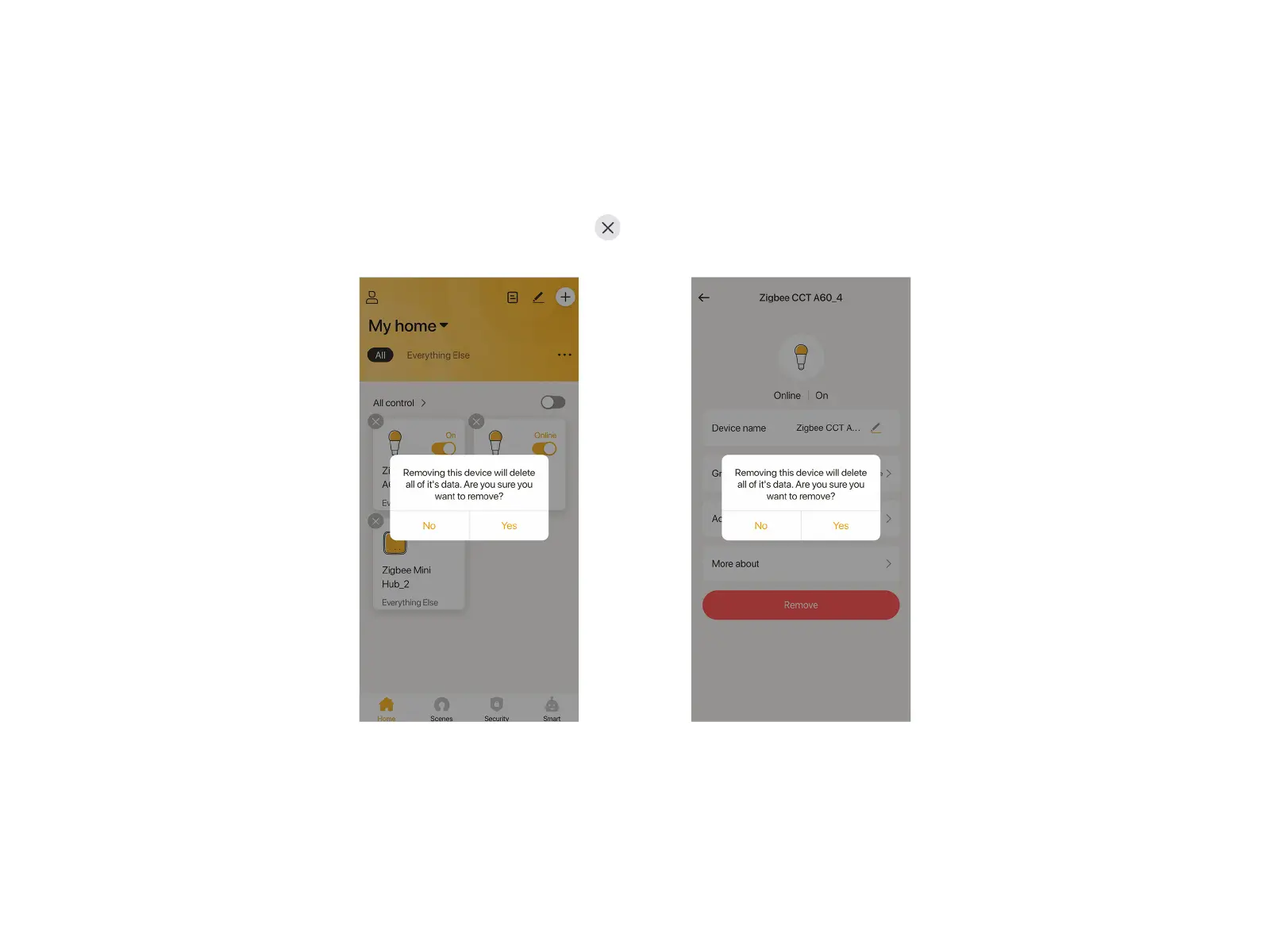
The smart bulb, if removed, will restore its factory defaults and no longer be listed on your account. Two ways to remove the bulb:
Method 1
Long press the bulb you want to remove at Home page, tap at the top left, tap "Yes" to delete the bulb. Or tap "Remove" in the
setting page of the smart bulb.
Method 2
Power on and power off the smart bulb consecutively for 6 times, will blink twice showing it restores to factory default. It is normal
that later this bulb will display "Offline" on the APP. You just need to long press the device and remove it.
Remove the Smart Bulb


 To Next Page