21
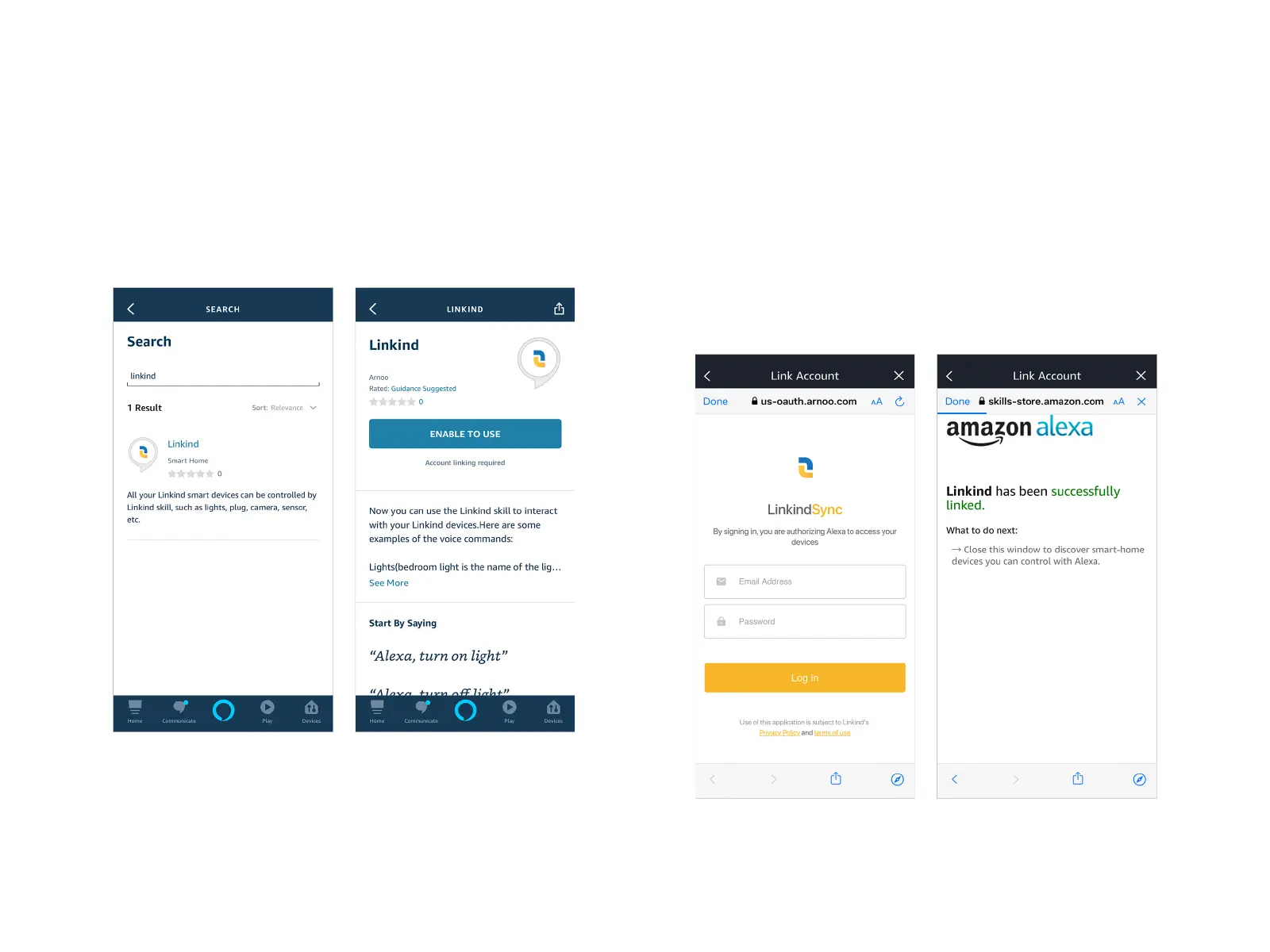
Step 1
Go to Alexa app, tap the icon at the top left, select "SKILLS &
GAMES" and tap the search icon at the top right. Enter "Linkind"
and search.
Step 2
Choose the displayed "Linkind", then tap "ENABLE TO USE". In
the new page, fill in your Linkind account and password, then
tap "Log in".
After that, a message telling you "Linkind Smart Home has been
successfully linked" will appear. Tap "Done".
Work with Alexa


 To Next Page