12
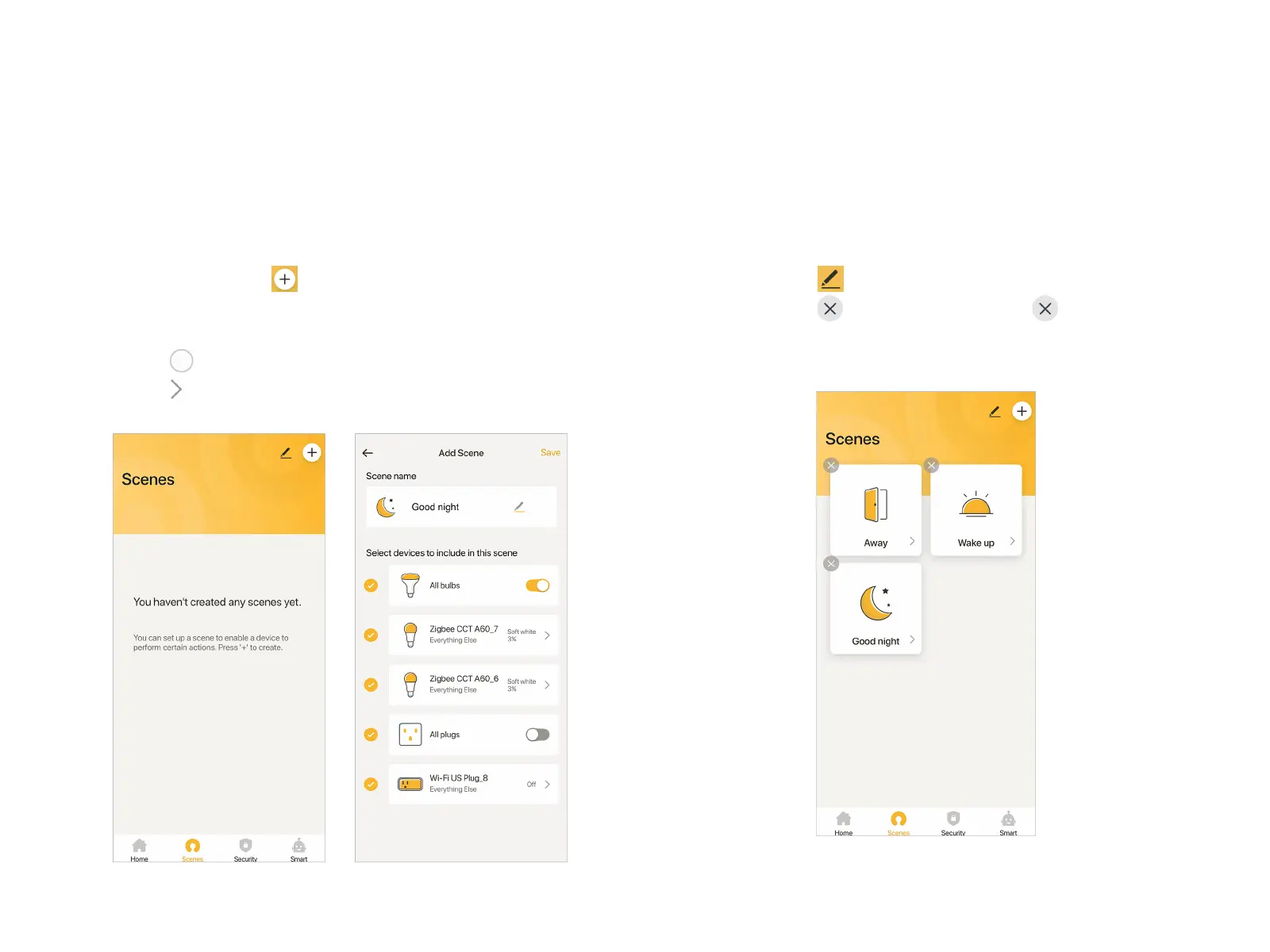
Scenes function enables you save many customized smart
home scenes you like. You can quickly switch to the scene you
prefer if needed.
Add Scene
At Scenes page, tap at the top right corner to add a new
Scene.
At Add Scene page, fill in a Scene name and select a Scene
icon. Tap to select Devices you want to include in this scene,
then tap on the right, to designate specific status of Devices
in the Scene.
Set all Devices you need, then tap "Save" to complete the Scene
settings. At Scene page, taping the corresponding Scene allows
you to switch quickly to relevant Scenes.
Edit or Remove Scene
At Home page, tap at the top right corner or long press any
one of the Scenes. icons will appear. Tap to remove the
relevant Scene. You can also tap a Scene card in the middle to
edit it.
Scenes


 To Next Page