4
Step 1
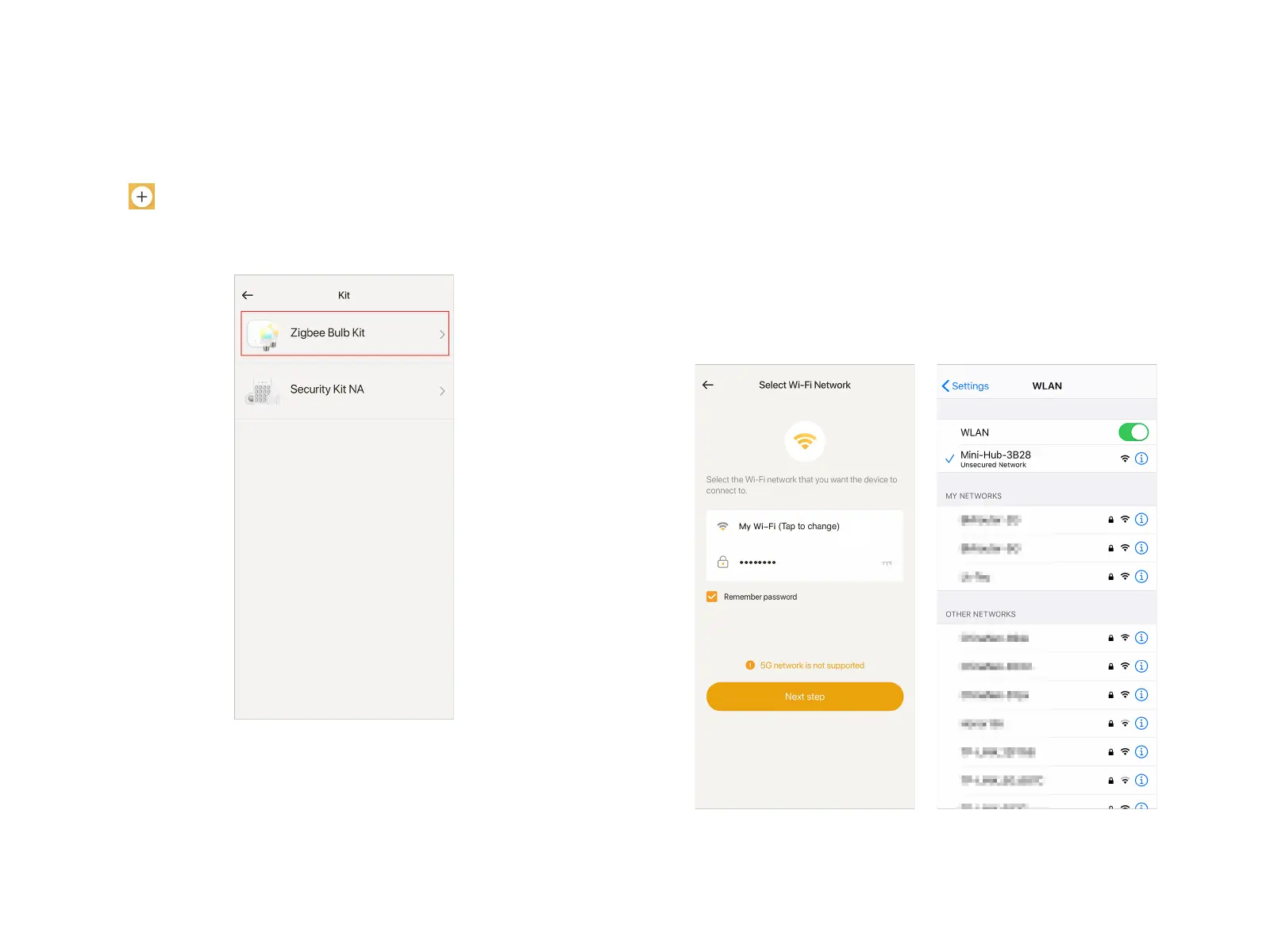
Tap at the top right corner of Home page, select"Kit" -
"Zigbee Bulb Kit" in the Device List. Plug in the Mini Hub and 2
LED Bulbs, tap "Next step";
Step 2
Wait for the indicator on the right end of the Mini Hub to flash
once per second in green, then tap "Next step";
Step 3
Select your Wi-Fi network and enter the right password, tap
"Next step".
Step 4
Tap "Take me to my settings", select "Mini-Hub-**" in the WLAN
settings page. After your phone is connected to "Mini-Hub-**",
return to Linkind APP.
Add Smart LED Bulb Kit


 To Next Page