13
Set the timer
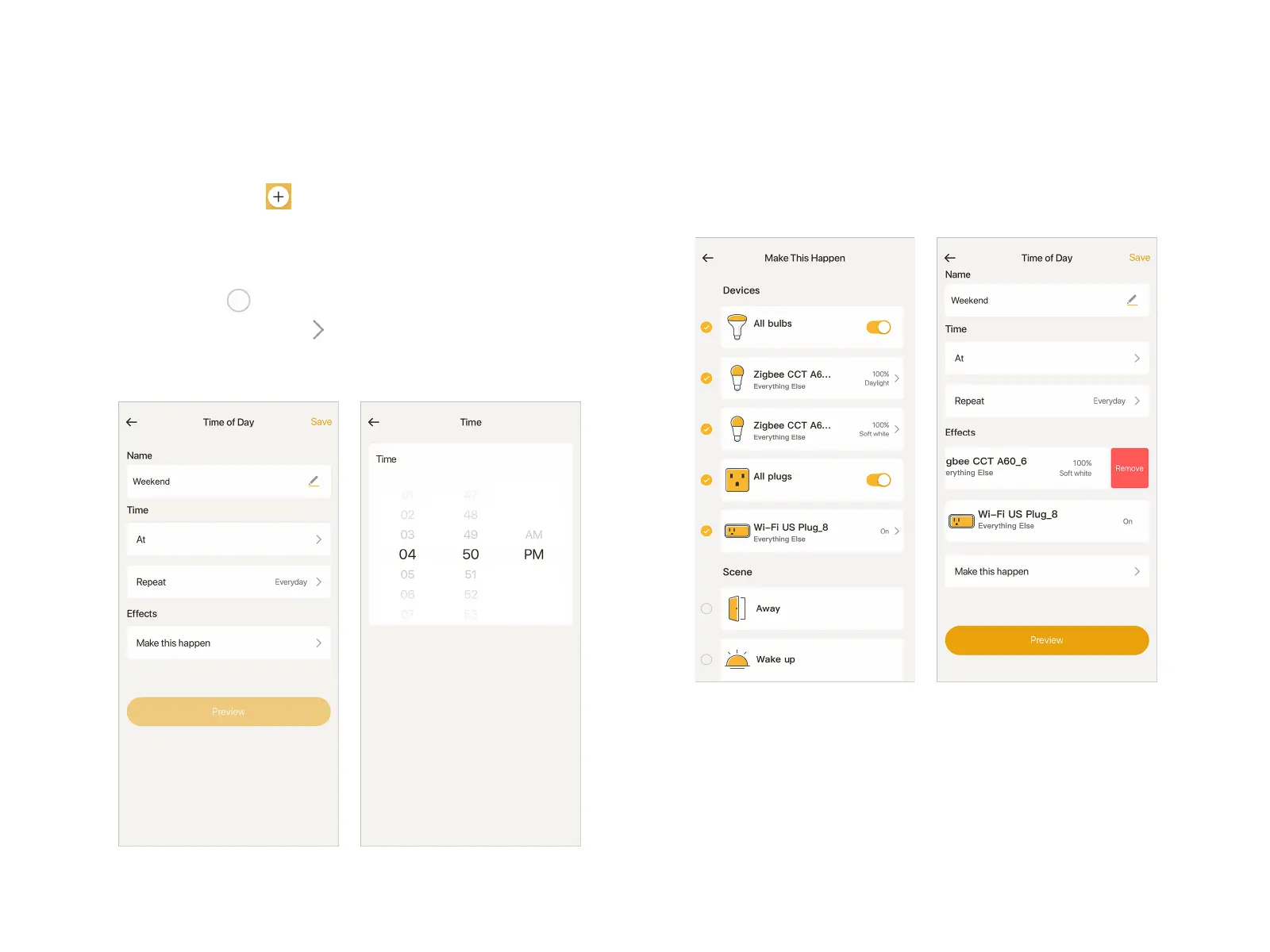
At "Smart" page, tap at the top right corner, select "Time of
Day" into timer creating page.
Fill in the name of the timer, schedule the time and select a
repeat mode. For Effects, tap "Make this happen" into a new
page, then tap to select Devices or Scenes you want to
trigger by the time. Tap on the right to set the status of
Devices when triggered. If you want to remove a Device, swipe
it to the left, and tap "Remove".
With all settings done, you can tap "Preview" at Time of Day
page to preview all the effects going to be triggered.
In the last step, tap "Save" at the top right corner to save the
timer.
Timer


 To Next Page