14
Timer
View/Edit timer
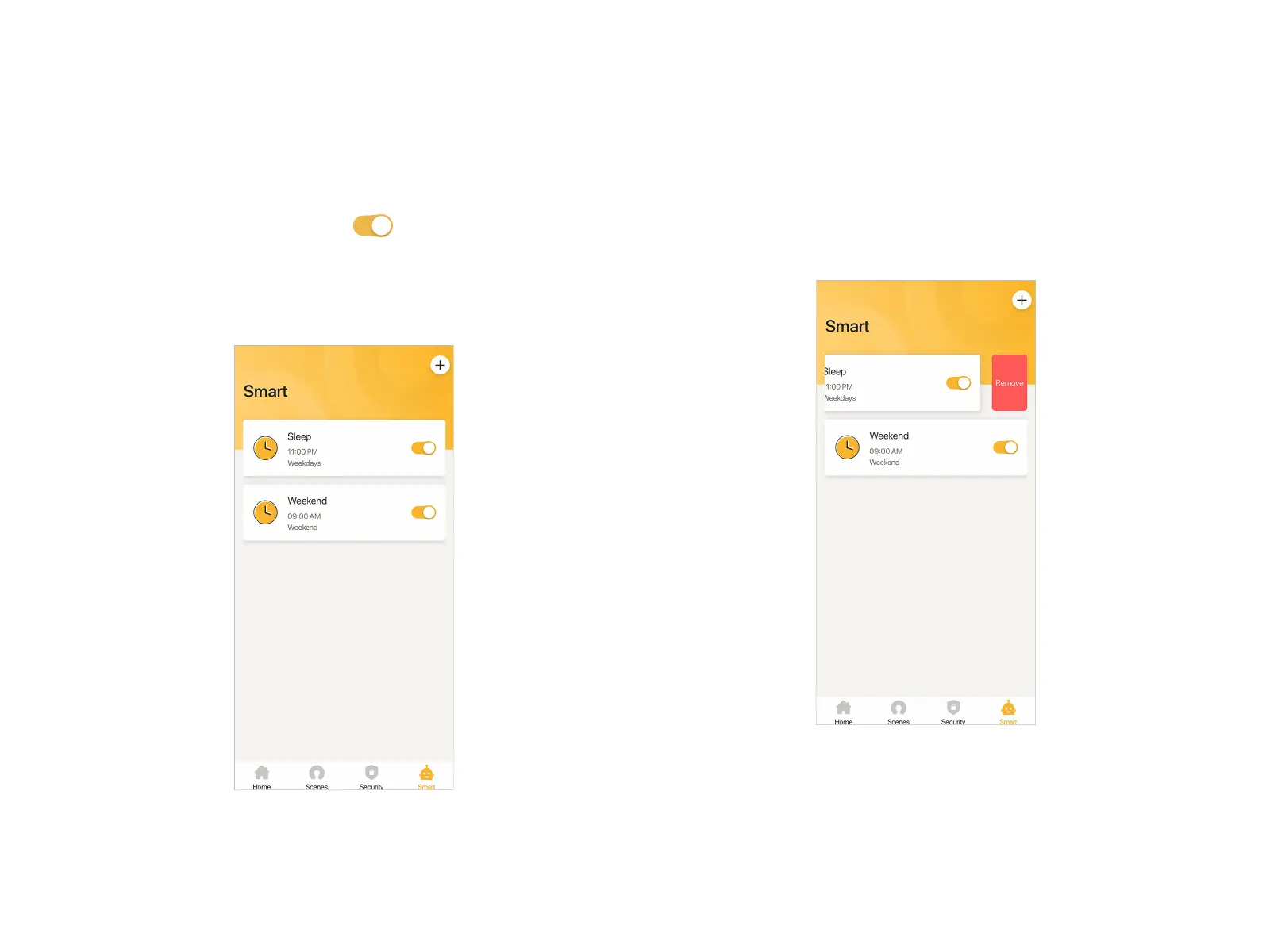
All timers saved will be listed at "Smart" page. You can enable or
disable relevant timer by taping .
At "Smart" page, tap the timer card into details page. You can
view or edit this timer then. After editing, remember to tap
"Save" at the top right corner.
Remove timer
Swipe the timer card to the left at "Smart" page. You can remove
that card by tapping "Remove".


 To Next Page