19
Room
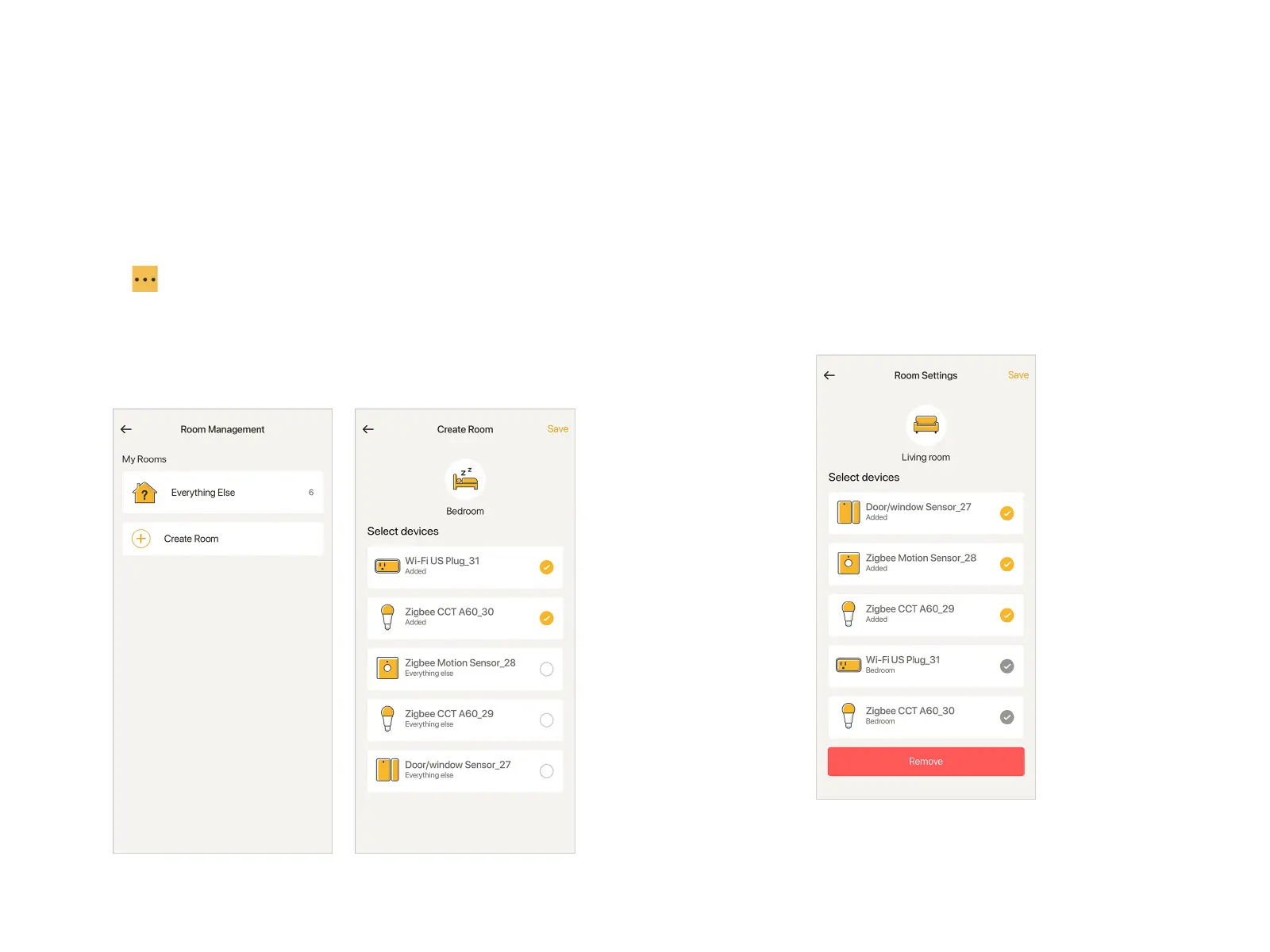
"Room" helps you organize the devices within "Home". If you
have too many devices to remember where they are, use
"Room" to manage them.
Create Room
Tap at the top right in Home page to go to "Room
Management". Tap "Create Room", select an icon for the "Room",
fill in the Room name, choose the devices belong to that Room.
Save it.
Note: One device is exclusive to only one "Room".
Edit Room
In "Room Management" page, choose a "Room", edit or remove
the "Room" in "Room Settings". Remember to tap "Save" in the
last step.
Note: "Everything Else" is not editable. Devices not distributed
to a "Room" will be put into "Everything Else".


 To Next Page