17
Home Setting
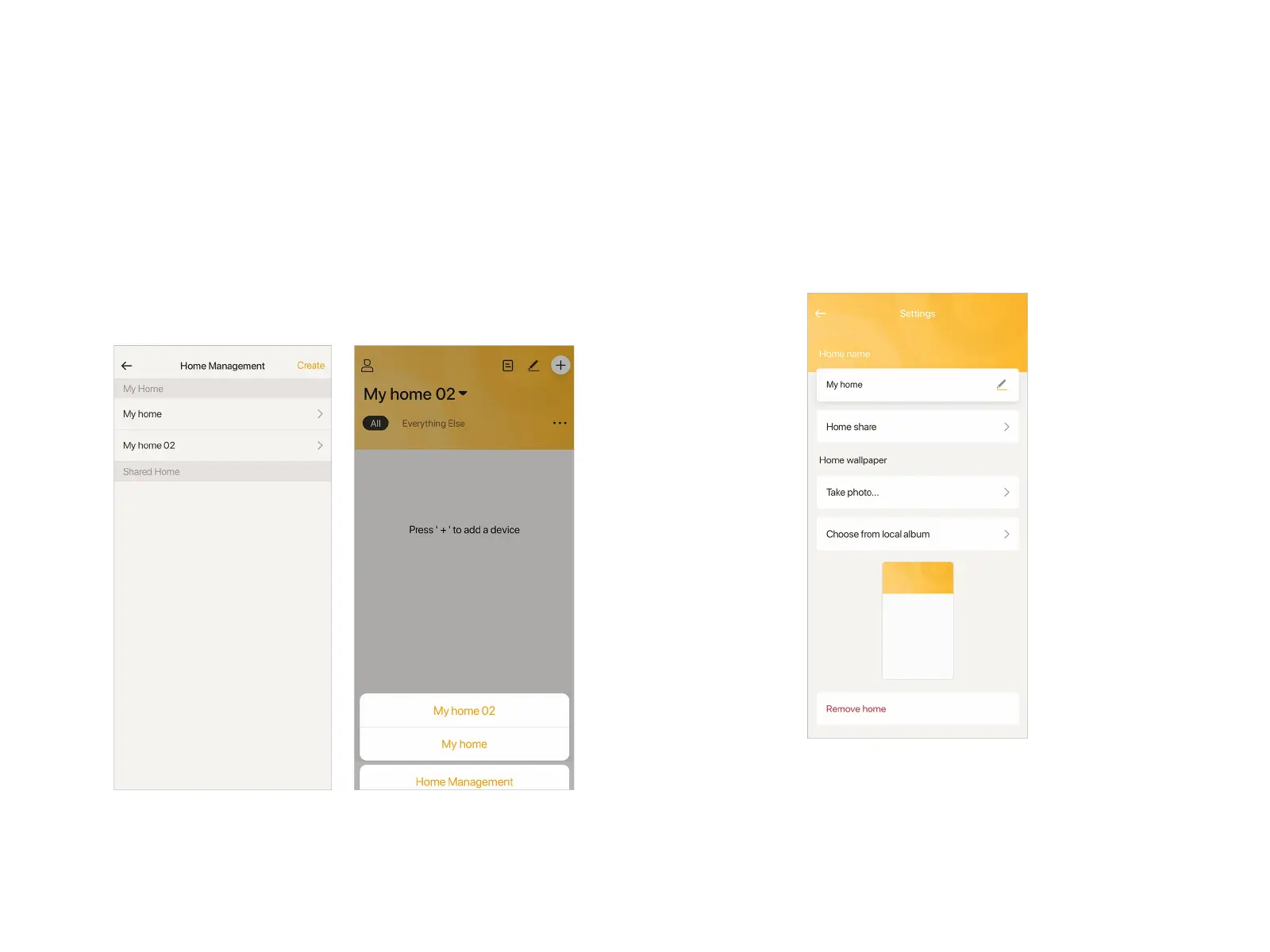
Create Another Home
Tap the "Home" you created(default name: My Home) at Home
page, turn to "Home Management" page. Tap "Create" at the top
right corner to create a new "Home". Once it is done, you're able
to switch quickly between Homes, which are independent with
each other, and manage the smart devices within.
Home Setting
In "Home Management", tap the "Home" you want to edit to do
the settings. At here, you can change the Home name, share
your Home with others, customize wallpaper and remove home.


 To Next Page