5
Chapter 4: Setting up and Connecting the Wireless-G Notebook Adapter
Starting the Setup
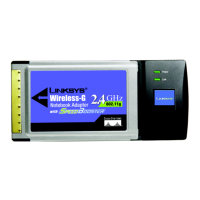
Wireless-G Notebook Adapter or Wirless-G Notebook Adapter with SpeedBooster
Chapter 4: Setting up and Connecting the Wireless-G
Notebook Adapter
Starting the Setup
The Wireless-G Notebook Adapter Setup Wizard will guide you through the installation procedure. The Setup
Wizard will install the driver and Wireless Network Monitor, as well as connect and configure the Adapter.
Insert the Setup Wizard CD-ROM into your CD-ROM drive. The Setup Wizard should run automatically, and the
Welcome screen should appear. If it does not, click the Start button and choose Run. In the field that appears,
enter D:\setup.exe (if “D” is the letter of your CD-ROM drive).
On the initial Welcome screen, the language of your computer’s operating system is selected. Click Next to
proceed in the current language. To use a different language, select it from the Language drop-down menu, and
then click Next.
Figure 4-1: Setup Wizard’s Welcome Screen
IMPORTANT: Do not connect the Adapter until you are instructed to
do so or the setup will not work.


 To Next Page
 Loading...