21
Chapter 4: Setting up and Connecting the Wireless-G Notebook Adapter
Setting up the Adapter
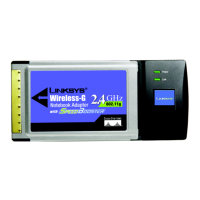
Wireless-G Notebook Adapter or Wirless-G Notebook Adapter with SpeedBooster
6. The Confirm New Settings screen will appear next and show the new settings. To save the new settings, click
the Save button. To edit the new settings, click the Back button. To exit the Manual Setup through the
Wireless Network Monitor, click Exit.
7. The Congratulations screen will appear next. Click Connect to Network to implement the new settings
immediately and return to the Link Information screen. Click Return to Profiles Screen to keep the current
settings active and return to the Profiles screen.
Congratulations! Your manual setup through the Wireless Network Monitor is complete.
To check the link information, search for available wireless networks, or make additional configuration
changes, proceed to “Chapter 5: Using the Wireless Network Monitor.”
Figure 4-34: Confirm New Settings
Figure 4-35: Congratulations Screen



 To Next Page
 Loading...