26
Chapter 5: Using the Wireless Network Monitor
Site Survey
Wireless-G Notebook Adapter or Wirless-G Notebook Adapter with SpeedBooster
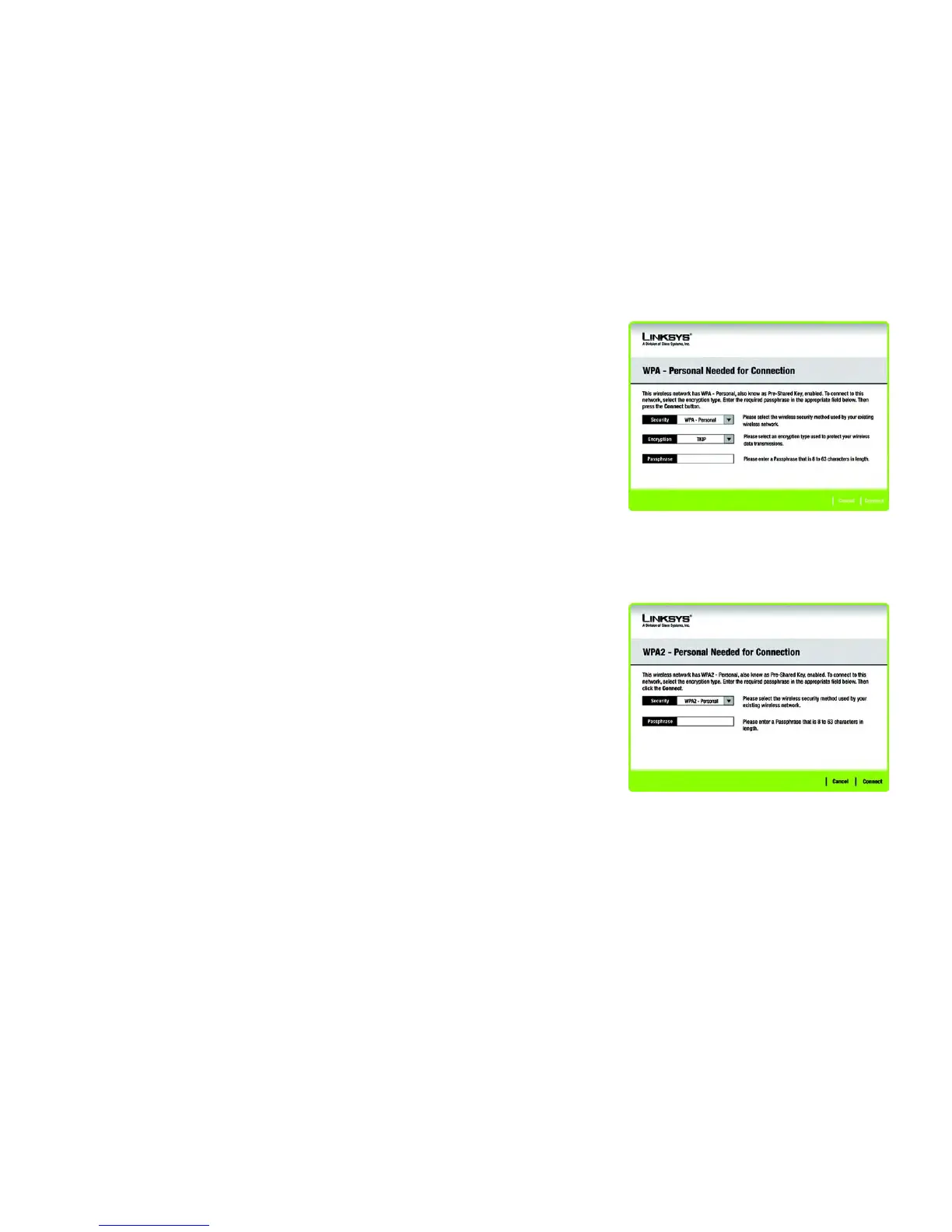
If the network has the wireless security WPA-Personal security enabled, then you will see the WPA-Personal
Needed for Connection screen. Select the appropriate encryption type, TKIP or AES. Enter the network’s
Passphrase or pre-shared key in the Passphrase field. Then click the Connect button. To cancel the connection,
click the Cancel button.
If the network has the wireless security WPA2-Personal security enabled, then you will see the WPA2-Personal
Needed for Connection screen. Enter the network’s Passphrase or pre-shared key in the Passphrase field. Then
click the Connect button. To cancel the connection, click the Cancel button.
Figure 5-8: WPA2-Personal Needed for Connection
Figure 5-7: WPA-Personal Needed for Connection



 To Next Page