REMOTE CONTROL | 15
3s
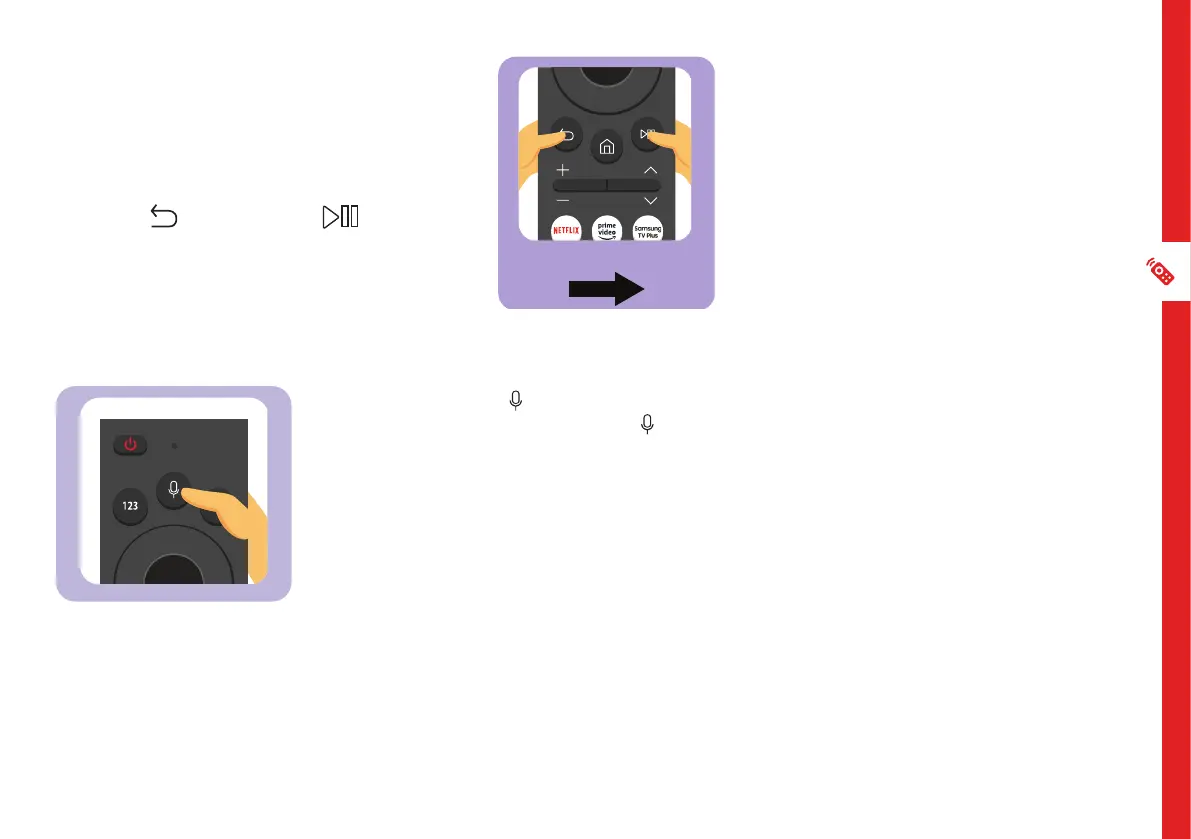
When you turn the TV on for the first
time, the Smart Remote will pair with the
TV automatically. If it does not pair, point
the remote towards the TV sensor and
press the / RETURN and buttons
simultaneously for 3 seconds.
Press and hold the button on the remote,
say a command then release the button.
The TV will recognise the voice command
(i.e. say "volume up" and the TV will increase
the volume setting accordingly).
Note: Voice Assistant is available only when the TV is connected to the internet.
You must also:
• Agree to Smart Hub's Terms Of Use
• Agree to a guidance regarding the collection and use of personal information of the Smart Hub Service
• Consent to the collection and use of personal information for the voice interaction-based service
Pairing the Remote
Using Voice Assistant



 To Next Page