SMART TV | 25
Using the e-Manual
Image is for reference only. The image may differ.
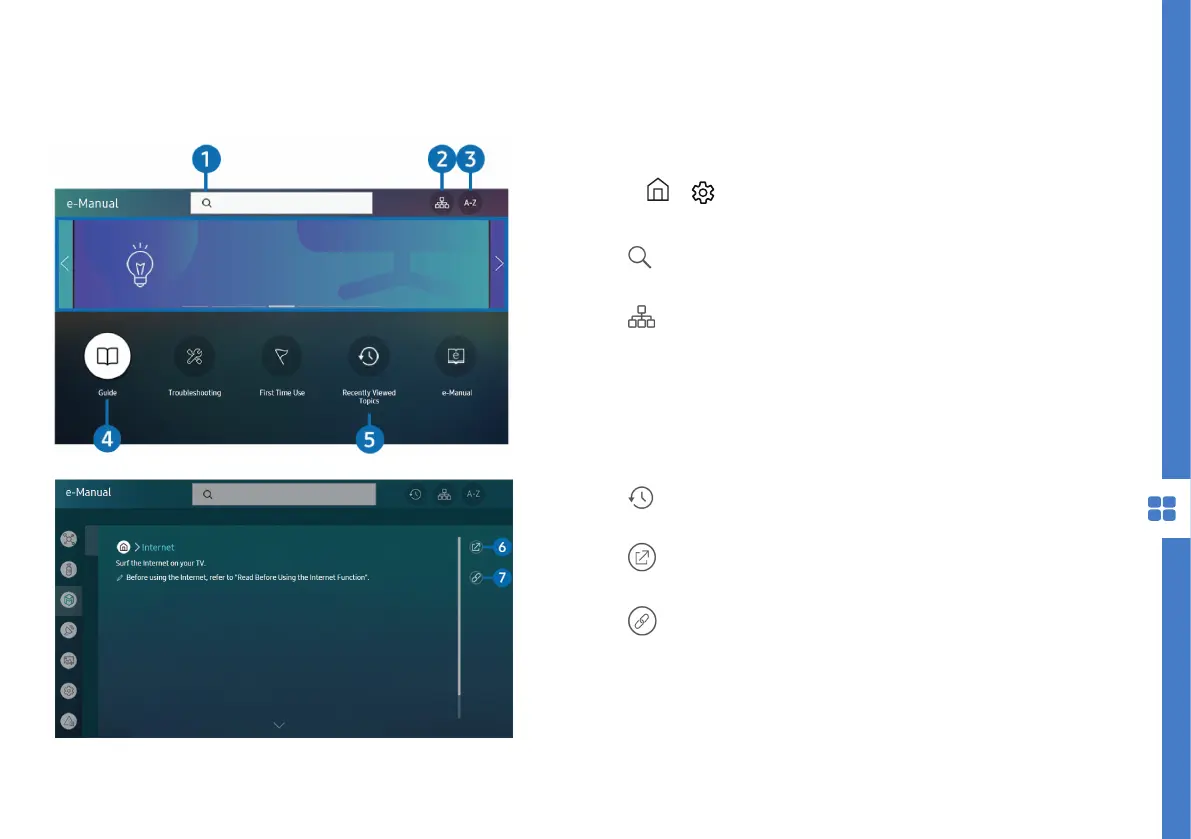
Press > Settings > Support > Open e-Manual to
control and read the built-in TV manual.
1. Search : select an item from the search results
to load the corresponding page.
2. Site Map : displays the list for each item in the
e-Manual.
3. A-Z Index : select a keyword to navigate to the
relevant page.
4. Guide : provides instructions on how to use
various TV functions.
5. Recently Viewed Topics : select a topic from the
list of recently viewed topics.
6. Try Now : allows you to access the
corresponding menu item and try out the feature.
7. Link : access an underlined topic referred to on
the e-Manual page.



 To Next Page