ATTACK
™
DIGITAL FIRE TRAINING SYSTEM
20
WWW.LIONPROTECTS.COM
ATTACK
™
panel.
CHANGING THE CLASS OF FIRE SIMULATION
The ATTACK can simulate combustible materials, ammable liquids, ammable gas and
electrical res. The res all respond differently to simulate the different kinds of re. For
example, combustible material res respond by gradually diminishing with the proper
application of extinguishant, while ammable liquid res are easily “knocked down” by a
single sweep but are quick to “are up” if enough extinguishant is not discharged.
1. Use the FIRE CLASS button on the Setup Remote to select the class of re
to simulate.
2. The current Class will be displayed on the screen with the rst button press.
Subsequent button presses will change the setting.
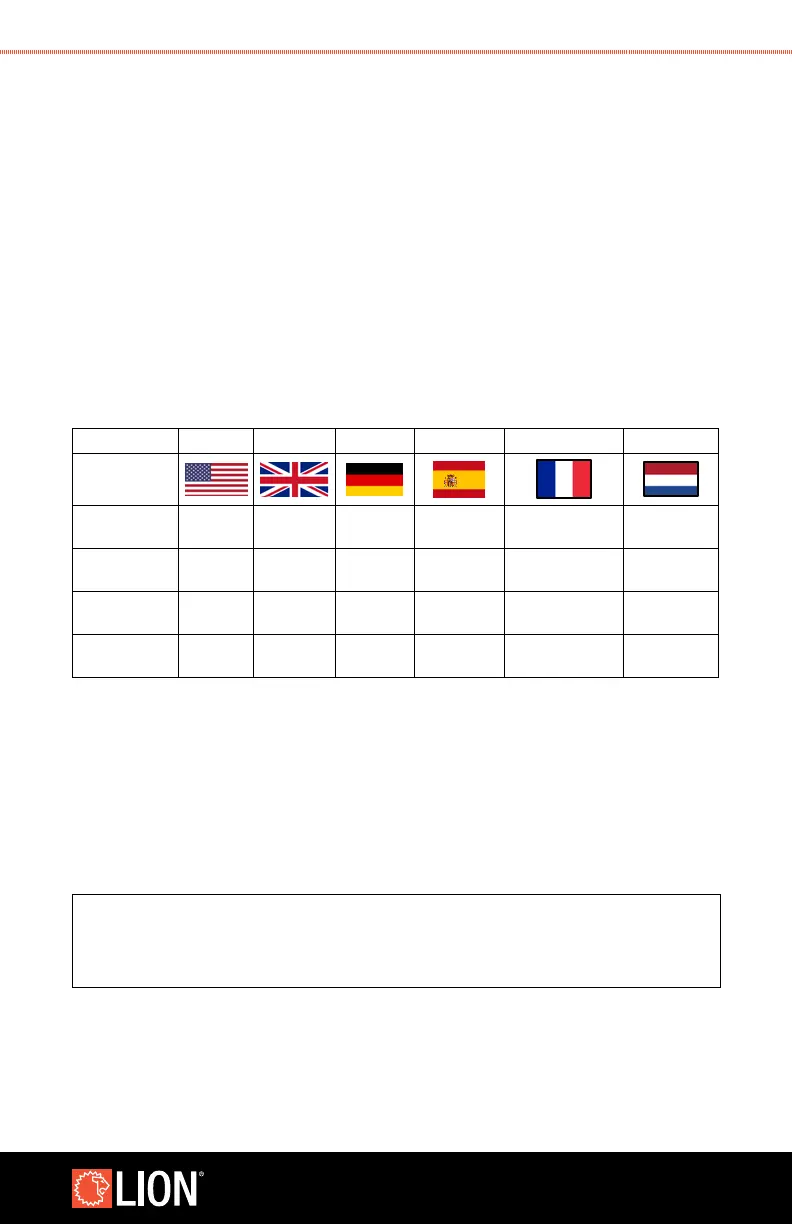
Fuel Source EN (US) EN (UK) DE ES FR NL
Combustible
Materials
Class A Class A Klasse A Clase A Classe A Klasse A
Flammable
Liquids
Class B Class B Klasse B Clase B Classe B Klasse B
Flammable
Gas
- Class C Klasse C
Gas
Inamable
Classe C Klasse C
Electrical Class C Electrical Elektrik Clase C
Consommation
électrique
Elektrisch
3. When simulating ammable gas and electrical res, the re will continuously
re-ignite. In the case of a real ammable gas re, the gas source must be turned
off to prevent re-ignition. In the case of a real electrical re, the power must be
turned off to prevent re-ignition. To simulate this, once the trainee tells the instructor
that the gas leak or power has been secured, the instructor can change the class to
“a Common Combustibles re” by pressing the up or down arrow for re class on
the remote. The re will continue to burn but can now be extinguished.
NOTE
The instructor is responsible for determining
a suitable mode and level for the trainee.



 To Next Page