19
WWW.LIONPROTECTS.COM
will react to all button presses.
8.3 ADJUSTING THE SETTINGS
SELECTING THE EXTINGUISHING METHOD MODE
The ATTACK panel can be used with a LION SmartExtinguisher
®
, a standard water can
extinguisher, a LION laser driven extinguisher, a LION digital hose line or an actual hose
line. The panel is designed to react to each extinguishing method differently. Thus, the
appropriate mode of operation must be selected for the panel to respond correctly.
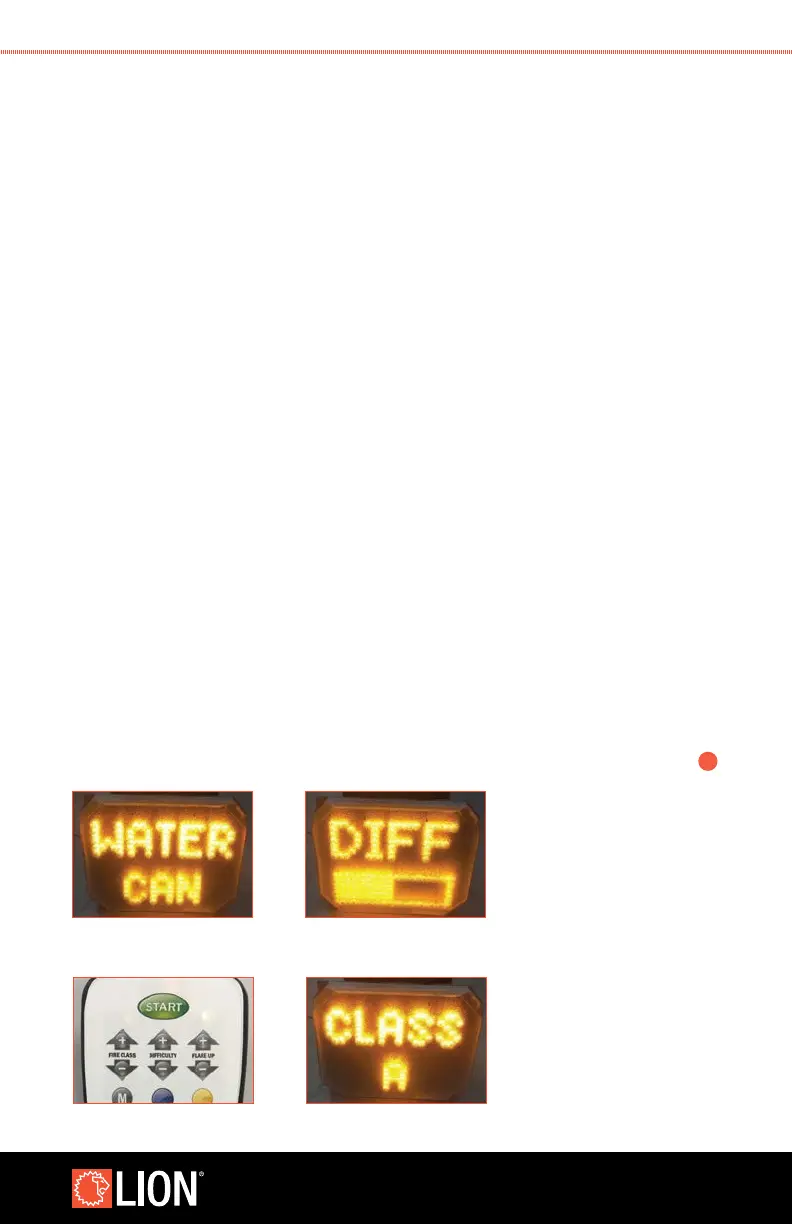
1. To select the extinguishing mode, simply press the MODE SELECT button on the
setup remote.
2. The panel will display the current mode the rst time a button is pressed.
Subsequent pushes will change the mode.
• The modes are“water can”, and “hose line”. The “water can” mode is used
when a LION SmartExtinguisher or a standard water extinguisher is used.
The “hose line” mode is used with hose lines. Regardless of the mode
selected, the panel will always respond when used with a LION laser driven
extinguisher or the LION digital hose line is used.
SETTING THE DIFFICULTY LEVEL, SMOKE LEVEL, AND VOLUME
1. To change the desired setting, simply press the UP or DOWN arrows above or below
the feature you wish to change on the Setup Remote.
2. When adjusting the setting, an indicator bar will appear on the screen. The indicator
bar will ll as the level is increased.
3. Press and hold the adjustment button to rapidly change the setting.
4. Please note: The range of the standard remote is diminished when heavy smoke
is introduced. If the remote is not functioning, you may need to stand closer to the
>
continues
8.3 EXTINGUISHING MODE
STEP 2
8.3 DIFFICULTY LEVEL
STEP 2
STEP 1 STEP 2



 To Next Page