23
WWW.LIONPROTECTS.COM
the battery capacity remains.
CHANGING THE BATTERIES
There is a battery compartment located on the back of the remote. Use a #1 Philips
screwdriver to remove the two screws holding the compartment door in place.
Install new batteries following the diagram inside the battery compartment.
Reinstall the battery compartment cover. Note that the battery compartment is
water-tight and has a light gray seal to prevent water intrusion. Debris on the seal can
cause water leaks so be careful to
keep the seal clean. The screws should be tightened to
6.2 in-lbf (70 N-cm)
of torque. Over tightening the screws could damage the remote.
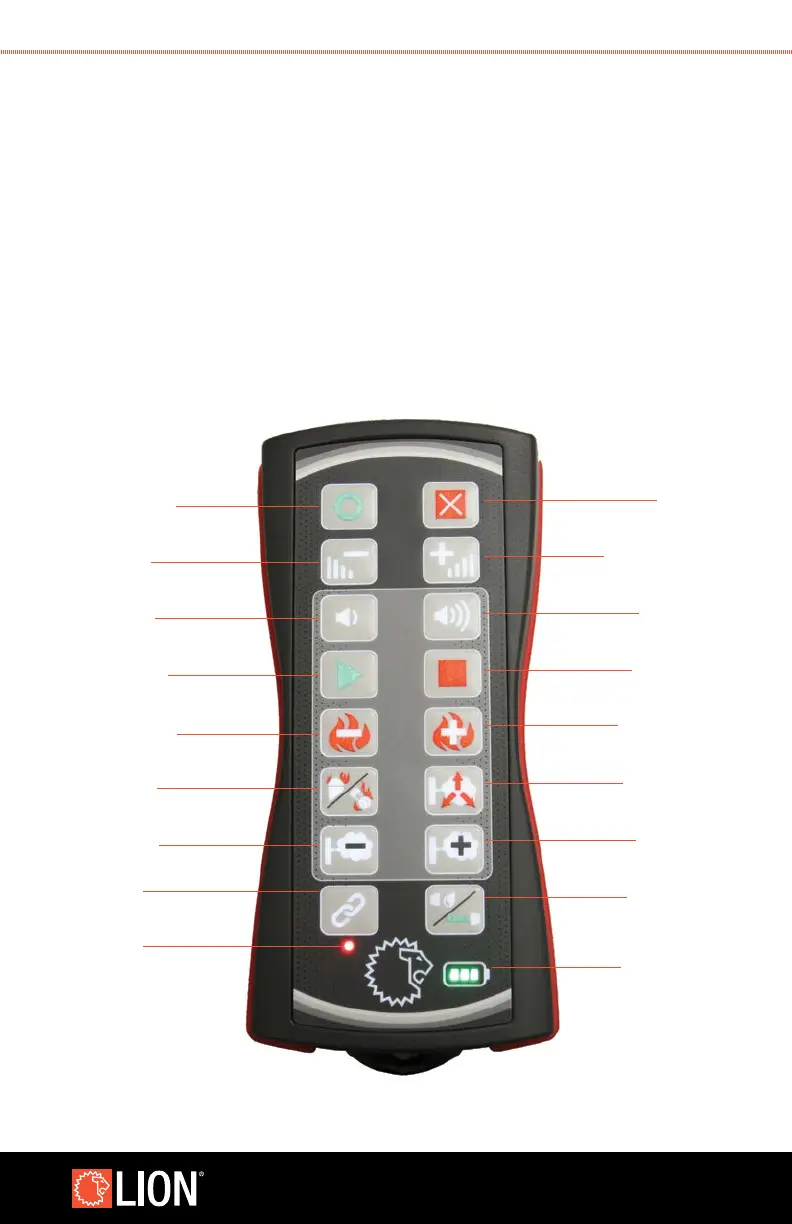
8.6 CONDUCTING A SIMULATION USING THE ATTACK
™
INDUSTRIAL REMOTE
OFF: press and hold
until the Industrial
Remote vibrates
Increase
Increase volume
Stop evolution
Smoke Burst
Increase smoke
Change panel
mode (e.g.
hand line,
watercan)
Battery level
indicator
ON: press for
half second
Decrease volume
Start evolution
Decrease smoke
Link: press and hold
until vibrator and
backlight pulse
Link indicator:
Red = no link to panel
Green = linked to panel
Decrease difficulty
Diminish fire
Change fire class
Flare up fire
difficulty



 To Next Page