ATTACK
™
DIGITAL FIRE TRAINING SYSTEM
22
WWW.LIONPROTECTS.COM
Do not use 3.7V lithium batteries in the remote.
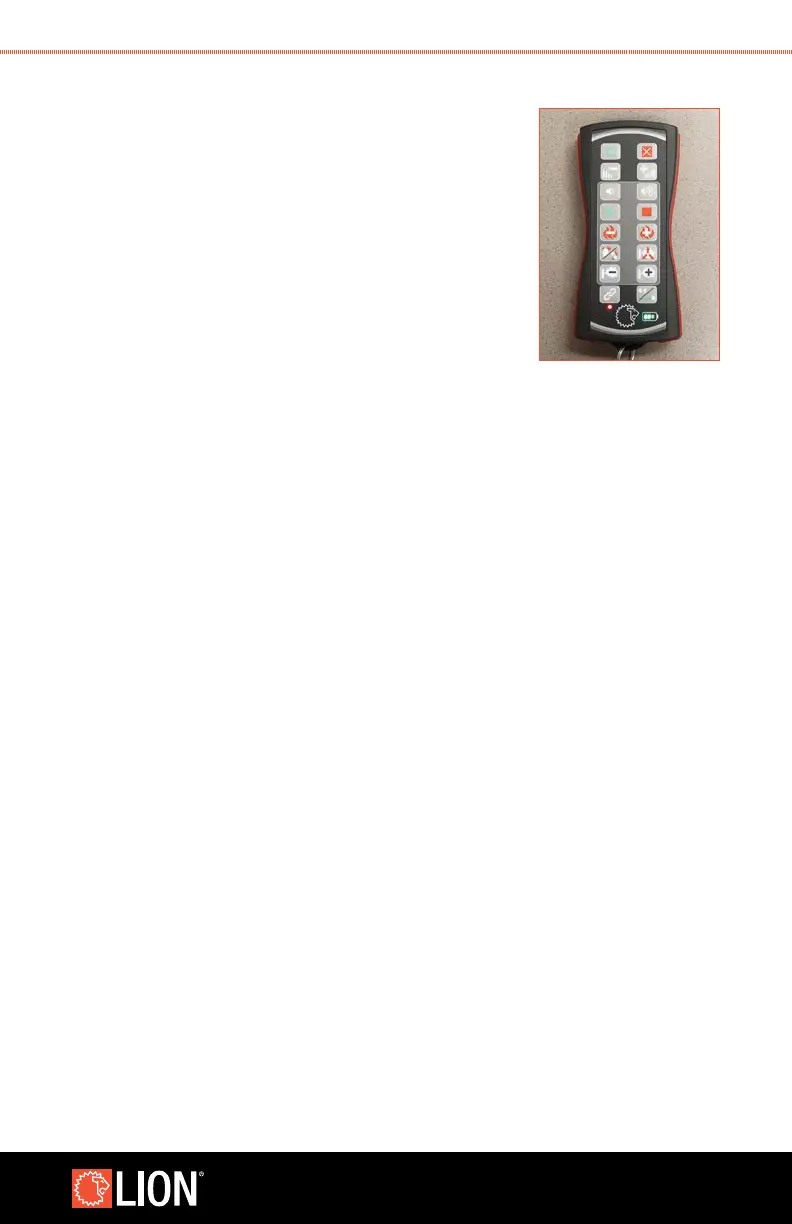
USING THE INDUSTRIAL REMOTE
1. When the Industrial Remote is rst taken “out of the box,”
it is not paired with any ATTACK
™
panels and will not
control anything. Once the Industrial Remote and panel
are linked, you do not need to repeat this procedure.
2. Turn on the Industrial Remote by pressing the ON button
for at least a half second. The face of the remote will
illuminate and after a few seconds the vibrator and
backlight will pulse three times to indicate that the
remote is on.
3. Linking the remote to a panel can be done by pressing and holding the link button
until it vibrates. The link LED
will blink three times and any panels connected by network to the remote will beep,
indicating that they have been paired to the remote. At this time, the link LED will be
green indicating that the remote is communicating with one or more linked panels
and the remote will control those panels.
4. If pairing is done a second time, the remote will be unpaired from all panels with
which it was previously paired, and be paired with all panels it is communicating
with at the time the link procedure is conducted.
5. When the START button is pressed, all panels that are turned on and paired with
the remote will begin an evolution. Similarly, all panels connected to the remote
will react to each button on the Industrial Remote as it is pressed. The remote will
vibrate and the backlight will pulse to indicate that a button has been pressed.
6. To turn off the Industrial Remote, press and hold the OFF button for 5 seconds
until it vibrates. The backlight and all LED lights will turn off, indicating that the
remote is turned off.
7. After 60 minutes of inactivity, the remote will turn off to conserve the battery.
8. The battery indicator lights will change depending on remaining battery capacity.
The last LED will start blinking when the battery is running low. The indicator
lights are designed for the recommended lithium and Ni-MH batteries; when
using Alkaline batteries the last LED will start blinking when approximately half
STEP 1



 To Next Page