Wiring your Accessory Voltage Controller
Using a set voltage
1. Press TR or ENG (determined when you assigned the ID#) and enter the ID# of the AVC
unit into the CAB-1 Remote Controller.
2. Press the AUX1 button to activate the numeric keys.
3. Enter the number with the new voltage assigned to it.
At this point, you are operating your accessories with your adjusted voltage. Press HALT to turn
off accessory voltage and restore to previously saved settings.
Specifications
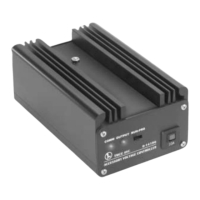
Dimensions: 6.125” x 3.75” x 2.7”
Maximum input voltage: 9 to 24 volts (AC) at 60 Hz
Maximum output current: 10 amps at 20 volts or 200 watts
COMM signal: +/- 12 volts
10


 To Next Page