Connecting the COMM wires
Y
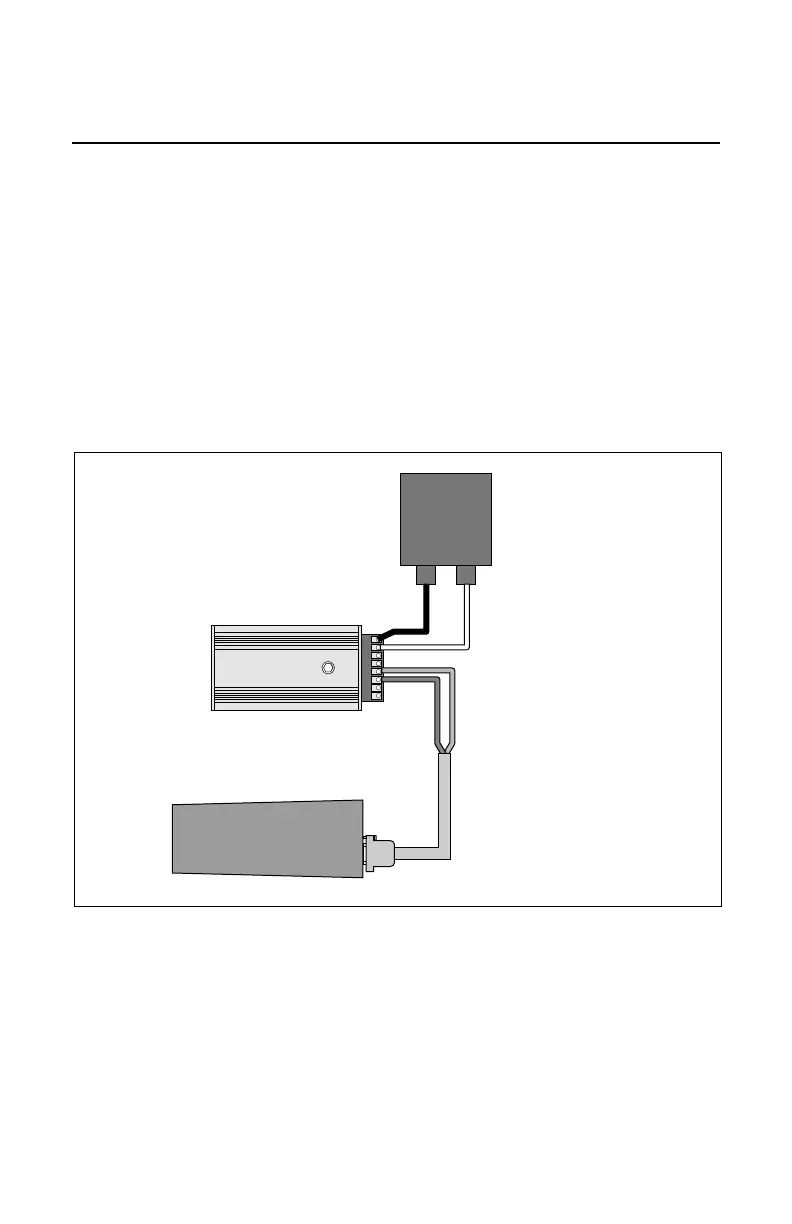
our AVC unit will need to communicate with the Command Base and any other TMCC
products you have connected to your AVC unit. To make these connections, you will need
the Command Base Cable (available separately, 6-14191 for a 6’ cable and 6-14195 for a 20’
cable). Follow these steps and refer to Figure 2 to connect your AVC unit to the Command
Base.
1. Connect the computer-style connector at the end of the Command Base Cable to the
COMPUTER terminal on the Command Base.
2. Connect the red wire at the other end of the Command Base Cable to the DAT terminal on
the AVC unit.
3. Connect the green wire to the COM terminal on the AVC unit.
Wiring your Accessory Voltage Controller
4


 To Next Page