5
Connecting additional TMCC products in a “daisy chain”
Y
ou may choose to power additional TMCC products using the same Command Base by
creating a “daisy chain,” or a series of TMCC units wired in succession. To daisy chain the
POWER IN connections, attach one wire to the HOT terminal on the next TMCC product. Then,
attach another wire to the NEUT terminal on the AVC unit and connect it to the NEUT
terminal on the next TMCC product.
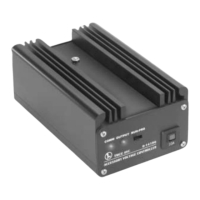
To daisy chain the COMM connections, attach one wire to the DAT terminal of the AVC unit
and connect it to the DAT terminal of the next TMCC product. Then, attach another wire to the
COM terminal of your AVC unit and connect it to the COM terminal of the next product. Add
additional products in the same manner, connecting the DAT terminals and the COM terminals.
Wiring your Accessory Voltage Controller


 To Next Page