C
ongratulations on your purchase of the
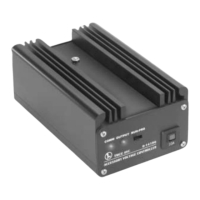
TMCC Accessory Voltage Controller
(AVC)! The AVC unit is the perfect way to
supply the proper voltage to each accessory,
prolonging the lives of the lamps and
reducing wear and tear on the motors. Use
one of the ten preset voltages, or customize
the voltage yourself!
Congratulations
2
Wiring Your Accessory Voltage Controller
Powering the Accessory Voltage Controller 3
Connecting the COMM wires 4
Connecting additional TMCC products in a “daisy chain” 5
Connecting your accessories to the AVC unit 6
Assigning an ID# to the AVC unit 7
Using a preset voltage level 8
Setting a specific voltage 9
Using a set voltage 10
Specifications 10
Template 11
Limited Warranty/Lionel Service 12
Table of Contents
The following Lionel marks may be used throughout this instruction manual and are protected under
law. All rights reserved.
Lionel®, TrainMaster®, Odyssey®, RailSounds™, CrewTalk™, TowerCom™, DynaChuff™,
StationSounds™, Pullmor®, ElectroCoupler™, Magne-Traction®, CAB-1 Remote Controller®,
PowerMaster®, Lionel ZW®, ZW®, PowerHouse®, TMCC™, Lionelville™


 To Next Page