LISTEN TECHNOLOGIES CORPORATION +1.801.233.8992 1.800.330.0891 Fax: +1.801.233.8995
Internet: www.ListenTech.com All specifications subject to change without notice.
18
LT-700 Programming
The LT-700 can be programmed to transmit on a
limited number of channels. For applications where
users are required to select a channel (such as
classrooms or language interpretation), and you don’t
want them to have to scroll through all of the
available channels, this feature is ideal. You can set
up the LT-700 so that only the channels they need to
use are available for selection with the UP and
DOWN buttons.
Enter PROGRAM Mode.
Press the UP and DOWN keys simultaneously until
the PGM symbol is displayed (see the Look &
Listen
TM
display descriptions on page 17).
Scroll Through Channels to Lock or Unlock.
Use the UP and DOWN channel select keys to scroll
through all available channels. If the L/O symbol
appears with a particular channel’s indicator, this
means that particular channel will not be available for
selection by the user. To toggle a channel between
locked out and available, press the POWER button.
To exit PROGRAM mode:
Allow the unit to sit idle (don’t press any buttons) for
about 4 seconds. The LT-700 will exit the PROGRAM
mode and the PGM icon will disappear.
Charging Batteries
The LT-700 and all Listen receivers are unique
because they have SmartCharge
TM
chargers built in.
When any of these units are connected to an LA-202
wall transformer or dropped into a Listen charging
case, NiMH batteries will be charged.
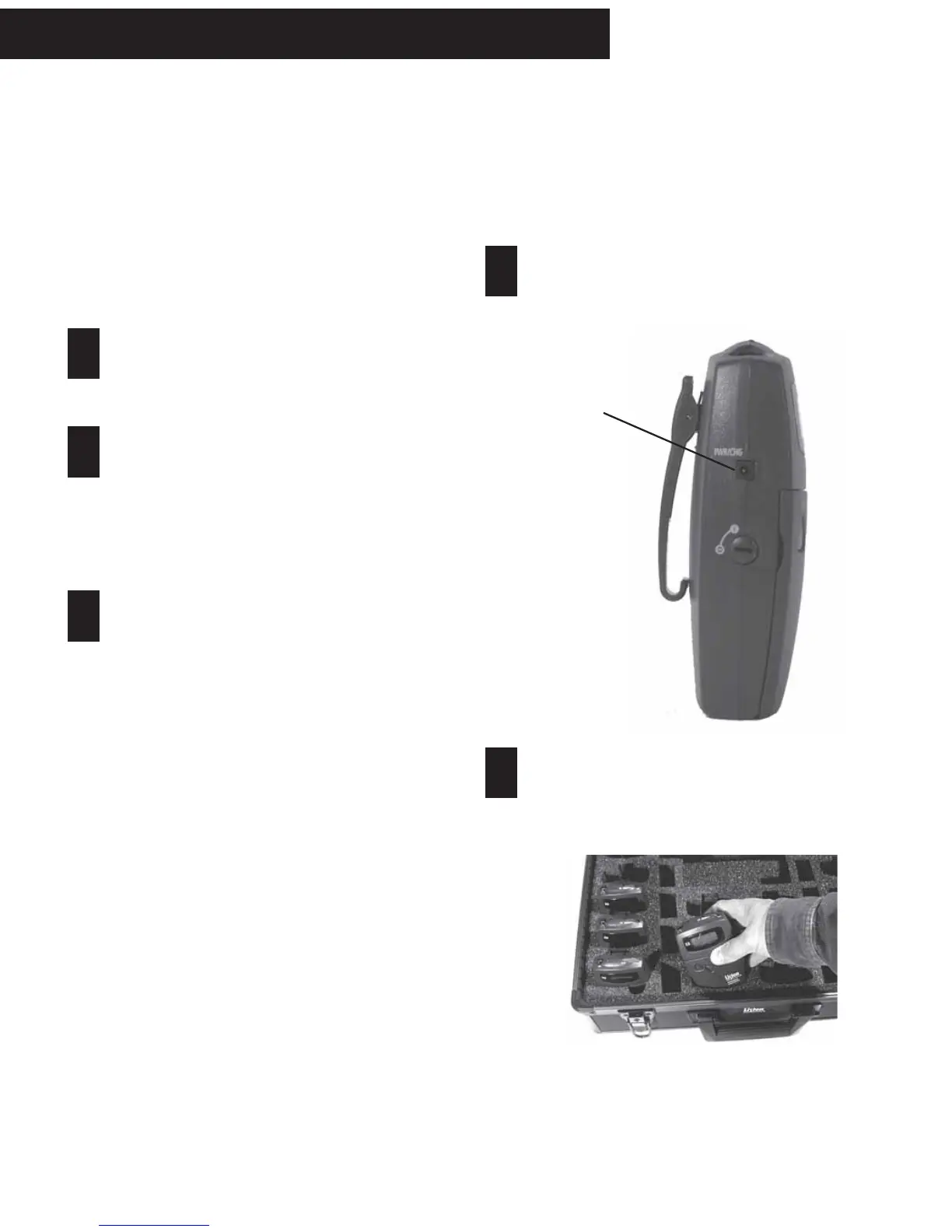
To charge the batteries using the LA-202 wall
transformer, plug the transformer into the jack
marked “PWR/CHG” on the side of the unit. The unit
can be operated while the batteries are charging.
LT-700 - Programming; Charging Batteries
To charge the batteries using a drop-in charger,
simply place the unit into a slot in the charger and
connect the charger to power. Make sure the unit is
fully seated in its slot.
1
2
3
Connect LA-202
here and plug it
into an AC wall
outlet.
One of several charging cases available from Listen.
Check the Listen website for more details.
1
2



 To Next Page