LISTEN TECHNOLOGIES CORPORATION +1.801.233.8992 1.800.330.0891 Fax: +1.801.233.8995
Internet: www.ListenTech.com All specifications subject to change without notice.
24
Operating Listen Receivers
Operating Listen Receivers
Make Sure the Unit is On.
Rotate the volume knob counterclockwise with an
earphone or headset connected to the unit. Listen
receivers use the cable of the earphone or headset as
a receiving antenna.
Be careful when turning the unit on - if you turn the
knob too far you might get too much volume in your
earphone!
Select a Channel.
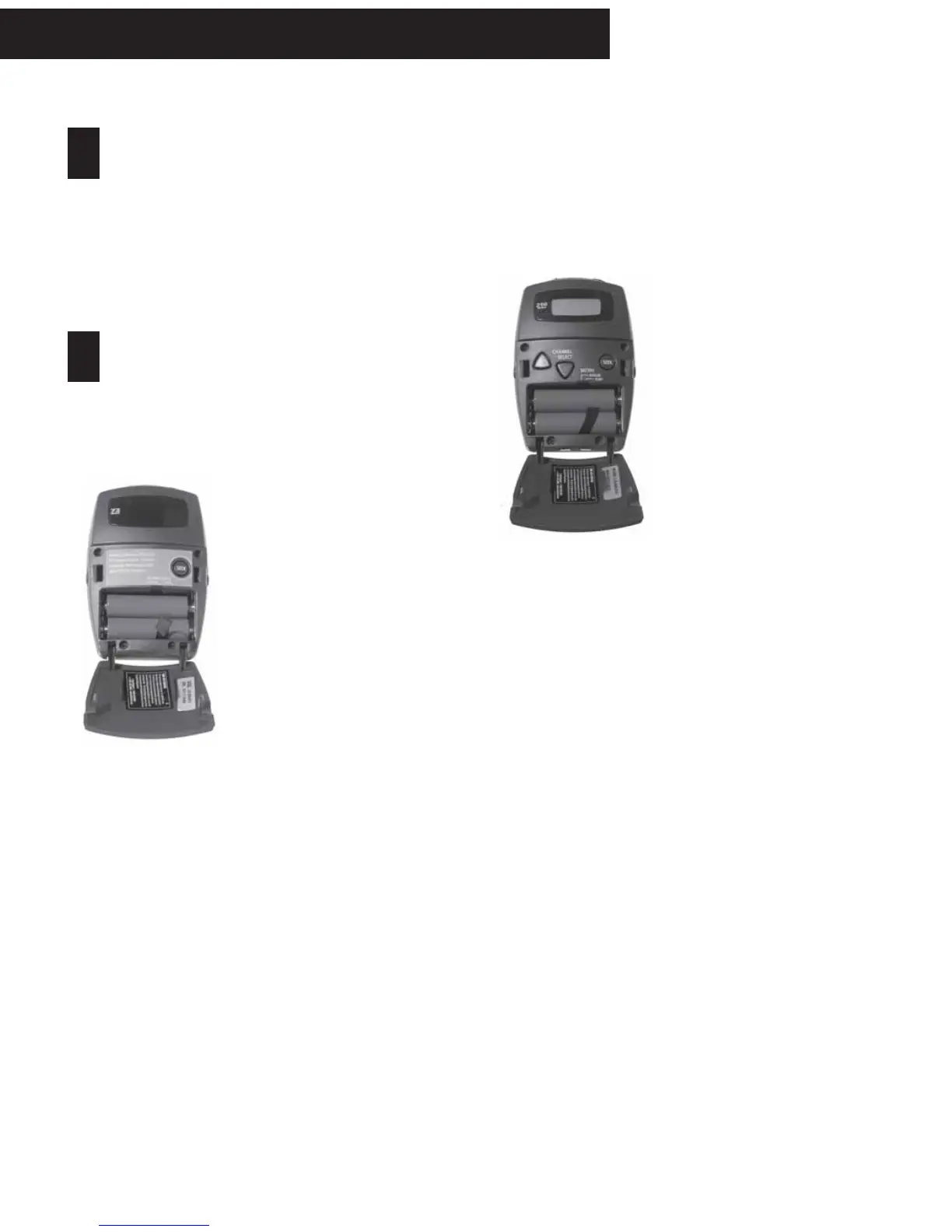
LR-300:
First, make sure the transmitter is transmitting
continuous audio within range. Next, place the
receiver’s earphone on your ear to listen. Make sure
the unit is turned on and the
volume is set at a reasonable
level. Open the LR-300’s
access door and press the
SEEK button momentarily.
When you do this, the Listen
receiver looks for the next
active channel. Sometimes
the unit will mistake interfer-
ence for a real broadcast
signal. If you get interference,
press the SEEK button again.
The unit may stop on a
channel that is close to the
actual broadcast channel, in
which case the channel will
sound noisy or distorted. Simply press SEEK again
until you find the clearest operating channel. With
the LR-300, this is the only verification you have of
correct tuning to your audio source.
If you press the SEEK button and the LED flashes, this
indicates the unit is locked. To lock or unlock the unit
simply press and hold the SEEK button for 5+
seconds. It’s a good idea to lock the unit on channel
once you have found the correct channel.l
Close the front access door.
1
2
LR-400 and LR-500 Display Receivers:
Select the channel to match the transmission
channel by pressing the UP and DOWN buttons on
the receiver.
At 72MHz:
Each LR-400 and LR-500
receiver operates on 17 wide
band channels and 40 narrow
band channels. Channels
represented by letters on the
display (i.e. A) are wideband
channels ; channels
represented by numbers are
narrowband channels.
At 216MHz:
Receivers operate on 19 wide
band channels and 38 narrow
band channels. Channel
numbers starting with a “2”
are wide band; channels
beginning with a “1” or “3”
are narrow band channels.
Refer to the Frequency Compatibility Tables (pages
39-42) for specific frequencies and compatibility
with other manufacturers.
Test the audio. If a transmitter is broadcasting on
that channel, you will be able to hear the audio. If
the signal is too weak, the audio will be muted
(squelched).
Find an audio transmission using SEEK: Another
way to find a channel on the LR-400 and LR-500 is to
use the SEEK button. When you do this, the Listen
receiver looks for the next active channel. Some-
times the unit will mistake interference for a real
broadcast signal. If you get interference, press the
SEEK button again. The unit may stop on a channel
that is close to the actual broadcast channel, in
which case the channel will sound noisy or
distorted. Simply press SEEK again until you find the
clearest operating channel.



 To Next Page