LISTEN TECHNOLOGIES CORPORATION +1.801.233.8992 1.800.330.0891 Fax: +1.801.233.8995
Internet: www.ListenTech.com All specifications subject to change without notice.
28
LR-500 Special Features
LR-500 Programming
The LR-500 Display Receiver has some special features not
available in the other receivers: you may lock out unwanted
channels, and you can adjust the squelch in the unit.
Locking Out Unwanted Channels
For applications where users are required to select a channel
(such as language interpretation or classrooms), and you
don’t want them to have to go through all 57 available
channels to find the appropriate channel, you can lock out all
channels except the ones you are using in your facility.
Use the UP and DOWN keys to select
channels.
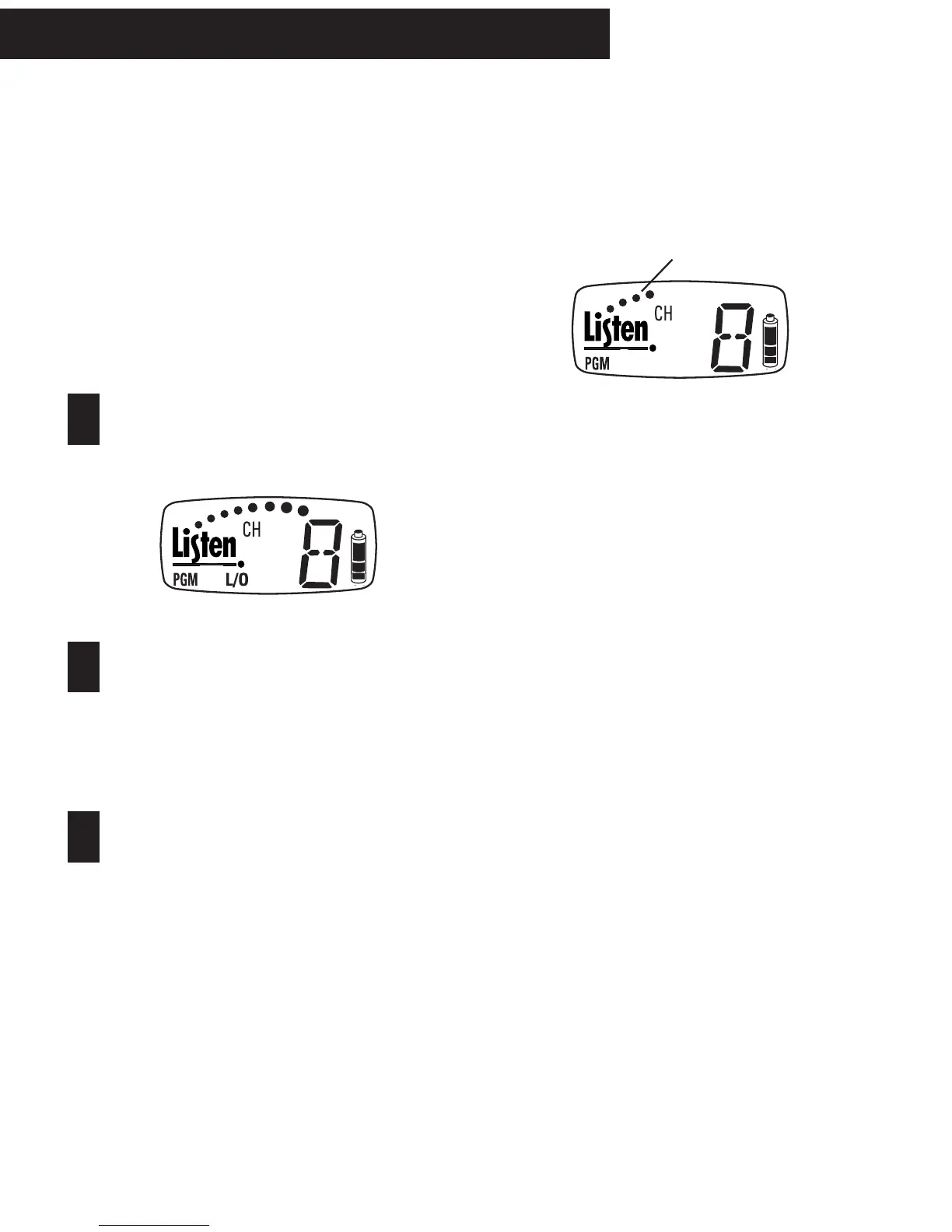
As channels are displayed on the unit, those channels
that are locked out from user access will be indicated
by the L/O (Locked Out) symbol (see above). When
a channel is locked out, the receiver will skip over
that channel when a user is tuning the receiver.
Press the SEEK button to toggle channels
between locked out and non-locked out
modes.
Adjusting the squelch will keep your LR-500 receiver from
picking up noise when the transmitter is not sending audio.
When adjusting Squelch, the number of dots
on the display will change. Four dots is the
factory default setting.
1
2
3
Enter the PROGRAM mode.
Press the UP and DOWN buttons simultaneously for
about 5 seconds, until the PGM symbol appears in
the display.
Adjusting Squelch
After you have programmed your channels, the padlock icon
will appear. At this time, press SEEK to unlock the squelch.
The padlock icon will disappear. The squelch level will
appear as a number of dots showing on the display. No dots
means no squelch. The factory setting is four dots. Press
the UP button to increment through five possible squelch
settings indicated by dots. More dots means more squelch
sensitivity.
Exiting PROGRAM mode
To exit the PROGRAM mode, let the receiver sit idle (don’t
press any buttons) for 4 seconds. The receiver will
automatically return to normal operation. If you haven’t
finished programming the unit and it automatically exits,
press and hold the UP & DOWN buttons simultaneously for
5+ seconds to re-enter the PROGRAM mode.



 To Next Page