LISTEN TECHNOLOGIES CORPORATION +1.801.233.8992 1.800.330.0891 Fax: +1.801.233.8995
Internet: www.ListenTech.com All specifications subject to change without notice.
14
Preparing the LT-700 for Use
Remove the product from the shipping
container and plastic cover.
Inspect for physical damage. See “Technical Service
Contacts (page 4) if damage has occurred.
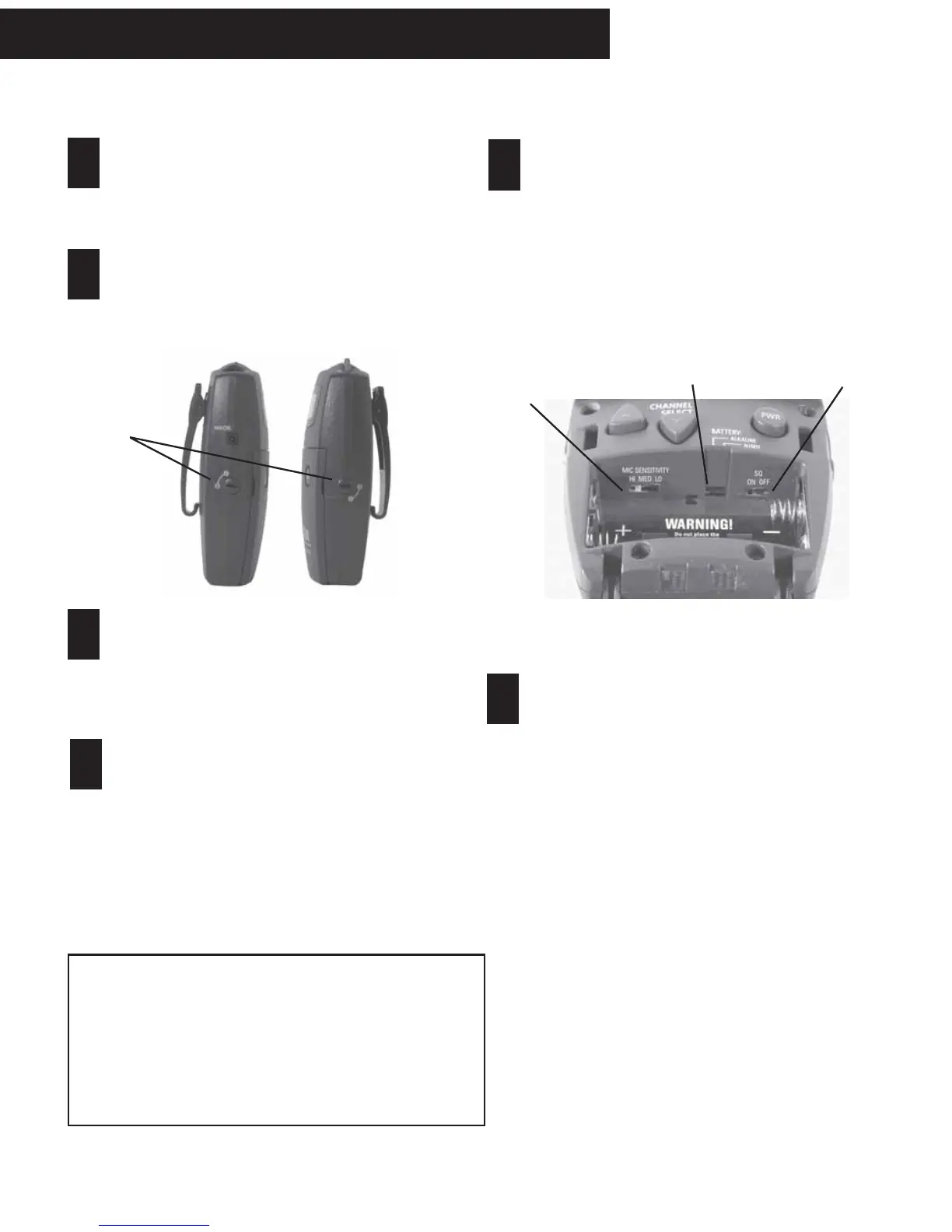
Check to see if the door is locked.
If locked, use a pocketknife or small screwdriver to
unlock the door locks on both sides of the unit. To
unlock the door, rotate the lock 1/4 turn counterclock-
wise.
Open the front access door.
Grip the two tabs with your thumb and index finger
and pull the door downward. Do NOT place
batteries in the unit yet.
Select Battery Type.
See diagram (on step 5). You have two choices:
NiMH and Alkaline. The unit is shipped with the
switch in the Alkaline position. Use a pen or small
screwdriver to select the battery type.
Caution: if you are using any battery type other than
rechargeable Nickel Metal Hydride (NiMH) batteries,
make sure the BATTERY selection switch is in the
alkaline position.
Set SQ switch.
See Page 5 for more information on SQ. The SQ
switch is inside the battery compartment next to
the Battery Select switch. The unit is shipped with
SQ in the ON position. To turn it off, use a small
screwdriver or pen to slide the switch to the OFF
position (to the right).
WARNING: Do not place the BATTERY switch in the
NiMH position if you are not using Nickel Metal Hydride
Batteries. The NiMH position will attempt to charge the
batteries. Charging non-Nickel Metal Hydride batteries
may result in physical harm, destruction of property
and/or fire.
Set Mic Sensitivity Switch.
See the above diagram. This switch is located
inside the battery compartment, to the left of the
BATTERY selection switch. The LT-700 is shipped
with this switch in the center (Mid) position.
Listen recommends the following settings for its
microphones. If you are using a microphone from
another vendor, you may need to experiment with
different settings.
Part # Description Setting
LA-261 Lavalier Microphone Mid
LA-262 Over-the-Head Microphone Mid
LA-268 Over-the-Ear Microphone Mid
LA-270 Noise Cancelling Microphone Mid
LA-274 Handheld Microphone Hi
LA-276 Collar Microphone Hi
LT-700 Portable Transmitter
SQ Switch
Battery Select
Switch
Mic
Sensitivity
Switch
1
2
3
4
5
6
Locks



 To Next Page