Connect Audio Inputs:
Connect audio source(s) to one or both audio input
connections. Input 1 offers a choice of balanced XLR
or 1/4” phone connection. Input 2 is an unbalanced
phono connector. (See LT-800 Rear Panel Connections
and Settings on page 6 for specific connection
instructions.)
Connect balanced and unbalanced audio sources as
shown in diagram. Make sure that if you are
connecting an unbalanced audio source, pin 3 of the
XLR and the ring of the 1/4” phone plug are connected
to ground as shown.
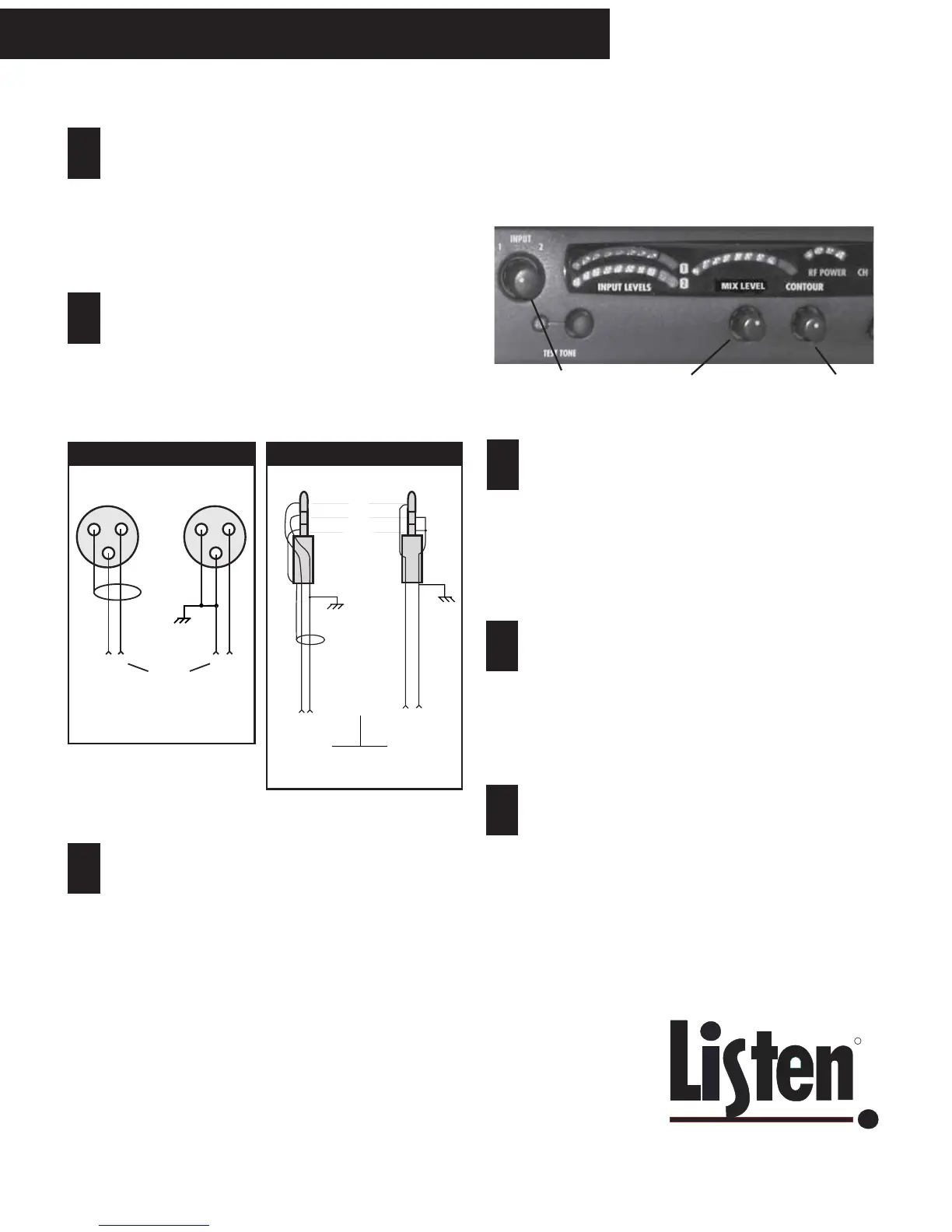
LT-800 Audio Control
Input levels can be viewed on the two VU meters on the
front panel.
Adjust input: Adjust the INPUT knob counterclock-
wise to add gain to INPUT 1. Adjust INPUT knob
clockwise to add gain to INPUT 2. If you have two
audio sources connected to both INPUT 1 and 2,
adjust the level of one input using the VU meter, then
adjust the output level of the other audio source.
Adjust the audio level so that the first VU meter does
NOT peak in the red.
Adjust Contour: Adjust the CONTOUR knob
counterclockwise if your audio source is mostly voice.
Adjust the knob clockwise if most of your audio
source is music. The CONTOUR knob adjusts the
relative equalization of the unit. This equalization
boosts or cuts frequencies above 5kHz.
Adjust Mix Level: Adjust the mix level knob so that
the audio level on the right VU meter occasionally
peaks red.
9
10
1
2
3
Adjust audio input switches: For Input 1 Switch,
select MIC or LINE input level; for Input 2 Switch,
select LINE (-10dBu) or speaker (+10dBu) level. (See
illustration on page 6.)
Use the headset jack to listen to audio source: With
the audio source or sources active and the unit
powered ON, plug a headset into the jack located on
the LT-800’s front panel to listen to the audio source.
Adjust headset volume to a comfortable level.
1
2
3
1
2
3
Input from
Balanced
Audio
Source
Balanced Unbalanced
Unbalanced
Audio
Source
- +
Audio from
Balanced
Audio
Source
Balanced
Unbalanced
Unbalanced
Audio
Source
Tip
Ring
Sleeve
Sleeve
Tip
Tip
Ring
Ring/Sleeve
+ -
XLR Wiring
1/4” Phone Wiring
8
LT-800 Preparation; Audio Control
1
23



 To Next Page