Conguring Wi-Fi
You navigate through the Wi-Fi options by turning the JOG clockwise / anti-clockwise to the
required selection, then pressing the JOG joystick.
If you have previously connected to an available Wi-Fi network, you are now automatically
reconnected.
To connect to Wi-Fi:
1. In the Interfaces menu, make sure that Wi-Fi is selected, then press the JOG.
2. Make sure that Show list is selected, then press the JOG.
3. Make sure Select Network is selected, then press the JOG.
The unit scans for available networks.
4. Select the required network, then press the JOG.
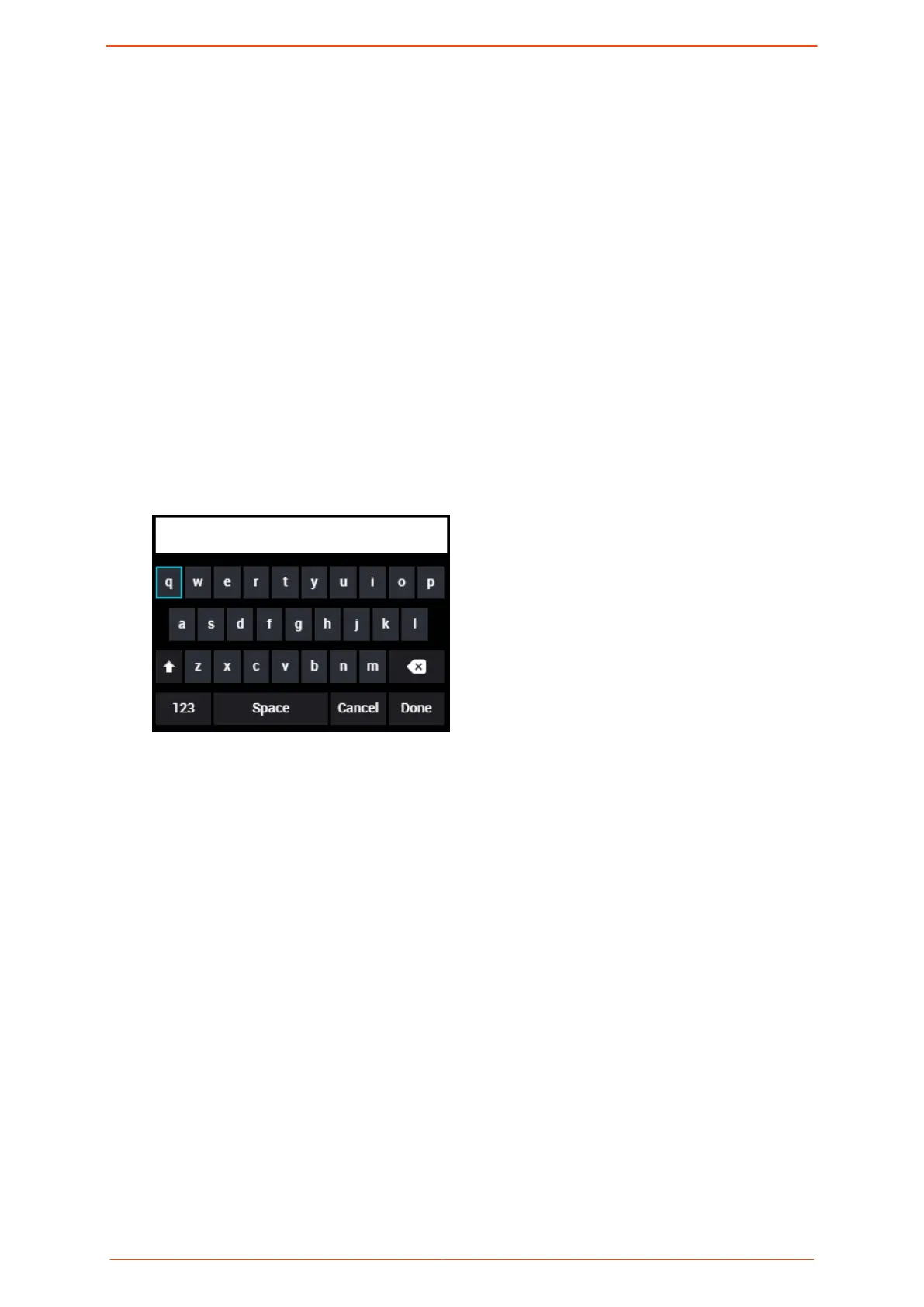
If this is the rst time you have connected to the selected network, the keypad is
displayed.
5. In the keypad, turn the JOG to spell out your Wi-Fi password, pressing the button after
each selected character.
6. Turn the JOG to Done and then press the JOG.
You are now connected to Wi-Fi.
To disconnect from Wi-Fi:
• Press the JOG and then select Forget. Select a different network or select Disable to
disconnect from the network.
Conguring a mobile network
You navigate through the mobile network options by turning the JOG clockwise / anti-
clockwise to the required selection, then pressing the JOG button.
The number of mobile network options depends on the number of modems connected to
the Solo PRO.
You can connect up to two external modems to the USB ports on the right and left panels.
The modems are connected with cables marked L/A to indicate that it is connected to the
Conguring
internet interfaces
Solo PRO User guide 20


 To Next Page