Step 9
Cut all parts of bolt which is extending beyond the tightened nuts by saw.
Installation of the Opener
Step 10
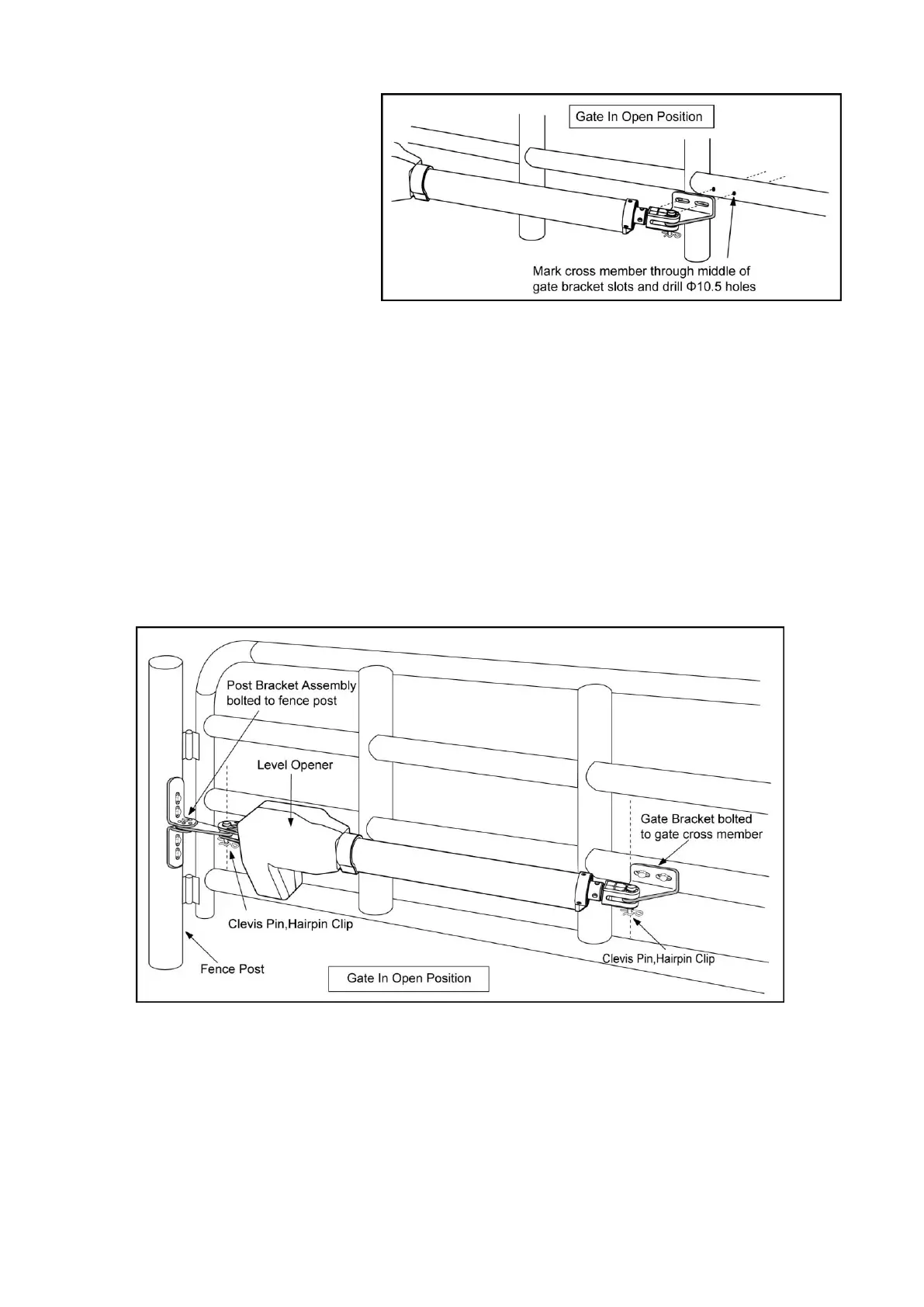
Attach the gate opener to the securely fastened post bracket assemblies and gate brackets by using the
four clevis pins. Insert one clevis pin through the gate opener and the gate bracket. Insert the other
clevis pin through the gate opener and the post bracket assembly. Secure the clevis pins with the two
hairpin clips.
Step 8
Attach the gate brackets to each gate
by inserting two M10 x 75 bolts
through the gate brackets and the
drilled holes in the gates. Fasten
each bolt with one ¢10 lock washer,
and one ¢10 nut.



 To Next Page