Installing the Mounting Hardware
Step 5
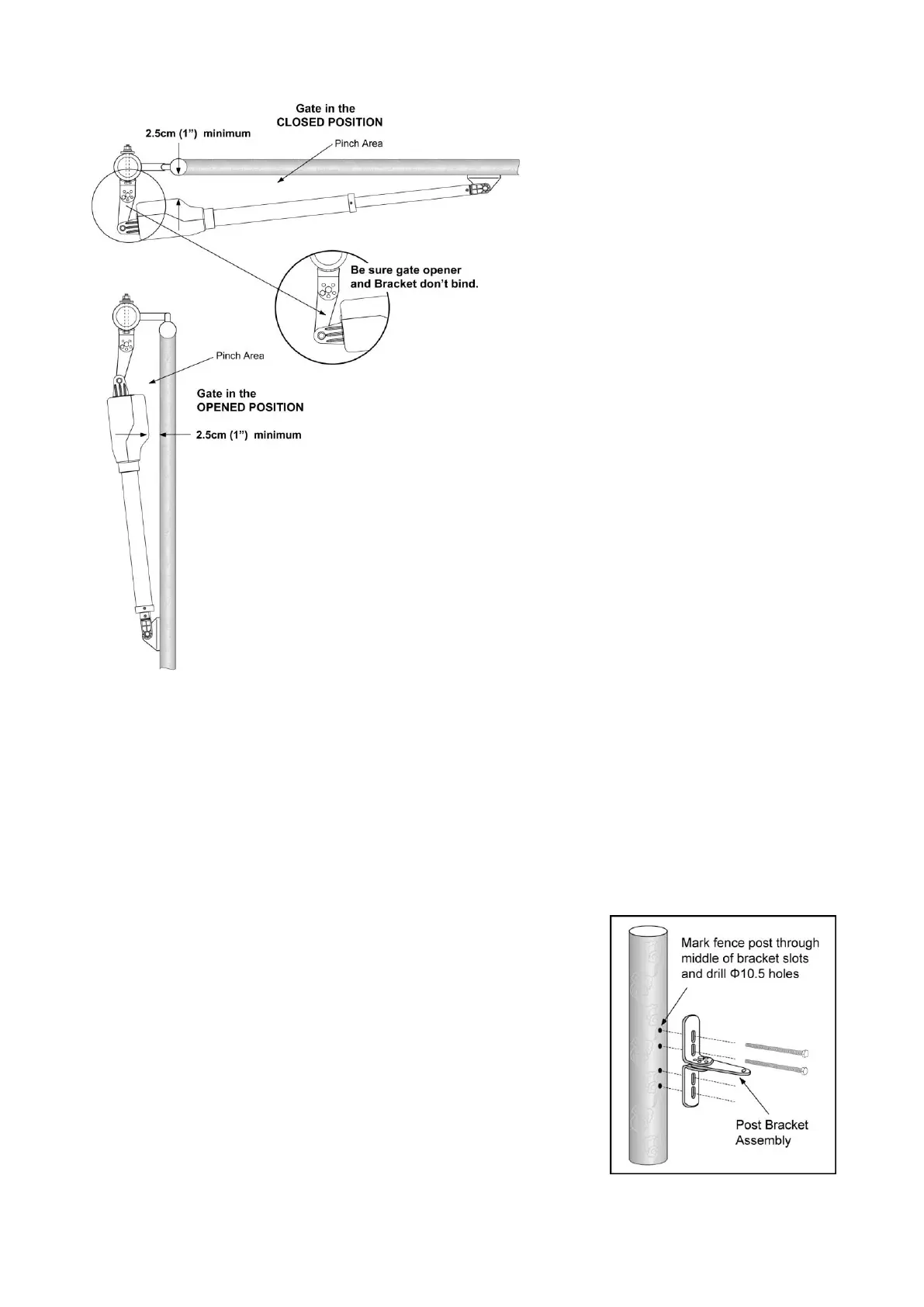
Sign the bolt-hole point on the gate bracket and gate. Do this by placing a punch or a sign in the middle
of each bolt slot on the post bracket assemblies and the gate bracket. It allows slight adjustments to the
post bracket. Then remove the post bracket and gate bracket by taking off the C-clamps.
Step 6
Using a drill and a bit of ¢10.5, drill holes through the post and the
gate at the sign bolt hole point.
Step 7
Attach the post bracket assemblies to the gate posts by inserting
four M10 x 200 bolts through each post bracket assembly and the
drilled holes in the gate post. Fasten each bolt with one ¢10
washer, one ¢10 lock washer, and one ¢10 nut.



 To Next Page