18
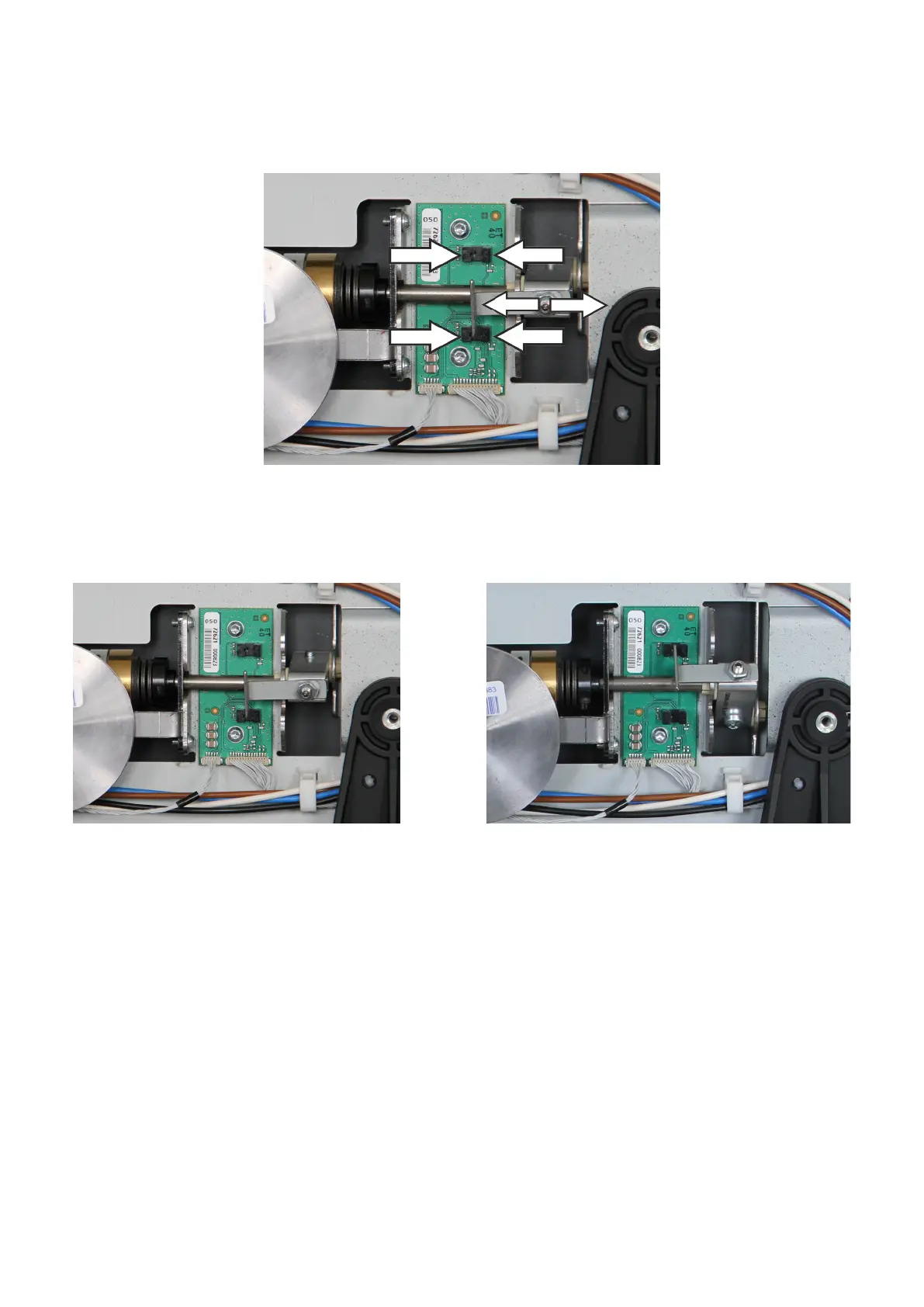
Bewegen Sie nun das Panel mit der Hand jeweils an den
oberen und unteren Anschlag und richten Sie das Blech so
aus, dass es in beide Gabelkoppler gleich tief eintaucht.
Montieren Sie das Blech zum Auslösen der Endanschlä-
ge.
Achtung! Justieren Sie es zunächst so, dass es mittig in
die Gabelkoppler eintaucht.
Assemble the small metal plate what is used to determine
the kinematics-end-positions.
Adjust the position of the small metal plate careful-
ly! First adjust it that way that both metal latches hit the
groove of the photoelectric sensor right in the middle.
Now move the display manually to the upper and to the
lower end position and adjust the metal plate that way that
both metal latches plunge into the photoelectric sensor
evenly.
Testen Sie Ihre Endanschläge. Nehmen Sie dazu das Ge-
rät in Betrieb und achten Sie auf spannungsführende Teile.
Im Einstellungsmenü unter „Bedienung“ und „weitere“
nden Sie den Punkt „Bildschirm-Kinematik“. Wenn Sie
diese auf „aus, Lautsprecher verdeckt“ stellen, wird der
Bildschirm nach unten gefahren. Mit „aus, Lautsprecher
sichtbar“ wird der Bildschirm nach oben gefahren.
War der Test erfolgreich, stellen Sie die Kinematic bitte
wieder auf „ein“.
Double check the correct adjustments. Operate the TV
and mind electrical parts and voltages!
Enter menu “operation – more – display kinematics”.
Switch kinematics off. Select “speaker hidden” to move the
display down. Select speaker visible to move the display
up.
If both positions are correct activate the display kinematics
again.









 To Next Page