Connect 32
User manual
6
For your safety, and to avoid unnecessary damage to your unit,
please read and follow the safety instructions below:
Intended use and ambient conditions
This TV set is intended exclusively for receiving and playing visual and
audio signals. Your set is designed for operation in dry rooms. It must
not be used in rooms with a high level of humidity (e.g. bathroom,
sauna).
Please be aware that your TV set may react sensitively against dust
and soot particles in the ambient air. Excessive loads of this type may
damage the device or even lead to a malfunction.
Please take care for clean air environment to avoid any damage of your
device.
Soot and dust deposits can accumulate behind the front panel glass
of the LCD TV set without a visible source of soot being present. These
soot and dust deposits are also known as “fogging” or “magic dust”.
There are scattered instances of this phenomenon, but especially
during the warm-up period and after renovation work or in new
constructions. Various factors are mentioned as the cause, see too
the reports on the Internet.
In such cases cleaning or replacement of the panel is excluded from
the guarantee, since it does not involve a set defect, but rather an
external influence.
If the unit is used outdoors, make sure that it is protected from moisture
(rain, dripping water and splashing water or dew). High humidity and
dust concentrations lead to leakage currents in the device. This can
result in a shock hazard when touching it or even fire.
If you have moved the unit out of the cold into a warm environment,
leave it switched off for about an hour to avoid the formation of con-
densation.
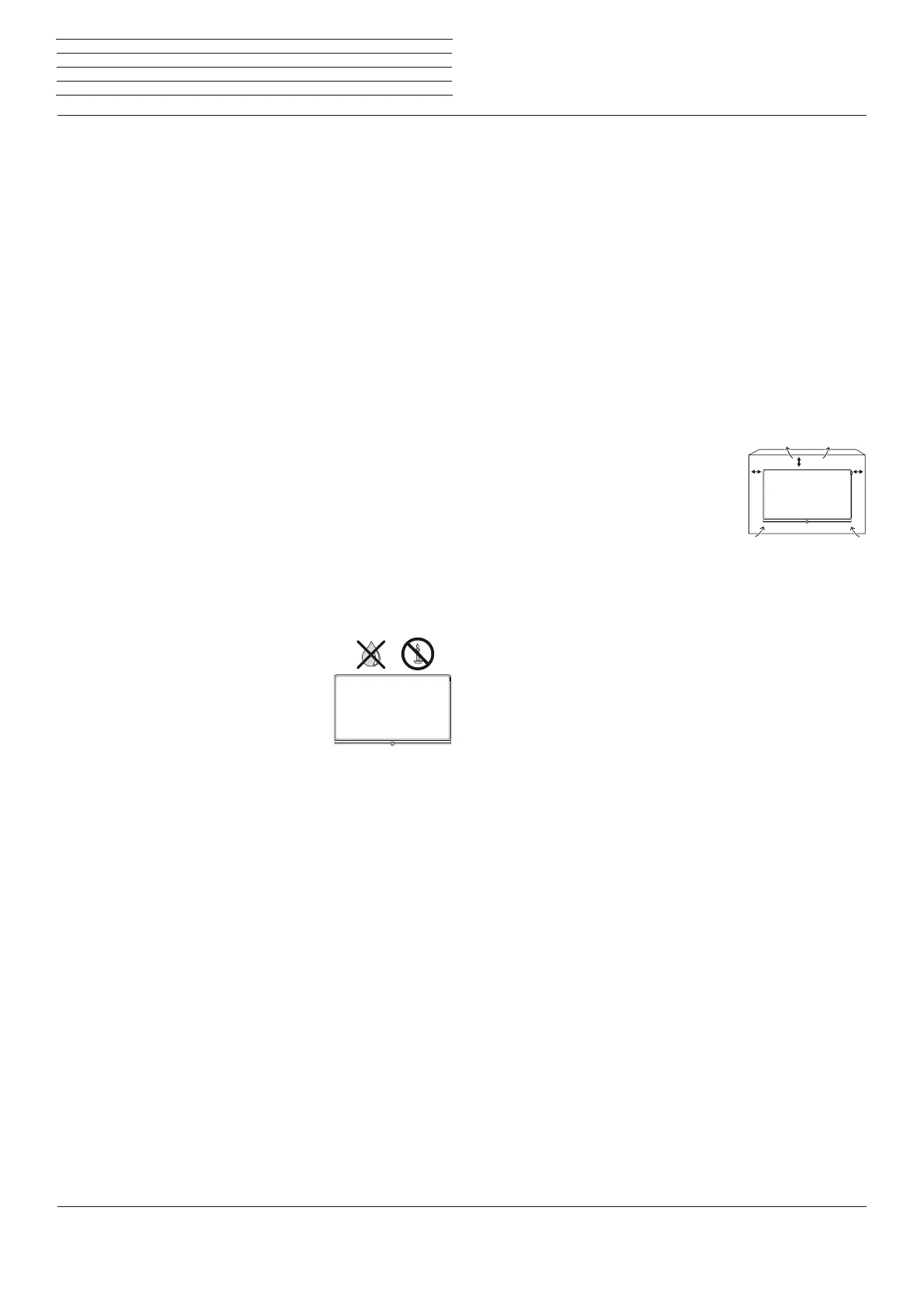
Do not place objects containing liquids on top of
the unit. Protect the appliance against dripping
and splashing water.
Candles or naked flames must be kept away from
the TV set at all times to prevent it from catching
fire.
Never place the TV set in a location where it is
exposed to vibrations. This may lead to damage.
Transporting
Move the device in vertical position only. Get hold of the device on the
upper and lower edges of the housing.
Do not stand it up on the bottom edge, so as to reduce the risk of
damage and soiling. If the set has to be put down during packing/
unpacking, place the TV set with its entire front surface lying flat on
soft material. Use a blanket or the fleece from the packing material as
an underlay.
The LCD screen is made of glass or plastic and can break if not handled
properly.
Always wear rubber gloves to carry the TV set if the LCD screen is
damaged and liquid crystal might be leaking out. In the case of skin
contact immediately rinse thoroughly with water.
Power supply
Incorrect voltages can damage the unit. This device may only be
connected to a power supply with the voltage and frequency indicated
on the type plate using the supplied mains cable. The mains plug of the
TV set must be easily accessible so that the device can be disconnected
from the mains at any time. When unplugging the unit from the mains,
pull at the connector body and not at the cable. The cables in the mains
plug could otherwise be damaged and could cause a short-circuit when
plugged in again. Lay the mains cable so that it cannot be damaged.
Do not step on the mains cable. The mains cable may not be kinked
or laid over sharp edges nor be exposed to chemicals; the latter also
applies to the unit as a whole. A mains cable with damaged insulation
can cause electric shocks and poses a fire risk.
Air circulation and high temperatures
The vent slots on the rear panel of the set must always be kept
unobstructed. Please do not place newspapers or cloths on/over the
TV set.
Make sure that there is at least 10 cm free space
on the sides and above the set for air circulation,
if the set is placed in a cabinet or on a shelf.
Like any electronic device, your TV set requires
air for cooling. Obstruction of the air circulation
can cause fires.
Prevent metal items, needles, paper clips, liquids, wax, or similar items,
from getting into the interior of the device through the vent slots in the
rear panel. Such objects can cause short circuits in the set, which
could possibly cause a fire.
If something should get into the interior of the set then immediately
unplug the mains plug of the device and contact the field service for
more information.
About the LCD screen
The TV set with LCD screen you have purchased satisfies the most
rigorous quality requirements and has been inspected with respect
to pixel errors. Despite of thorough care when manufacturing the
display, it cannot be 100% guaranteed that no subpixel defects will
occur due to technical reasons. Please understand that these types
of effects, as long as they are within the limits specified in the standard,
cannot be considered as a device defect in terms of the guarantee.
Avoid displaying still images for long periods of time. It is possible that
a copy of the image may remain visible.
10 cm
10 cm
10 cm
For your safety









 To Next Page