Connect 32
User manual
74
System settings
Sound
Sound
Calling the sound settings
The selectable menu items depend on the selected station and the
connected sound components.
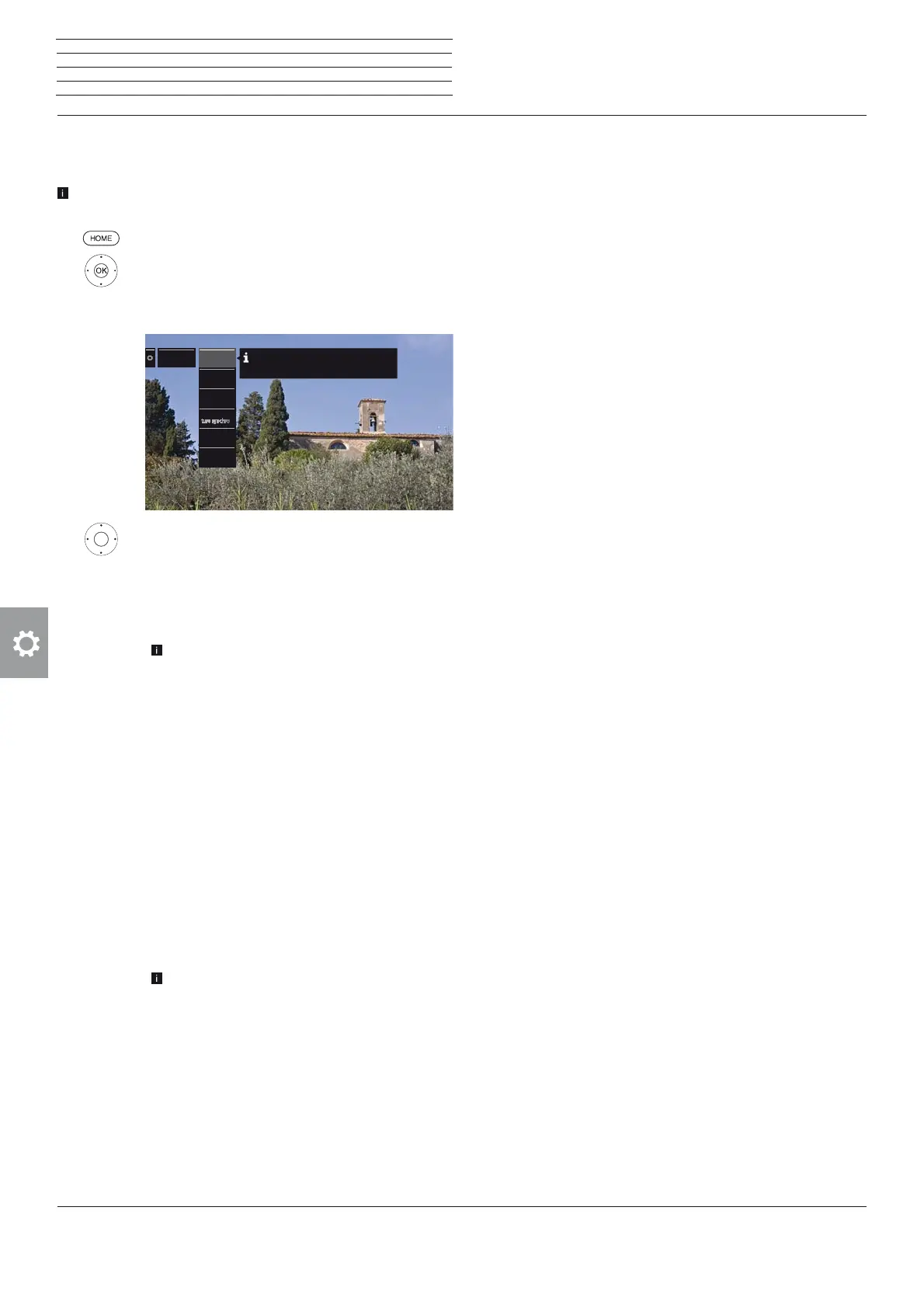
HOME: Call Home view.
Mark System settings,
OK call System settings.
Mark Sound,
go to next column.
Select sound function,
proceed to next column.
Explanations of the sound settings:
Sound via
Playback over the TV speakers or an external hi-fi
amplifier.
The menu item Sound via only appears if HiFi/
AV amplifier or TV speakers (switchable) is
set in the audio components wizard (see chapter
System settings, section Connections – Sound
components).
Sound
adjustment
Here, you can adapt preset sound characteristics
of the respective broadcast. Selectable are, e.g.,
Speech, Classical, Pop, Custom music and Film
soundtracks. For personal music and film sound you
can do the settings for pitch and bass sound (high
and low frequencies).
Loudness
Proper boost of bass and treble tones at low volume.
Sound
picture
synchronisa-
tion
If the sound and picture are not precisely in sync,
you may correct this here. Move the mark on the
bar downwards, slowing down the sound compared
with the picture. Move the mark upwards, speeding
it up compared with the picture. Time adjustment
of the sound occurs in steps of 10 ms in each case.
only available for DVB stations.
Volume
adjustment
The volume can differ according to the individual sta-
tions. If the sound is too loud or too quiet in relation
to other stations, adjust the volume.
When the menu is open, you can select the stations
one after another with P+/P– and adjust every
single station conveniently.
more ...
call with OK.
Sound
Sound viaSound via
Sound
adjustment
Sound
adjustment
Volume ad-
justment
Volume ad-
justment
LoudnessLoudness
more ...
Here you can choose whether you would like to hear
the sound via the TV speakers or via the sound projector.
Sound pic-
Explanations of the sound settings (continued):
Loudspeaker/
Headphone
sound
For analogue stations:
Selection options for Mono/ Stereo or Sound 1 or
Sound 2 for bilingual programmes, separately for
the loudspeakers and the headphones.
Auto volume
The volume may vary when receiving stations with
different standards, when switching from station to
station or during commercials.
You can reduce these differences in volume by
selecting auto volume on. For music and live
broadcasts you get a better sound spectrum with
auto volume off.
Maximum
volume
You can limit the volume adjustment of the
loudspeakers. This prevents selecting a volume
which is too loud.
Maximum
switch on
volume
Set the sound level to be heard after switching on the
TV set with the mains switch or after a power failure.
When switching on the TV set in standby mode, the
volume last used is retained unless it was above this
switch-on level. Otherwise it is limited by this.
Balance
Set stereo balance so that the volume impression is
identical on the left and right.











 To Next Page