21
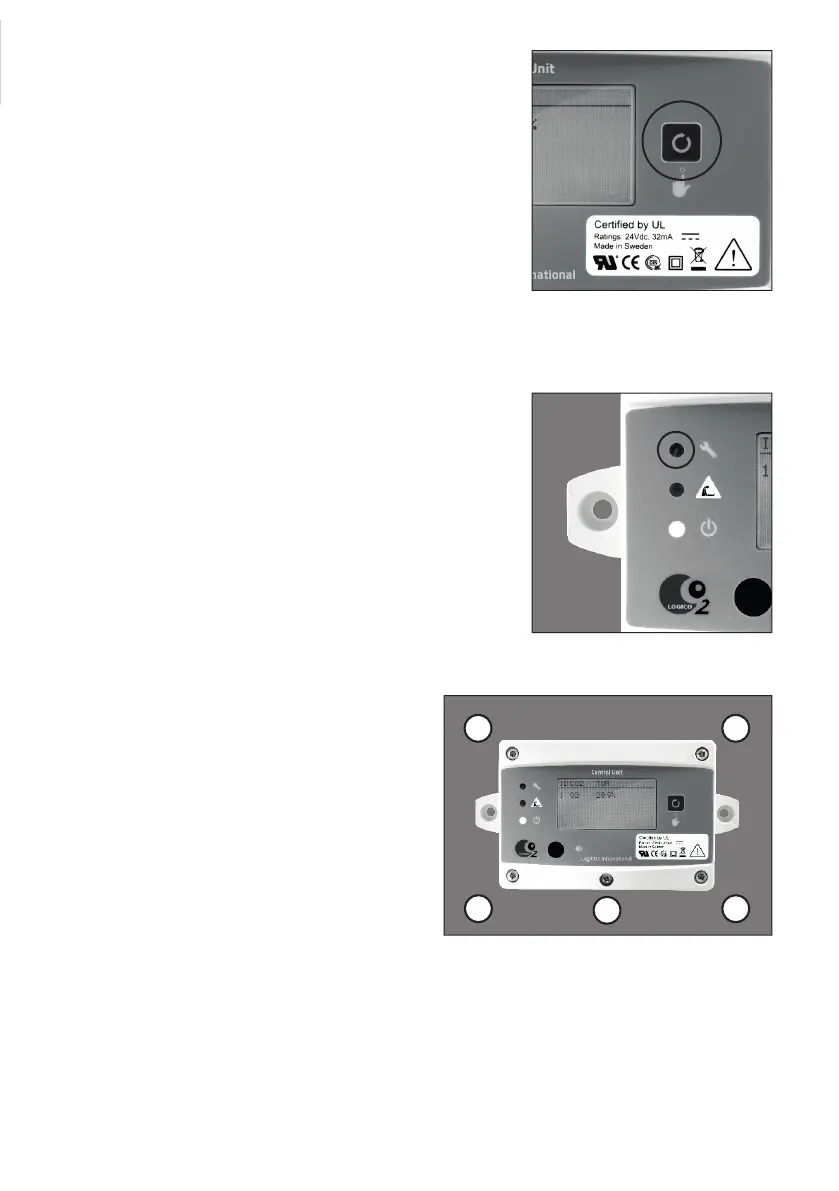
9.3 Mute/reset button
On the right side of the display, there is a sound mute/reset and
test button. A short push on the reset button mutes the internal
buzzer during an alarm situation. Push and hold the reset button
for approximately 4 seconds to clear/reset an alarm. “Alarm
Cleared!” is shown in the display.
9.4 O2 Alarm
In case of Alarm, the buzzer in the central unit may be muted
by pressing the reset button shortly. The alarm can only be
totally cleared/reset when the O2 level is within the alarm level
settings.
9.5 Test the system
To test all alarm indications (horn/strobe/LED/buzzer), push and
hold the reset button for approx. 10 seconds. “Testing system...”
is shown in the display.
9.6 System fault
In the event of a system fault, the yellow LED is activated and
a beeping tone will be made by the central unit. The error will
be described in the display until the fault has been rectified and
cleared/reset on the central unit.
9.7 Removal of the Mk9 unit cover
If the cover of the Mk9 central unit or the O2 sensor
needs to be removed please observe the following
order of screw reassambling.
Note! When remounting the cover, be careful not to
damage the reset button.
1
2 3
4 5
Mute/reset button
System fault indicator
Reassambling order of the screws


 To Next Page