27
13. Function and installation check
Store Name (Store Number)
Address
City
State / Region
Zip Code
Country
Date of inspection
Service Provider’s Company Name
Repair Company Name (if different)
13.1 Power supply control
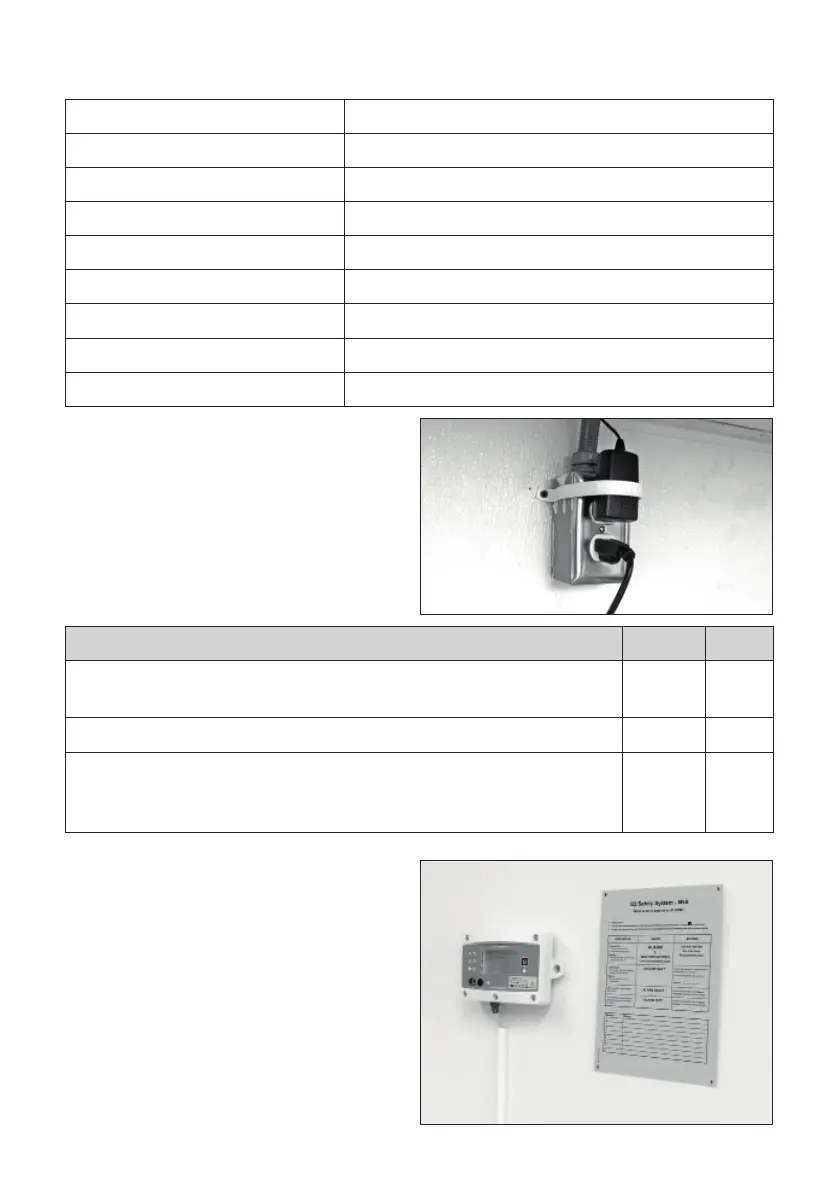
If a plug-in power supply is used, make sure that
the plug-lock is mounted in a way to eliminate
the risk for the power supply to be un-plugged.
Checklist Power supply YES NO
Is it a hardwired power-supply (directly connected to the power network
without any plug, OBSERVE not for the US)?
Is it a plug-in power supply?
If it is a plug-in power supply, is the plug-lock securely mounted (or any
other mechanical system that eliminates the risk for the power supply to be
un-plugged)?
13.2 Central Unit check
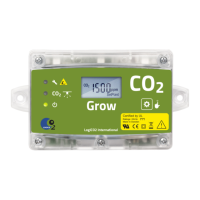
The central unit must be mounted at a height
and where it is easily reachable (to control/reset
the system and to read the values/messages).
The sign “What to do” must be mounted in a
permanent manner (NOT TAPE) next to the
central unit so that the personnel can easily
read it. Phone number of the service provider
responsible if there is a O2 alarm, should be
registered on the “What to do” sign.
When the central unit is running properly, the
green diode (ON) is ON, and the screen should
display the O2 levels of the O2 sensor or sensors
that are connected.


 To Next Page