21
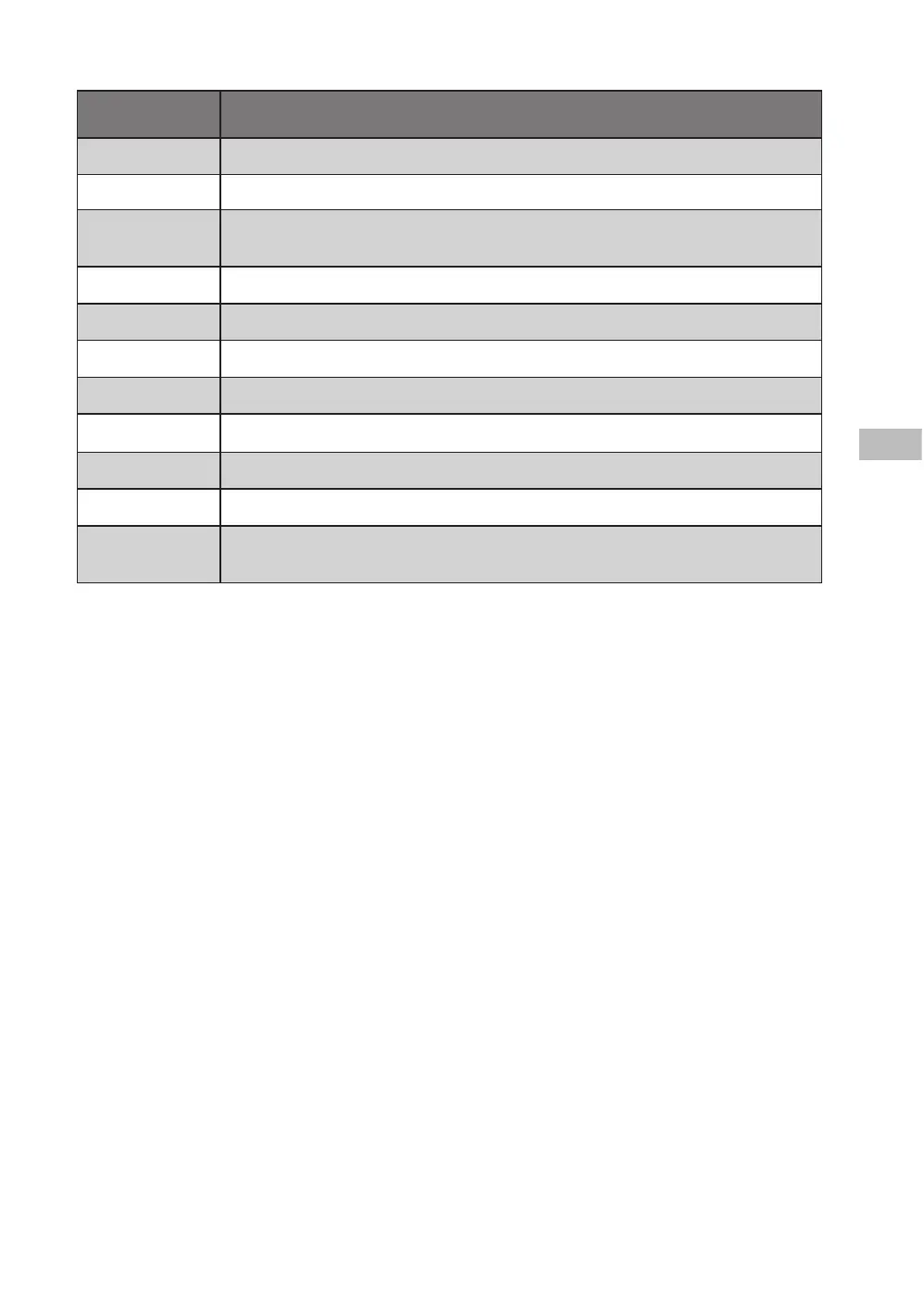
Programme Type of laundry and textile
Cotton Hard-wearing textiles, heat-resistant textiles made of cotton or linen.
80°C Washing machine can kill some bacteria, and achieve hygiene effect.
Delicate
For delicate, washable textiles, e.g. made of silk, satin, synthetic fibres or
blended fabrics.
ECO 40-60 Suitable for laundry washing at about 40°C-60°C.
Spin Extra spin with selectable spin speed.
Rinse & Spin Extra rinse with spin.
Jeans Especially for jeans.
Mix Mixed load consisting of textiles made of cotton and synthetics.
20°C Washing brightly coloured clothes, it can protect the colours better.
Rapid 45’ Washing few and not very dirty clothes quickly.
Express 15’
Extra short programme, suitable for lightly soiled washing and a small
amount of laundry.
Delay start the programme
1. Select a wash programme.
2. Press the Delay button repeatedly to set the delay hours (3, 6, 9, 12) for the programme to
start. The indicator will light up.
3. Press the Start/Pause button to conrm and commence the delay function.
To cancel the delay function:
• before the programme starts, press the Delay button repeatedly until the indicator light is o
• while the programme is running, turn the dial to OFF.
How to Set the Child Lock
The Child Lock prevents children from accidentally changing a wash programme:
• Press and hold the Delay and Function buttons at the same time for 3 seconds to set the
child lock. The Child Lock icon will light to indicate that the child lock is active.
• To deactivate the child lock, press and hold the Delay and Function buttons until the Child
Lock icon disappears.
L610TL22E_IB_5L_RC_Final240326.indb 21L610TL22E_IB_5L_RC_Final240326.indb 21 26/3/2024 3:49 PM26/3/2024 3:49 PM



 To Next Page